.webp)
Field notes from the Atlassian trenches.
Practical, no-fluff guidance on Jira, Confluence, and Jira Service Management — from the senior consultants who do this every day.

The project plan lives in Google Drive. The budget model is in SharePoint. The decision that reconciled the two is a Confluence page nobody linked to, and the work it produced is a Jira epic that three teams are quietly interpreting differently.
Nothing is missing. That is the frustrating part. Every answer your team needs already exists, written down, by someone who was paying attention at the time. The tax is not authorship. The tax is reassembly — and it gets paid again every time somebody prepares for a review.
Atlassian’s July 30 announcement goes after exactly that tax. Teamwork Graph connectors for Google Drive and Microsoft SharePoint now pull full document content — not just filenames and metadata — into the graph that powers Rovo Search, Rovo Chat, and Rovo Agents. Since the Teamwork Graph went public in May, it is the most consequential thing added to it — and a release where the setup instructions deserve more attention than the demo video.
Start with the outcome, not the folder
The behavioural shift is small and worth naming. Today, finding something means first remembering where it was saved — a retrieval problem you solve with memory before you solve it with a search box.
With the connectors active, the question changes shape. Instead of hunting for the onboarding plan, you ask Rovo to summarise the status of a project, flag inconsistent information across sources, and link back to whatever it drew from. Atlassian’s example prompts lean hard on this pattern, and it is the right instinct. We made a similar argument when Atlassian first started closing the context gap between AI and your actual business: the model is rarely the bottleneck. The context is.
What makes this more interesting than a federated search bar is that the document body comes along. Rovo can relate a Drive planning doc to the Confluence page recording the decision and the Jira work that followed, then cite all three. That is a different capability from the cross-company Ctrl+F we covered during Rovo Week, and a meaningful step past the keyword karaoke problem in Atlassian search.
It writes back, too
Once a connector is live, Rovo can also create a Google Doc or SharePoint page and comment on existing files. Atlassian is clear these actions respect the same permissions as search and require your direction. Worth piloting narrowly before anyone gets excited about agents filing documents unattended.
The number nobody puts on the slide
Here is the part I would want a client to see before the pilot, not after.
Third-party content pulled in through a Teamwork Graph connector counts as an indexed object, and your subscription includes an allowance that scales with seats and edition. Atlassian documents it plainly: 250 indexed objects per user on Jira Premium or Confluence Premium, 625 on Enterprise, 100 on Standard, with higher figures for Teamwork Collection. Allowances pool at the organisation level.
Run the arithmetic. Five hundred people on both Jira Premium and Confluence Premium gives you roughly 250,000 pooled indexed objects. Now consider what the Google Drive connector actually ingests: Docs, Sheets, Slides, PDFs under 10 MB, text files, CSVs, images, videos, and folders. A five-hundred-person company’s Drive does not contain 250,000 of those things. It contains several times that.
Credit where it is due: indexed objects do not consume Rovo credits, and the count appears in Admin Hub for visibility rather than billing. The documentation does not describe what happens at the ceiling. The practical conclusion is the same either way: “index everything and see what happens” is not a strategy. Scope deliberately, measure, expand. Atlassian’s own guidance says start narrow. The allowance table quietly says the same thing for a second reason.
Setup is not a toggle
The blog post says an organisation admin connects the source. True, and slightly compressed. What that actually involves:
- Google Drive requires domain-wide delegation in Google Workspace for Atlassian’s client ID and OAuth scopes. Without it, the connector only sees files owned by the single connecting account. Atlassian sensibly recommends a dedicated read-only admin account rather than routing calls through a Super Admin.
- SharePoint requires global admin rights, admin consent in Entra, and one easily-missed prerequisite: M365 site groups must allow everyone to view group membership. Without it, permissions for content tied to those groups will not sync correctly — the kind of detail that produces a confusing pilot two weeks later.
- Every individual still has to link their own account. The org connector handles indexing; the per-user link is what mirrors each person’s real access. Until someone connects, they may see nothing.
Expect a few hours before content appears, longer for large libraries. Encrypted SharePoint documents are not ingested at all. Videos index metadata only.
The governance controls are the good news
Both connectors let admins scope what enters the graph: site and drive allowlists or blocklists, personal-drive scoping by group, and date limits so only content modified after a chosen date is ingested.
SharePoint goes further with Microsoft Information Protection sensitivity label blocking, which works at both document and site level. Because labels travel with the file, protection follows content that moves between sites — something a site blocklist cannot do. Atlassian notes that already-indexed content carrying a newly blocked label stops appearing immediately and is purged on the next full scan.
Google Drive does not have label blocking yet. Atlassian lists it as coming soon. If your Drive governance depends on labels, that gap is your answer on sequencing: start with SharePoint.
Underneath all of it, Rovo respects source-system permissions. People see only what they could already open. Worth knowing the Drive nuance, though: a file surfaces in Rovo if its sharing is set to appear in search results, or if it is link-restricted and that link appears somewhere Rovo can read. Genuinely private files stay with their owner. This is the same governance-before-enthusiasm posture we applied to Trello’s new AI front door, and it holds up here.
The Avaratak Take
This is a strong release, and I would not talk a client out of it. Connecting document knowledge to the Teamwork Graph is the most direct way to make Rovo answers better, because it fixes the input rather than the model.
What I would talk them out of is treating it as a switch. Three things decide whether this lands:
- Pick one workflow. One recurring review that currently costs somebody an hour of collation. Instrument it, then judge the connector on that.
- Scope before you sync. Allowlist the sites and drives that matter. Use the date limit. Configure sensitivity label blocking on SharePoint before the first ingest, not after.
- Budget for the identity work. Domain-wide delegation and Entra admin consent are conversations with people who did not read the Atlassian blog and will reasonably want to know why.
The honest framing is this: your organisation already paid to create this knowledge. The connectors are a way to stop paying for it twice. Just do not let a five-minute admin flow write cheques your governance review has to cash.
If you want a second opinion on connector scoping before you turn one on, that is exactly the kind of question Avaratak is built for. We are an Atlassian Solution Partner staffed by senior-only consultants, and we would rather tell you to wait than sell you a rollout you are not ready for.
Related reading

There is a conversation I have with founders about once a quarter, and it always lands in the same month. Not month one, when the tools go in and everybody is delighted. Month thirteen.
The free year has ended, the first real invoice has arrived, and somebody finally asks the question that quietly decides the next two years: “Why are there fifty-three people in here?”
I mention this because Atlassian published a genuinely likeable post on July 15 marking two years of Atlassian for Startups, and the numbers in it deserve a read. But the most useful thing a partner can do with a milestone post is not applaud it. It is to talk about the day after the milestone — which, in this case, arrives roughly 365 days after you sign up.
Two years in, the hypothesis held
The program launched in June 2024 on a straightforward premise: hand early-stage founders good collaborative tooling from day one and they spend less of their scarce attention on what Atlassian calls the collaboration tax — the compounding cost of not being able to find a decision, measure progress, or keep knowledge somewhere the next hire can reach it.
As of June 2026, Atlassian reports more than 5,000 startups onboarded: over 2,000 in year one, more than 3,000 in year two. That acceleration is the interesting shape in the data. Programs that grow faster in their second year are usually being recommended rather than marketed.
The distribution story supports that reading. Atlassian says it now works with more than 215 venture firms, accelerators, and incubators — Y Combinator and a16z’s Alpha and Speedrun funds among them. Investors are unusually careful about what they push into a portfolio, because a bad recommendation costs them credibility with founders they will need again later. Their willingness to forward this one is a real signal, and a harder one to manufacture than a case study.
What is actually in the box
Anniversary posts run light on specifics, so here is the inventory, because this is the part founders actually need. Eligible startups get Atlassian Cloud products at $0 for twelve months:
- Jira Premium — up to 50 seats
- Confluence Premium — up to 50 seats
- Bitbucket Premium — up to 50 seats
- Loom Business + AI — up to 50 seats
- Rovo — up to 50 seats
- Jira Service Management and Customer Service Management — up to 10 seats
- Jira Product Discovery Premium — 10 creator seats, unlimited contributors
Eligibility is narrower than the headline suggests, and it is worth checking before you get attached to the idea. You must not already be a paying Atlassian customer, you must be VC funded or attached to a partner accelerator or incubator, and you must not have raised more than US$10 million in external funding. Atlassian reviews every application and may ask for proof of funding. One twelve-month enrollment per company.
Three caveats a partner should say out loud
None of these are dealbreakers. They are simply the things that decide whether month thirteen is calm or interesting.
Marketplace apps are not included. If your intended architecture leans on a Marketplace app to function, that dependency is priced separately from day one. Better to know before you build a workflow around one.
The seat ceilings are not uniform. Fifty for most, ten for service management and for Jira Product Discovery creators. I have watched more than one team design a service desk against the free tier and then discover the ceiling was 10 rather than 50 right as support headcount started growing.
These are classed as Free or Beta Products. That is the category the program products sit in under Section 17 of the Atlassian Customer Agreement, and the product list can be modified over time. Entirely standard for a free program anywhere in this industry, and no cause for alarm — but the sort of thing you want your own counsel to read once rather than discover later.
The month-thirteen math
Here is the mechanic that catches people. Cross 50 users on a product — or 10 on service management — and you move to a paid plan for it. Grow Confluence Premium from 50 people to 75 and you are quoted at the 51–100 user tier, not for the 25 seats you added.
That is not a trap. It is how tiered pricing works across essentially every vendor in the category. But it does mean headcount growth and licensing cost do not move in a straight line, and the step tends to arrive in the same quarter as several other steps. Atlassian’s flexible commercial model for enterprises exists precisely because big organizations found rigid commitments a poor fit for unpredictable adoption. Startups have the same problem in miniature and rather less negotiating room. Which is an argument for modelling the number early, not for worrying about it.
What I would build during the free year
The scaffolding metaphor is the honest one. The program is twelve months of free scaffolding. What matters is the building underneath, because that is what is still standing when the scaffolding comes down.
Settle your project and space taxonomy in month two, not month ten. Renaming things is cheap at eight people and expensive at forty. This is the single decision with the longest half-life, and it costs nothing but an afternoon.
Use Confluence as a decision log, not a document graveyard. We made the same argument about why the Teamwork Collection rewards a clean foundation: connected tooling amplifies whatever is already there. Give it a well-kept record of why you decided things and it compounds. Give it a folder of untitled drafts and it faithfully amplifies that instead.
Treat the 10-seat products as design constraints, not disappointments. Ten Jira Product Discovery creators with unlimited contributors is a perfectly good shape for a founding team — a few people curating, everyone able to contribute. It is close to the model we described when we wrote about pulling scattered customer feedback into Jira Product Discovery. Design for it deliberately and the constraint stops mattering.
Give Rovo something worth reading. Fifty Rovo seats is a serious allocation, and its usefulness is a direct function of how much real context sits in Jira and Confluence. Atlassian also pointed at an Agentic Engineering template for teams working with coding agents, available for new space creation on Rovo-enabled instances — a sensible starting structure if you are already shipping alongside agents, and a natural companion to agents that can be assigned Jira work like teammates.
The Avaratak Take
This is a good program. I recommend it to eligible founders without hesitation, and the twelve free months of Premium tooling are worth real money to a company that has very little of it.
The thing I would push back on is the instinct it creates. Free tooling encourages you to defer architectural decisions, because nothing you do wrong costs anything yet. That is exactly backwards. The free year is the cheapest window you will ever have to make structural mistakes and correct them, and it is the same argument we made about doing the unglamorous assessment work while nothing is at stake. Stakes arrive on their own schedule. Structure does not.
So my advice is unglamorous and slightly annoying: spend part of your free year doing the work you would do if you were paying. Name things properly. Write down decisions. Watch your seat counts the way you watch runway. Do that, and month thirteen is a renewal conversation. Skip it, and month thirteen is an archaeology project with an invoice attached.
If you are inside the free year and would like a second set of eyes on the structure before it hardens — or you are staring down month thirteen and would like the seat math done properly — that is exactly the conversation we enjoy at Avaratak. Come find us at avaratak.com. Bring your org chart; we will bring the good questions.
Related reading

The migration that goes badly almost never goes badly on migration weekend.
It goes badly six weeks earlier, on an unremarkable Tuesday, when nobody looks closely at the instance and a few thousand work items quietly carry a data problem that no one has thought to check for yet. The weekend is simply when you find out. By then you have a change window, a rollback plan, an executive on a bridge call, and roughly none of the time you would need to fix the actual cause.
I mention this because Atlassian published its Q1/Q2 2026 Cloud Transition Round-Up in late June, and if you skim it you will read a list of tooling updates. If you read it properly, you will notice that nearly every item addresses the same moment — the weeks before anyone touches a migration plan. That is a more interesting editorial choice than the release notes let on, and it happens to match where migrations actually succeed or fail.
Portfolio Insights got substantially more opinionated
Portfolio Insights is the free assessment feature in Atlassian Administration that inventories your product portfolio, evaluates your data, and hands back recommendations before you commit to a plan. Four things changed, and they compound.
Connecting is now one install. Wiring a Data Center instance to Portfolio Insights previously meant collecting several Marketplace connector apps. Those capabilities are now bundled into a single installation. Unglamorous, and precisely the sort of friction that quietly determines whether an assessment happens at all.
The assessment logic updates itself. The data and metrics app is what lets Portfolio Insights run Atlassian-supplied assessment queries against your instance, so your results reflect current logic rather than whatever shipped the year you installed it. It rides along with Jira Cloud Migration Assistant 1.12.50 and later, and Confluence Cloud Migration Assistant 3.13.9 and later. Update your migration assistant and you have it; there is nothing else to install.
Apps are finally in scope. Marketplace app assessments and custom app identification are now part of the cloud readiness report. Anyone who has run an enterprise migration knows apps are where the schedule goes to die — not because they are hard, but because their complexity surfaces late, after the plan is already socialized. Moving that discovery earlier is worth more than it sounds.
Performance and Security insights arrived. Performance insights use the Apdex framework to measure how satisfying your key workflows actually feel to end users, with instance-specific recommendations attached to detected symptoms. Security insights score your Data Center configuration against best practices across five areas — vulnerability management, system configuration, application configuration, access management, and apps and integrations — with step-by-step remediation for anything that fails.
Here is the detail I did not expect: these two are not really migration features. A security score that refreshes roughly every two hours, with daily snapshots over the trailing week, is instance health tooling. It is useful on a Tuesday when you have no migration planned at all. And cloud readiness assessments now rerun automatically every 28 days — opt-out available in the UI — so your picture stays current as your data shape drifts.
From prep to cutover
Three more items, moving down the timeline.
Preflight remediation is the one I would flag to anyone mid-planning. Run a pre-migration check and you now get actionable specifics — the affected project, the item type, the recommended fix — and you resolve them using a structured remediation file supporting both required and optional updates across many items at once. Upload the corrected file, get to green, proceed. The critical part is that none of it changes your source environment. You are fixing the migration’s view of the data rather than editing production to satisfy a tool. It has been available to all customers since April 2026. A guided remediation UI inside JCMA was planned for the end of Q2 2026, so check whether it has landed in your instance before assuming the CSV route is your only option.
Migration timestamps in JCMA are an opt-in checkbox on the Select Projects step: add migration timestamp details to entity descriptions. Enable it and JCMA appends a short tag during export — something along the lines of migrated on a given date from Jira Data Center — to migrated projects and issues. Left off by default, and off means genuinely untouched. Small feature, real value for auditability and for the six-month-later conversation about which content came from where.
The cloud-hosted migration assistant is the structural change. Rather than running the migration from your production Data Center environment, you copy your data into a dedicated Atlassian-hosted migration environment and run from there. It supports on-demand incremental transfers, so subsequent runs move only what has changed. That makes test-validate-repeat cycles cheap, which is the single biggest lever on migration downtime. It is currently limited to selected customers in an early access program, so plan around it as a direction rather than a resource.
What is coming, and one thing worth watching
Atlassian flagged four things in flight: usage-based insights showing which apps, automations, and configurations are actually in use so you can clean up before you move rather than after; an Action Required summary tile surfacing only the guardrails currently blocking a test migration; expanded remediation coverage; and a cloud transition agent laying groundwork for AI-assisted troubleshooting and migration support.
That last one is the one I would keep an eye on. An agent that can reason across your instance health, your assessment history, and your remediation state is a very different proposition from a wizard with better error messages — and it is the same underlying bet we described when we wrote about closing the gap between AI and your actual business. Usage-based insights will be optional and opt-in, and Portfolio Insights remains fully functional without it.
The honest caveats
Portfolio Insights is free, but it requires an Atlassian organization — free to create if you do not have one — and access is limited to organization admins in Cloud and system admins in Data Center. If you cannot connect your instance for network or policy reasons, you can still get the insights by collecting and uploading instance health data manually. The cloud-hosted migration assistant is early access. And the automatic 28-day refresh applies to cloud readiness specifically; security insights refresh on their own, much faster cadence.
The Avaratak Take
Every one of these features rewards the same behavior, and it is the behavior migration teams are worst at: assessing early, repeatedly, when nothing is at stake.
The reason some are bad at it is structural rather than lazy. Assessment produces bad news, and bad news before a project is funded feels like a reason not to fund it. So the check gets deferred until the plan exists, by which point the plan has a date, and the date has an audience. Automatic 28-day reassessment quietly solves this by making the news arrive whether or not anyone asked — which is a design decision I respect more the longer I sit with it.
So here is the small piece of work I would do this quarter, in this order, whether or not you have a migration on the roadmap. Connect Portfolio Insights and let the first assessment run — you are gathering a baseline, not committing to anything. Read the security score before you read the cloud readiness report, because that one is useful to you today regardless of where you end up hosting. Then run a pre-migration check on one representative project and work the remediation file end to end, so your team learns the mechanics when a mistake costs nothing. And leave the 28-day reassessment on. The opt-out exists for good reasons, and none of them are ‘we would rather not know.’
Do that and a migration becomes a scheduling problem, which is the kind of problem organizations are genuinely good at solving. Skip it and it becomes a discovery problem, discovered on a Saturday.
Consider leveraging comprehensive assessment tools and early planning strategies to ensure a smooth transition. Atlassian Cloud migration
The best migration story is one nobody tells afterward, because nothing happened worth retelling. If you would like a second set of eyes on your cloud readiness report, your app inventory, or the sequencing of a move you have been putting off, that is exactly the conversation we enjoy at Avaratak. Come find us at avaratak.com. Bring your assessment; we will bring the good questions.

Every organization has a tool that isn’t on the architecture diagram.
It didn’t arrive through procurement. Nobody wrote a governance policy for it. It showed up because one person needed a board for a launch, invited four colleagues, and it worked — so it stayed. Six years later it holds the launch checklist, the vendor shortlist, and a card titled ‘ask legal about this’ that nobody has moved since 2023.
For an enormous number of companies, that tool is Trello. More than 100 million people have signed up for it, and a healthy share of those signups happened without a single conversation with IT. That is not a criticism — it is precisely why Trello works. Frictionless adoption is a virtue in any tool that has it, and it is also, universally and across every vendor in the category, how software ends up living outside the governance model.
Which makes what Atlassian shipped this month more interesting than the headline suggests. Trello now speaks MCP.
What actually shipped
The Model Context Protocol is the shared standard that lets AI assistants talk to applications. Atlassian has now published an official Trello MCP server, which means Claude, ChatGPT, Gemini, Cursor, and any other MCP-capable client can read your Trello data, search across it, and act on it — creating and managing boards, lists, cards, and checklists by prompt rather than by clicking.
The practical shape of this is the part worth picturing. You spend twenty minutes with an AI assistant planning a product launch, or a conference booth, or a two-week trip through Italy. Previously the plan lived in a chat window and the work of transcribing it into a board was entirely yours — the momentum-killing tax on every good planning session. Now the plan can land in Trello directly, structured, while the thinking is still warm.
Setup is unglamorous in the best way. Trello MCP is listed for ChatGPT and Claude, there is a Cursor deeplink, and for anything else you add the server URL to your client’s MCP settings and run the connection flow. It works on every Trello plan, including Free. The server is open on GitHub, which is a nice signal about how Atlassian intends to develop it.
The part that made me sit up
Here is what I did not expect, and what almost every write-up of this launch is going to skip.
Trello MCP arrived already governed. Organizations managed through admin.atlassian.com can control it from Atlassian Administration — allowing or blocking which MCP server domains their people can reach, and setting what level of access is permitted when users connect, across read, write, and search. Critically, Trello MCP uses the same admin control framework as the Atlassian Rovo MCP server. There is no separate Trello-specific admin tooling to learn, no second console, no parallel policy to maintain.
Think about the sequencing there. The obvious way to ship this feature would have been to get it into users’ hands first and sort out enterprise controls in a later release, once someone complained. Instead the controls landed with the feature, inside the framework administrators already know. That is a meaningfully harder engineering decision and a meaningfully better one, and it deserves to be noticed rather than buried under the demo.
Restraint, in three places
The design discipline shows up elsewhere too, and each instance is the kind of thing you only appreciate at 2 a.m. six months from now.
No destructive deletes. Your assistant cannot permanently delete a board, list, card, label, comment, or attachment. It can archive cards and lists — recoverable, reversible — and that is the ceiling. Anything genuinely destructive still requires a human in the product. When an agent is acting on your behalf across hundreds of cards, the difference between archive and delete is the difference between an inconvenience and an incident.
Permission inheritance. An AI assistant cannot do anything in Trello that you could not do yourself. It operates inside your existing access, not above it. This is the same principle we admired when Bitbucket separated the right to deploy from the right to administer — capability widens, authority does not.
Explicit scope. Your assistant can only reach the workspace you specifically authorize on the consent screen, and access is revocable at any moment. Authentication runs on OAuth 2.0 rather than a long-lived token pasted into a config file somewhere.
The honest caveats
Three things to know before you plan around this.
Each connection currently supports one workspace. If you live across several, you will be choosing one for now; multi-workspace support is on the roadmap but is not here today. Second, every MCP call draws on your AI client’s message limits or token budget — the server is free, the conversation is not. Third, a small tier note: connecting a calendar to Planner works broadly, but creating focus time requires Trello Premium or Enterprise.
Worth knowing for the future: Atlassian has said Trello data may become available through the Rovo MCP server as well, for teams already running Trello alongside Jira and Confluence. Listing it separately for now simply makes it easier for dedicated Trello users to find it. If you have read our piece on closing the AI context gap, you can see where that convergence eventually leads.
The Avaratak Take
The feature is genuinely useful. The lesson underneath it is more useful still.
For years, the tools sitting outside the governance model were largely harmless because their blast radius was small. A board is a board. But the moment any tool becomes an AI endpoint, its blast radius changes character entirely — not because the tool got more powerful, but because something reasoning across it did. That is an industry-wide shift, and it is arriving faster than most access reviews are scheduled.
So here is the small piece of work I would actually do this quarter, and it has almost nothing to do with Trello specifically. Open Atlassian Administration and look at your MCP access controls with fresh eyes. Decide, deliberately, which server domains your organization permits and what access level you are comfortable granting — read, write, or search. Then go find out which Trello workspaces exist in your company at all, because the honest answer at most organizations is ‘more than we think.’ A workspace nobody knew about is not a new problem. A workspace nobody knew about with an AI assistant attached to it is.
Do that and this launch is a straightforward win: less transcription, faster capture, and the same permissions you already had. Skip it and you have not created a crisis — you have simply left a decision to be made by whoever connects first.
If you would like a second set of eyes on your MCP access controls, or an honest inventory of what is actually running in your Atlassian estate before you start pointing agents at it, that is exactly the conversation we enjoy at Avaratak. Come find us at avaratak.com. Bring the boards you forgot about; we will bring the good questions.

A release manager asks for permission to push a build to staging. To say yes, you have to make them a repository administrator — which also hands them the power to rewrite branch rules, edit merge checks, and delete the repository outright. You say yes, because the release has to ship. Then you make a note to tighten it up later. Later, as ever, does not come.
That trade-off has been baked into how teams run source control for the better part of two decades, across every platform rather than any one of them. On three consecutive days this week, Atlassian shipped three separate Bitbucket features that each dissolve a piece of it. They landed without much fanfare, which is a shame, because unglamorous permission plumbing is where I spend an embarrassing share of my professional life — and taken together, these three releases say something more interesting than any one of them says alone.
Monday: separating ‘can merge’ from ‘can deploy’
On July 20, Bitbucket Pipelines introduced custom deployment permissions, currently in beta. You can now gate a specific environment to named users and groups from Repository settings → Pipelines → Deployments: add people or groups, audit who currently holds access, revoke it when they move on.
The detail that made me sit up is that this lets you separate who can merge code from who can deploy it. That is segregation of duties — the thing your auditor asks about every single year — and it becomes something you can point at in a settings panel rather than something you have to explain in a paragraph. Release managers, SREs, and on-call engineers can hold deployment rights to a sensitive environment without ever becoming repository admins.
A few things to know before you plan around it. This needs a Premium workspace, Pipelines enabled, and at least one environment configured. Each environment supports up to 100 users and groups combined. And here is the behavior worth rehearsing: deployment permissions take precedence over scheduled and automated deployments too, so an unattended release will halt and wait for an authorized human to resume it. That is the right call — a gate that automation can walk around is not really a gate. It is also the kind of thing you want to meet in staging rather than at 2 a.m.
Tuesday: share the artifact, not the repository
On July 21, Bitbucket Packages gained internal packages. Every package until now — container images, Maven, npm, PyPI, NuGet — lived inside a single repository and inherited that repository’s permissions. That is the right default most of the time, but it meant letting another team pull a shared base image required granting them read access to source code they had no particular need to see.
Mark a package internal and any member of the workspace can pull it from anywhere, without being given anything on the linked repository. The source repo stays hidden — kept out of breadcrumbs, URLs, and package details — so nothing leaks about where it lives. Pipelines in other repositories can pull it too, which clears the builds that used to sit waiting on an access request.
The design restraint is the part I admire most. Internal changes who can read a package. It never changes who can write to one. Push, publish, delete, and visibility changes all still require write access to the linked repository, and there is no cross-repository write tier at all. Private stays the default, so nothing moves until you deliberately move it. Sharing widened; authority did not. That is a disciplined piece of product design, and the restraint is what makes it safe to turn on.
Wednesday: main is not where most teams ship from
On July 22, Bitbucket Tests began tracking up to five branches per repository rather than only the default. Integration happens on develop. Stabilization on staging. Releases cut from release. Atlassian named this one of the most requested capabilities during the Tests beta and turned it around quickly — the kind of responsiveness worth pointing out when you see it.
Failure rates, flaky scores, and test history now aggregate across every tracked branch, and each execution shows the branch it came from, with a filter to isolate one. If you followed our earlier piece on Bitbucket’s agentic pipelines, this is the missing input: automated flaky-test detection is only ever as good as the branches it can see.
Three releases, one assumption
Here is the throughline. For most of Git’s corporate life — across every platform, not any single vendor — the repository has been the unit of everything: the unit of access, the unit of sharing, the unit of truth. If you needed to do anything with a repository’s outputs, you needed rights to the repository itself.
Each of these features severs one strand of that assumption. Deployment permissions detach the right to release from the right to administer. Internal packages detach the right to consume an artifact from the right to read its source. Multi-branch tests detach your picture of quality from the default branch. Three different teams, three different surfaces, one direction of travel: the repository becomes one boundary among several rather than the only one that counts.
That is worth knowing if Bitbucket is on your evaluation list, and it lands in the same stretch as Atlassian’s fourth consecutive year as a Leader across Gartner’s DevOps and DevSecOps research, placed highest in execution this time around. Recognition like that tends to be built from precisely this sort of steady, unglamorous plumbing — which is also what makes a platform pleasant to live in three years after you adopt it.
The Avaratak Take
Granular permissions are only an improvement if somebody owns them. Each of these features replaces a single coarse control with several precise ones, and precise controls drift — quietly, and always in the direction of ‘just add them, we’ll tidy it up later.’ A permission model with a hundred well-meant entries and no review cadence is not more secure than a blunt one. It is simply harder to audit. That part is on us as operators, not on the tooling.
So the work is genuinely small, and I would do it in this order. Pick the one environment where an accidental deploy would ruin your quarter and gate that first, rather than all of them at once. Look at which packages currently require repository access on paperwork rather than on merit, and make those internal. Add the two or three branches your team actually ships from to test tracking, and leave the rest alone. Then put a recurring thirty minutes on someone’s calendar to read the access lists out loud. That last step is the one everybody skips, and the only one that keeps the other three honest.
One more thing worth saying plainly: these controls matter more now that agents are doing real work in your pipelines, not less. When a coding agent can open a pull request on its own, an environment gate stops being bureaucratic overhead and becomes the thing standing between an autonomous merge and an unattended production release. Shipping this now, ahead of the first incident rather than after it, is good timing. We made a version of this argument about governing your context layer recently; this is the same principle, one layer further down the stack.
If you would like a second set of eyes on your Bitbucket permission model — or a hand putting these three capabilities to work without creating a governance headache six months from now — that is exactly the conversation we enjoy at Avaratak. Come find us at avaratak.com. Bring your access list; we’ll bring the good questions.

Give a modern AI model a blank page and it will write you a polished go-to-market plan in about nine seconds. It just won’t know what you’re launching.
That same model will happily triage an incident without knowing your architecture, onboard a new hire without knowing your team, and reprioritize your backlog without ever having met your customer. Brilliant, fast, endlessly confident — and quietly clueless about the one subject that actually matters: your business.
The gap isn’t intelligence. Today’s models have that in spades. The gap is context. In a recent post titled ‘AI that knows your business,’ Atlassian made the case that closing it is less about a smarter model and more about giving the model something it has never had — a memory of how your organization actually works.
‘Connected’ and ‘understands’ are not the same thing
Wiring an AI up to a handful of APIs gets you data. It does not get you understanding. Understanding is the thing that accrues when teams plan, argue, decide, ship, and revise inside the same set of tools for years on end. It’s the reason a seasoned colleague can read a two-line Slack message and know exactly what it means, while a brand-new hire reads the same message and sees nine words.
Atlassian’s name for that accumulated understanding is the Teamwork Graph: a living, permission-aware map of how your organization operates, drawn from roughly twenty years of work history and the wider constellation of SaaS apps your teams touch every day. Not a database of documents — a map of relationships.
Why a graph beats a search box
A search box can find a document. A graph knows what the document means. Atlassian’s own example is the clearest way to feel the difference: with the Teamwork Graph in play, a Slack thread stops being ‘a Slack thread’ and becomes the thread where three engineers agreed to change an API contract — linked to the pull request that implemented it, the customer who requested it, and the Jira work item that records the decision.
That’s the leap from retrieving a fact to understanding intent. Your agent no longer sees just the code, the doc, or the ticket. It sees the decision that created it and the team accountable for what happens next.
Your context, whichever AI you happen to like
Here’s the design choice I think is genuinely smart: Atlassian didn’t lock this to one model. The Rovo MCP Server uses the Model Context Protocol — think of it as a standard, secure plug — to hand your organizational context to whatever AI client your teams already use: ChatGPT, Claude, Copilot, Cursor, Gemini. Same context, same permission boundaries your admins already set, different front door. I’ve argued before that this openness is the most strategically interesting bet Atlassian is making right now.
And it’s bi-directional. Agents don’t just read the graph; they write back to it. Atlassian says nearly a third of the five-million-plus daily tool calls across its MCP server are writes — agents updating work items, logging decisions, assigning next steps. An agent that remembers what it discovered is a fundamentally different creature from one that wakes up with amnesia every session. Worth noting for anyone who still files this under ‘developer toy’: half of that usage is enterprise, and 44% of the people using it aren’t on software teams at all.
The command line just grew up
The other headline is that the Teamwork Graph CLI is now generally available — connected context across Jira, Confluence, Jira Service Management, Bitbucket, and 100-plus third-party tools, straight from the terminal or an agentic workflow. The grown-up part is the governance that shipped with it:
- OAuth 2.1 with short-lived, auto-rotating credentials instead of static tokens.
- Granular scopes, so an agent can read and write without ever holding delete permissions.
- Full audit logs — every request, who ran it, and when — exportable to Splunk as JSON.
- 567 commands spanning Jira, Confluence, JSM, Bitbucket, Assets, and third-party surfaces.
Atlassian’s internal benchmarks claim agents get 44% better answers using 48% fewer tokens, because the CLI hands them pre-assembled context rather than making them fetch raw data one call at a time. Treat the exact figures as directional — they’re Atlassian’s own numbers — but the underlying logic is sound. An agent that shows up already understanding the relationships in your work is cheaper and sharper than one rebuilding that picture from scratch on every run.
The quiet superpower: it compounds
Most AI tooling is exactly as smart on day 300 as it was on day one. This architecture isn’t. Every project you ship, every incident you close, and every connector you switch on makes the map a little richer — with no one configuring anything. Setup friction is dropping too: connector time is down more than 40%, and for sources like Google Drive and GitHub an admin enables it once and the whole team is in, no per-person login dance. New MCP connectors for Zendesk, ServiceNow and others are a click away, and you can build custom connectors for the line-of-business systems that never seem to have an off-the-shelf option.
The Avaratak Take
Here’s the part a launch post won’t say out loud: a context graph is only ever as good as what you feed it and how you govern it. ‘Permission-aware’ is doing an enormous amount of quiet work in that phrase. The moment an AI can reason across every tool you own, your access model and your data hygiene stop being IT housekeeping and become the whole ballgame. Point an agent at a messy, over-permissioned environment and you don’t get insight — you get your existing chaos, now with a confident narrator.
So the real project was never ‘turn on MCP.’ It’s deciding what context is worth exposing, to which agents, under which scopes — and keeping the graph clean enough that it surfaces signal instead of amplifying the junk already lurking in your systems. Do that well and the payoff is real, and honestly a bit of a moat: the teams that treat their Teamwork Graph as a governed, auditable asset today will have AI that actually knows their business, while everyone else is still re-explaining themselves to a chatbot every Monday morning.
Our advice to the partners we work with is refreshingly boring. Start small. Turn on one or two high-value connectors, set tight scopes, and read the audit trail before you expand. Let trust compound the same way the graph does — the same sane, sequenced approach we mapped out for rolling out Rovo.
This is exactly the kind of work we love at Avaratak — helping teams turn ‘we have Atlassian’ into ‘our AI genuinely understands how we work,’ with the governance guardrails that keep it safe rather than scary. If you’d like a second set of eyes on your connector strategy, your permission model, or where to aim your first agents, come say hello at avaratak.com. Intelligence is table stakes now. Context is the edge — and it’s yours to build.

Somewhere in your organization, right now, there's a spreadsheet with a tab called "Ideas — FINAL (v3)." It has forty rows. Nobody has opened it since March. And buried in row twenty-three is a genuinely good idea — the kind that would have moved a real metric — if only someone could have found it, gotten people to agree on it, and connected it to actual work.
I bring this up because I've watched it happen at companies that are otherwise excellent at shipping. They run disciplined Jira sprints, close tickets like clockwork, and demo on schedule. The delivery machine hums. The trouble sits one step upstream, in the messy space where ideas are supposed to turn into decisions. That's exactly the gap Jira Product Discovery was built to close — and after a fair number of client engagements, I've formed some firm opinions about when it earns your money and when it doesn't.
The gap nobody puts on a roadmap
For most Atlassian shops, delivery is a solved problem. Discovery isn't. The ideas that feed the backlog are scattered across spreadsheets, Slack threads, a few Confluence pages, and the back of someone's head. There's no shared place to see them, weigh them, or trace why one got built and another quietly didn't.
Jira Product Discovery — JPD, if you're on a first-name basis — is Atlassian's prioritization and roadmapping tool built specifically for product teams. The important word is inside: it lives within Jira rather than bolting on from the outside, which is the whole point. Since its 2023 debut it's matured into a proper home for the fuzzy front end of product work.
What Jira Product Discovery actually does
Let me skip the brochure language. In practice, JPD gives you a handful of concrete things.
One place for ideas. Opportunities, problems, and feature requests land in a single project instead of six spreadsheets and a notes app.
Insights that make priority evidence-based. You can attach real customer signal — a support ticket, a sales quote, a research snippet — directly to an idea. Priority stops being about who argued loudest and starts being about what the evidence says.
Scoring on your terms. Custom fields and formulas let you rank ideas by the criteria you actually care about — impact, confidence, effort, or whatever your team weighs most heavily.
Views for different audiences. There's a list of every idea, an impact-versus-effort matrix for prioritization, and a timeline-style roadmap. You can spin up a tailored view for executives that looks nothing like the one your engineers use, without maintaining two separate documents that drift apart by Friday.
And the piece that ties it together: you can connect an idea to real Jira delivery issues and watch progress without switching tools. That link — from the sticky note to the sprint — is the reason this tool exists.
The part that surprises finance
Here's the wrinkle people don't expect: most of the company uses JPD for free.
Only creators — typically product managers and product ops — need a paid seat. Contributors, which covers engineering, sales, support, and executives, are free and unlimited on every plan. They can view roadmaps, comment, vote on ideas, and add insights without costing you a cent. It's a deliberate design choice, and a smart one: you get company-wide input without a company-wide invoice.
Free, Standard, or Premium — which you actually need
Three tiers, and the right answer usually isn't the biggest one.
Free covers up to three creators and the core loop. It's a genuine trial, or a fine home for a small team getting started.
Standard, around $10 per creator each month, removes the three-creator cap and — importantly — adds published views, so you can share a roadmap with stakeholders who don't have Jira access. You also get project-level permissions and audit logging. This is where most single product teams land, and honestly where most should stay.
Premium, around $25 per creator each month and generally available since April 2025, is built for product organizations running several teams at once. It adds cross-team roadmaps, idea hierarchies, view restrictions, sandboxes, stronger governance, and AI features. It earns its price when a product leader genuinely needs one portfolio view across multiple teams — and not really before then.
My standing advice to clients: don't over-buy. One team on Standard is plenty. Premium is a scale decision, not a starting point.
Where Rovo quietly changes the math
Atlassian's AI layer, Rovo, now shows up inside JPD, and Rovo Search is free across plans. The genuinely useful bit isn't a flashy demo — it's the tedious synthesis work. Rovo helps connect the dots between raw customer feedback and the ideas, epics, and roadmap items that feedback should inform, turning what used to be an afternoon of manual reading into something far quicker. Agents can triage incoming feedback and organize it into structured ideas on your behalf. At Team '26 in May 2026, Atlassian pushed this thinking further across the whole platform.
My honest read: it's assistive, not autopilot. Rovo removes the copy-paste and the first-draft synthesis. You still own the decision about what's worth building. That's the right division of labor, and I'd be wary of any pitch that says otherwise.
The honest caveats
Two things worth saying plainly, because that's what a trusted advisor does.
JPD is built for internal discovery. It is not a public feedback portal — there are no customer-facing voting boards, no public changelog, and no in-app "suggest a feature" widget. Feedback comes in through your team. If you need customers submitting and upvoting ideas directly, pair JPD with a purpose-built feedback tool, or capture that signal through Jira Service Management and feed it in.
And JPD sings when your delivery team already lives in Jira. You can run it standalone, but the best part — the live link between an idea and the work that delivers it — only pays off when the rest of your work is in the Atlassian ecosystem too.
The Avaratak Take
The matrix view is nice. It is not the reason to adopt this tool.
The reason is the single, visible thread running from a customer insight to a shipped feature — and the fact that anyone can see why something is, or isn't, on the roadmap. That quietly kills the recurring "wait, why are we building this again?" meeting, which is worth more than any scoring formula you'll ever configure.
If you're already an Atlassian shop and your product decisions currently live in spreadsheets and hallway consensus, JPD is a low-friction upgrade with a real payoff. Here's how we tell clients to roll it out: start on Free or Standard with one team, wire in insights from day one so priority is grounded in evidence, connect ideas to delivery issues immediately so the thread stays unbroken, and resist the temptation to engineer an elaborate scoring model before you have any data to feed it. Reach for Premium only once you've truly outgrown a single team.
The good idea in row twenty-three deserves better than a spreadsheet nobody opens. Give it somewhere to grow up — and if you'd like a hand deciding whether Jira Product Discovery fits your stack, or setting it up so it actually gets used, that's precisely the kind of work we do at Avaratak.
Related reading

Your General Counsel did not go to law school, rack up the debt, and pass the bar in order to explain — for the four-hundredth time — where the NDA template lives.
And yet that's how a startling amount of expensive legal time gets spent: answering the same handful of questions, hunting for the same documents, and confirming the same “yes, that's fine” over and over. In Part 1 we built legal's front door, and in Part 2 we made the work flow through it. This final part is about the endgame: a legal team that only touches what actually needs a lawyer.
Deflection is the highest-ROI move in legal ops
Most legal requests aren't hard — they're repetitive. “Where's the current MSA template?” “Can I share this with a prospect?” “Is this vendor approved?” Every one is an interruption, and interruptions are where deep legal work goes to die.
The fix starts with a knowledge base. Because JSM pairs with Confluence, you can build a legal help center — approved templates, negotiation playbooks, a plain-English “when do you actually need legal?” guide, and answers to the questions your team fields on repeat. Then the portal does something clever: as an employee types a request, it surfaces relevant articles and offers the answer before a ticket is ever created. A question answered by an article is a question that never becomes a task in someone's queue.
An AI agent that works the night shift
This is where the last couple of years of Atlassian's investment really shows up for legal. A Rovo-powered virtual agent can sit right inside Slack or Microsoft Teams — where your employees already are — and answer common legal questions instantly, around the clock, drawing on that same knowledge base. Someone asks about the NDA process at 9 p.m.; the agent handles it. When a question is genuinely novel or sensitive, it escalates cleanly to a human and opens a proper request. Your team wakes up to fewer tickets, and better ones.
An honesty check: the virtual agent and Assets (below) live in JSM's higher tiers, so this is a “grow into it” capability rather than a day-one freebie. Worth planning for, not worth pretending it's free.
Assets: give legal a memory
Ask most legal teams “which contracts renew next quarter?” and you'll get a spreadsheet that's three versions out of date. JSM's Assets capability fixes this by giving legal a proper system of record. Model your contracts, counterparties, entities, and DPAs as assets, then link each request to the thing it's about — this contract, this vendor, this renewal. Suddenly the portfolio is searchable, renewal dates can trigger reminders before they lapse, and “who has the latest version?” stops being a scavenger hunt. Legal goes from remembering things in people's heads to knowing things in a system.
Dashboards: finally, prove the case for legal
Here's the quiet tragedy of legal operations: it's one of the few teams that has historically had to argue for resources using anecdotes. JSM's reporting changes that. Out of the box, you can show request volume, average turnaround time, SLA performance, where the bottlenecks are, and which parts of the business generate the most legal work.
That's not just a tidy chart — it's leverage. When a GC can walk into a budget conversation and show that contract requests are up 40% year over year while turnaround held steady, “we need another lawyer” stops being a plea and becomes a data-backed case. And a shared dashboard lets the business see legal's throughput, which does more for legal's reputation than any all-hands slide ever could.
The Avaratak Take
The point of all this was never a busier legal team — it was a lighter one. Knowledge deflects the repetitive questions. AI triages what's left and covers the off-hours. Assets remember the portfolio so people don't have to. Dashboards turn legal's work into a story leadership can actually see. Start with knowledge, because it's the cheapest and highest-return move you can make; layer in AI and Assets when the volume justifies the tier. Don't buy the top plan for the badge — buy it when deflection and a real system of record start paying for themselves.
Three parts ago, legal lived in an inbox and a sticky note. Now it has a front door, a workflow, a set of honest SLAs, and a memory — and it spends its days on the matters that genuinely need a lawyer. That's not a tooling upgrade; it's a different way for legal to work.
If you want a legal service desk that's confidential by design, deflects the noise, and proves its value with data, that's exactly what we build at Avaratak. Come start the conversation.

Tell a lawyer they have an SLA and watch the eyebrow go up. Service-level agreements? For legal? The profession that bills by the hour and measures work in “it'll be ready when it's right”?
Stay with me, because this is where a legal service desk stops being a fancier inbox and starts being a system. In Part 1 we built the front door — request types, a portal, and confidentiality from the first ticket. A front door is lovely. But if requests walk in and then pile up in an undifferentiated heap, you've just built a nicer place for work to stall. This part is about flow: routing it, moving it, approving it, and holding honest time on it.
Queues that reflect how legal actually works
In JSM, queues are how your team sees and prioritizes work — and the trick is to build them around reality, not an org chart. Route by request type or practice area so employment matters land with the employment folks and a standard NDA doesn't wait behind a merger. Sort by risk or contract value so the high-stakes deals rise to the top. And build the one queue every busy team swears by: “breaching soon.” A queue that surfaces work about to miss its target, checked every morning, prevents more misses than any reminder ever will.
A workflow everyone can see
Legal work has stages, even when it doesn't feel like it. A contract review, for instance, tends to move: New → In Review → Info Needed → In Legal Review → Approval → For Signature → Done. The point of putting that in JSM isn't bureaucracy — it's visibility. When the business can see a request parked at “Info Needed,” the “any update?” email evaporates, because the answer is right there: legal is waiting on them.
Approvals: the part legal has been waiting for
This is where JSM quietly shines for legal. Built-in approvals let you put a formal gate in the workflow: a contract over a set value routes to the GC for sign-off; a policy change requires two approvers; a vendor gets a compliance nod before anything moves. Approvers get a clear ask and approve or decline — from their phone if they're between meetings. No more chasing a signature through a forwarded email chain that dies in someone's drafts. The approval is logged, timestamped, and attached to the request forever, which — for a team whose whole job is defensible records — is not a small thing.
Yes, legal can have SLAs (the honest kind)
Here's the reframe that makes “legal SLA” stop sounding like a punchline. Nobody is promising to win a case in two hours. An SLA is a service commitment about responsiveness, not a pledge to rush judgment. “We'll acknowledge your request within one business day.” “A standard NDA turns around in three days.” Those are promises legal can keep, and keeping them is how legal earns the business's trust instead of its resentment.
JSM's SLAs are built for this nuance: set targets against business-hours calendars so the clock doesn't run over the weekend, pause the timer automatically when you're waiting on the requester, and escalate before a breach rather than after. If you want the nuts and bolts of configuring SLA start, pause, and stop conditions, I went deep on the mechanics in this piece on JSM's SLAs, queues, and automation — the same plumbing, viewed through a legal lens here.
One piece of advice I'll repeat until I'm hoarse: set targets you can actually hit, then tighten them. An SLA you consistently miss is worse than no SLA at all — it quietly teaches your team that the numbers are theater. Start slightly above your current average turnaround, prove you can hold it, and ratchet down from there.
Automation: build the express lane, keep the judgment
Once the workflow and SLAs exist, automation is what makes the whole thing feel effortless — and the highest-value rules for legal are the boring ones. A standard NDA on your standard template can be auto-routed, auto-approved where policy allows, and moved to signature without a human touching it: an express lane for the requests that genuinely don't need a lawyer's eyes. Auto-assign by practice area so nothing sits unclaimed. Auto-nudge the business when a request is missing information. Auto-escalate an SLA that's about to breach. Atlassian's Rovo AI can even help you build these rules, so you're not writing automation logic from scratch.
A word of restraint, because it matters more in legal than almost anywhere: fewer, well-owned rules beat a sprawl of clever ones. Automate the busywork around the decision — the routing, the reminders, the record-keeping — and leave the decision itself to a human. The goal is to free your lawyers for the work only lawyers should do, not to automate away the judgment that is the entire point of having a legal team.
The Avaratak Take
SLAs in legal aren't about turning counsel into an assembly line. They're about making a set of honest promises to the business and then keeping them — visibly, consistently, and with a record to show for it. The fastest way to lose the room is an SLA you can't hold; the fastest way to win it is a workflow where everyone can see exactly where their request stands and a set of approvals that actually move. Get routing, approvals, and realistic SLAs working together and you've built something the inbox could never offer: trust that scales.
Configuring approvals and SLAs so they fit your team — and don't quietly annoy your lawyers into abandoning them — is the part worth getting right the first time. That's the kind of thing we do at Avaratak every day.
In Part 3, we close the loop: how knowledge, Assets, and AI turn a working legal desk into one that answers half its own questions.

Ask your General Counsel where legal requests actually live, and brace yourself for the honest answer: an inbox, a couple of Slack threads, a hallway conversation, and a sticky note somebody swears is “basically a system.”
Here's the thing nobody says out loud in the legal department: your legal team is already running a service desk. Contract reviews come in. NDAs get requested. Policy questions land. Vendors need sign-off. Work arrives, work gets done, work goes back out. That's the exact shape of a service operation — it just doesn't have a front door, a queue, or any memory of what happened last Tuesday.
This is Part 1 of a three-part series on running a legal team on Jira Service Management (JSM). We'll start where every good system starts: the front door. Part 2 covers the workflows, approvals, and (yes) SLAs that move work once it's in the building; Part 3 gets into knowledge, Assets, and AI. But none of that matters until intake stops being chaos.
Legal work is service work (whether legal likes it or not)
When a request arrives by email, three things quietly go wrong. First, there's no record — six months later, nobody can prove what was asked, promised, or delivered. Second, there's no triage — a bet-the-company acquisition question and a “can I use this logo?” query sit in the same inbox with the same urgency. Third, there's no shared status, so the business fills the vacuum with the world's least productive message: “any update on that contract?”
Atlassian actually ships a Legal Service Management template for exactly this, with tailored request handling, an approval-ready workflow, a self-service portal, and a knowledge base built in. It's a genuinely strong starting point. But a template is a foundation, not a finished house — and legal has a few requirements most teams don't.
Build request types that match how legal actually gets asked
The single highest-leverage decision you'll make is your request types. These are the options a person picks on the portal, and each one carries its own intake form. Get them right and the first reply from legal is real work. Get them wrong and every request opens with “what are you actually asking me for?”
For most in-house teams, a sensible starting set looks like this:
- Contract review — capture the counterparty, contract value, deadline, business owner, and whether it's on your paper or theirs.
- NDA request — mutual or one-way, counterparty, and purpose.
- New vendor / DPA review — the data-privacy and procurement-adjacent asks.
- Policy or compliance question — the “is this allowed?” bucket.
- IP / trademark request — filings, usage, and brand questions.
- Employment or people-legal matter — often the most sensitive of the bunch.
- Something else for legal — the honest catch-all, because you'll never predict everything.
Each form should ask for what counsel needs to start — not a novel, just enough to skip the first three rounds of email. A contract-review form that captures the deadline and the counterparty up front has already earned its keep.
The portal is legal's front door — treat it like one
Once request types exist, the customer portal becomes a single link you can hand the entire company: this is how you ask legal for something. No more guessing which lawyer to email. And because it's JSM, you control who's allowed through the door — in the project's customer permissions, restrict who can raise requests to your own employees. Legal's portal is not a public help desk.
Confidentiality on day one, not as an afterthought
Here's the objection I hear most: “Legal is too sensitive to live in a shared tool.” It's a fair concern, and it's also the reason so many legal teams stay stuck on email forever. The good news is that JSM handles this well when it's configured deliberately — and “deliberately” is the operative word.
Three controls do the heavy lifting. Request-type restrictions let you decide who can even see and raise certain requests — an internal investigation shouldn't be an option sitting on everyone's portal. Issue security (work item security) adds a layer on top of project access so a specific matter is visible only to named people or roles; even other agents, and even admins who aren't on the list, can't see it. And form restrictions go finer still — the whole team can work a request while a sensitive form, say a settlement figure or an investigation detail, stays locked to specific counsel. Atlassian recently made it easier to set the “who can view” and “who can raise” rules together in one place, a small change that matters a lot for legal, HR, and finance.
One honest caveat: work item security is a company-managed project feature and needs a paid plan, so this isn't a free-tier trick. Worth knowing going in.
The Avaratak Take
The template gets you a room; the configuration makes it legal's room. The two things that separate a service desk lawyers actually use from one they quietly route around are (1) request types that mirror how your business really asks for help, and (2) confidentiality that's real from the first ticket, not bolted on after someone glimpses a settlement number they shouldn't have. Do those two things well and you've solved the problem email never could: legal work that leaves a record, gets triaged, and shows its status without a single “any update?” message.
Don't let “legal is different” become the excuse that keeps your highest-paid team running on an inbox and a sticky note. Legal is different — which is exactly why it deserves a front door built on purpose.
At Avaratak, we stand up JSM for legal teams so it's genuinely fit for legal: confidential by design, mapped to your real intake, and ready to scale. If you're eyeing that inbox and wondering whether there's a better way, let's talk.
Next up in Part 2: routing, approvals, and why “legal SLA” isn't the contradiction it sounds like.

Almost no intranet dies on launch day. Launch day is the one day everybody shows up. The death is slower and quieter than that: three months later a policy is out of date, someone gets burned trusting it, word gets around that the intranet "isn't reliable," and within a year you're back where this series started — a ghost town with a beautiful front door. Intranets don't get killed. They die of thirst.
In Part 1 we put up the front door, and in Part 2 we built the rooms behind it. This finale is about the unglamorous discipline that keeps the whole place alive: who's allowed to touch what, how content gets retired before it lies to someone, what the numbers are quietly telling you, and how to get people through the door in the first place. Call it the watering routine.
Permissions: protect the right things, not everything
Governance's first job is access, and Confluence gives you space-level permissions layered on top of global ones — so you decide, space by space, who can view, add, and manage. The instinct when you're nervous is to lock everything down. Resist it. An intranet that's hard to get into is an intranet nobody uses. The better frame is to default to open for the things everyone should see — the handbook, the org chart, the holiday calendar — and reserve tight permissions for the genuinely sensitive: compensation bands, board decks, anything with a lawyer attached. Give each space a named admin who owns its access, and you get local control without a central bottleneck. The goal was never maximum security. It's the right door locked and the rest of the house open.
Content lifecycle: retire it before it lies to someone
Here's the quiet killer, and it isn't wrong content. It's confidently out-of-date content — the page that doesn't announce its own staleness, just sits there looking authoritative until it burns someone who trusted it. A living intranet needs a retirement plan. Confluence lets you archive pages and entire spaces that have outlived their usefulness: out of the way, out of search, but recoverable if you ever need them back. Pair that with ownership — every important page has a name on it and a cadence for review — and lean on automation to flag anything that hasn't been touched in six or twelve months so its owner can confirm, update, or archive it. None of this is glamorous. It's also the whole difference between an intranet people trust and one they've quietly learned to double-check.
Analytics: stop running it on vibes
You don't have to guess at what's working. Confluence's Premium and Enterprise plans include built-in analytics that show you what's actually being read — the popular pages, the quiet corners, how much a space is genuinely used and by whom. That's useful in two directions at once. It tells you what to invest in, because the pages people live in deserve the most care, and it tells you what to prune, because a page nobody has opened in a year is a strong candidate for the archive. It also settles the perennial argument: "nobody uses the intranet" stops being a shrug and becomes a claim you can actually test. Point the numbers at your decisions and maintenance stops being a matter of taste.
Adoption: a front door nobody opens is just a wall
All the governance in the world is wasted if people don't show up, and adoption is a habit you build rather than an email you send. A few moves earn their keep every time. Put the intranet where people already are — linked from Slack, from your Jira and Confluence navigation, from whatever tool they open first — so it isn't a place they have to remember to visit. Seed it with things people genuinely need every week, so the first visit actually pays off. Recruit a handful of champions across teams who keep their own corner fresh and answer "is that on the intranet?" with "yes, right here." And lean on the search we covered last time, so that even people who never learn the structure can simply ask and get an answer. An intranet earns its habit by being reliably faster than asking a human — and it keeps that habit only if the first four sections of this post stay true.
The Avaratak Take
Think of an intranet less like a building you finish and more like a houseplant you keep. It doesn't die from a dramatic event; it dies from a month of nobody watering it. The teams whose intranets are still thriving a year in aren't the ones who launched the prettiest — they're the ones who assigned owners, set a review cadence, watched the analytics, and made the thing genuinely easy to reach. None of that is heavy lifting. It's a standing half-hour on someone's calendar and a culture that treats stale content as a bug rather than a fact of life.
That's also the honest reason we do this as a partner instead of standing up a site and waving goodbye. The build is the easy part. The operating rhythm that keeps a Confluence intranet trustworthy, current, and actually used — the permissions model, the lifecycle habits, the adoption nudges — is where the value quietly compounds, long after the launch confetti is swept up.
And that closes the series: a front door, rooms worth entering, and the watering can that keeps them alive. If you'd like a hand designing any part of it — or a second set of eyes on an intranet that's started to wilt — that's exactly what we do, with your best interests first. Come find us at avaratak.com.

A front door is a promise. It says something worth entering is on the other side. The fastest way to break that promise is to swing the door open and reveal one enormous room with every document your company has ever produced piled in the middle of the floor.
In Part 1 of this series, we put up the front door: Company Hub, and why an intranet built into Confluence beats the beautiful-but-abandoned kind. Today we walk through it. This is the part where a Confluence intranet becomes rooms people can navigate instead of rubble they give up on — the structure, the content, and the one thing that quietly decides whether any of it gets used.
Spaces are your rooms
Confluence's organizing unit is the space, and the simplest, most durable structure is one space per team or department. Think of each as a room. It has its own customizable homepage — put the team's goals, the links they reach for, and the people who work there front and center — and its own blog for news, wins, and the human stuff that builds culture. Upload your logo and Confluence's look-and-feel shifts to match, a small touch that makes the place feel like yours and quietly helps adoption.
The discipline is resisting two temptations. Don't spin up forty spaces on day one just because your org chart has forty boxes; you'll get sprawl nobody can navigate. And don't cram everything into three mega-spaces either. Mirror how people actually work and where they actually look, then let the structure grow as real need appears. A good intranet has rooms. It doesn't have a hoarder's garage.
Don't move everything — link it
Here's the mistake I watch teams make the moment they decide to "build an intranet": they treat it as a migration project and try to drag every existing document into a new home. Months of copying later, half of it is stale the day it lands. You don't have to work that way. Confluence lets you drop Smart Links straight into the page tree, so a resource that lives somewhere else still shows up where people look for it — without being duplicated. You can embed and edit content from the other tools your teams already use, too: design files, spreadsheets, code repositories. The intranet becomes a hub that points to where things truly live, not a landfill you pour copies into. Less migration, less staleness, more signal.
Make the rooms worth visiting
A room with four blank walls doesn't get used, and neither does a wall-of-text wiki page. This is where Confluence's richer palette earns its keep, because whiteboards, databases, and video all live directly inside a page. A few intranet uses that pull their weight:
- Databases turn a static page into something structured and filterable: a real employee directory, a tools-and-access registry, a policy index, or a "who owns what" table your whole company can search instead of guess at.
- Whiteboards let planning and brainstorms live where the context is — embedded in the page rather than screenshotted into it after the fact.
- Video (and Loom is part of the family now) means a two-minute "welcome from the founder" or a quick how-to sits right on the page, warmer and clearer than a paragraph trying to do the same job.
One newer addition worth knowing: Remix, in open beta as of early 2026, takes a dense section — a data table, a long process description — and turns it into a chart, an infographic, or a timeline. Pages with visuals get read more often, so it's a small feature with an outsized effect on whether anyone actually absorbs what you published.
The part that decides everything: can people find it?
I'll be honest, because that's the job: you can build the tidiest set of rooms in the world and the intranet still fails if people can't find what's inside them. Structure is necessary; it isn't sufficient. What tips a Confluence intranet from "filing cabinet" to "genuinely useful" is that you can ask it. Rovo — now included in every paid Confluence Cloud plan — brings AI-powered search across Confluence, Jira, and connected tools like Slack and Google Drive, and it's permission-aware, so people only ever see what they already have access to. Ask "What's our parental leave policy?" in plain language and you get the answer from your own space, not a list of thirty maybe-relevant pages. Knowledge cards define your company's own acronyms; people cards show who owns what. The gap between an intranet people browse and one they ask is the gap between one they tolerate and one they rely on.
The Avaratak Take
Build in this order: rooms first, then furnishings, then findability. Spaces that mirror how your teams actually work, existing content linked rather than laboriously migrated, pages made worth visiting with databases and video and the occasional Remix, and search sitting at the center of all of it. The trap is doing it backwards — pouring in content before there's a structure to hold it, or standing up spaces faster than anyone can maintain them.
The honest test of a finished intranet isn't how it looks in the launch email. It's whether, six weeks later, finding something is faster than asking a colleague. When that's true, the intranet stops being a place people are told to use and becomes the place they choose to start. That's the outcome we design for — the boring, compounding kind that's still paying off long after the launch confetti is swept up.
In Part 3, the finale: keeping it alive. Permissions that protect the right things without strangling the useful ones, content that gets reviewed and retired instead of quietly rotting, the analytics that tell you what's working, and the handful of moves that get people through the door in the first place.
If you'd rather not draw the floor plan alone, that's our job. As an Atlassian Solution Partner, Avaratak helps teams turn Confluence from a room full of rubble into an intranet with rooms worth entering. Come find us at avaratak.com.

Try this before you finish your coffee: ask five colleagues to open the company intranet right now, from memory, no searching. Count how many actually can. The pause you're imagining is the entire problem — and no amount of redesigning the homepage carousel is going to fix it.
Here's the uncomfortable truth I've watched play out at company after company. Most intranets aren't broken. They're abandoned. Someone spent a quarter building a polished landing page with a rotating banner and a "Message from Leadership," everyone dutifully clicked through it during onboarding, and then it quietly became the digital version of the supply closet — full of useful things, visited only when something has already gone wrong.
This is the first post in a three-part series on using Confluence as your intranet. Before we get into spaces, databases, and the mechanics of building the thing (that's Part 2) or keeping it alive once it's built (Part 3), I want to start somewhere less glamorous and more important: why the old intranet died, and the one thing Confluence quietly gets right.
Why your last intranet flatlined
Traditional intranets fail for a reason that has nothing to do with how they look. They fail because they're a separate place. The work happens in one set of tools, and the "information" lives somewhere else entirely — a destination you have to remember to visit, maintained by a team that owns it in name only. Content goes stale because updating it means leaving the tools you actually use. Nobody can find anything because search was an afterthought. So the bookmark withers, and people just ask in chat instead.
Meanwhile, the cost of all that hunting is real. McKinsey has put the share of the workweek that knowledge workers spend simply searching for and gathering information at close to a fifth. That's a full day a week, per person, lost to "where is that document?" An intranet is supposed to be the answer to that question. Most of them are just another place to look.
The thing Confluence gets right
Confluence starts from a different premise, and it's a deceptively powerful one: your teams already live here. The meeting notes, the project specs, the runbooks, the decision logs — for a lot of organizations, that's already in Confluence. So an intranet built on Confluence isn't a new destination bolted onto the side of your work. It sits directly on top of the source of truth your teams are already creating every day.
That single shift changes the maintenance math. Content stays fresh because the people who own it are already in the tool. The HR space that holds your policies is the same place HR works. The engineering runbook your intranet links to is the live one — not a copy someone forgot to update in 2023. You're not maintaining a separate showroom. You're putting a front door on the house everyone already lives in.
Company Hub: the front door, built in
That front door has a name: Company Hub. It's a customizable, company-wide landing page available on Confluence Cloud's Premium and Enterprise plans, and the reason I like it as a starting point is that it asks almost nothing of you. It's built directly into Confluence — no add-ons, no Marketplace apps, no advanced configuration. App and site admins set it up (and can delegate editing to people across departments, so HR, IT, and Comms each curate their own corner), and most teams can stand up a genuinely useful version in a day or less.
You get a top links menu for the evergreen stuff people reach for constantly — payroll, PTO requests, the org chart, the brand kit, the on-call rotation. You get spotlight modules for the messages that actually matter this week, cards and carousels for grouping related resources, and your own name, logo, and colors so it feels like your company rather than a generic template. Worth noting for the admins reading this: Company Hub now lives inside Rovo Studio, alongside automations and assets, which is where Atlassian has been consolidating the platform's building blocks.
A little honesty before you get excited
Because we don't do hype around here, two caveats. First, Company Hub specifically is a Premium-and-up feature — but using Confluence as an intranet isn't gated behind that. Even on Standard, you can build a perfectly serviceable intranet out of spaces, customizable homepages, and space blogs (more on that in Part 2). The Hub is the polished front door; the house works without it.
Second, set your expectations honestly. Out of the box, Company Hub is a clean, functional entry point — not a pixel-perfect, multi-brand, fully personalized portal. If your comms team's north star is a heavily designed, marketing-grade experience, you may eventually want a Marketplace app layered on top. But here's what I tell clients: the goal of an intranet was never to be a museum. It's to be the place people actually start their day and actually find what they need. On that score, "built into the tool you already use" beats "beautiful but abandoned" every single time.
The Avaratak Take
An intranet doesn't earn its keep by looking impressive in a launch announcement. It earns its keep on a random Tuesday, when a new hire needs the expense policy and finds it in eight seconds instead of firing off a chat message and waiting twenty minutes. The reason we steer clients toward Confluence here isn't that it has the flashiest homepage builder — it's that it removes the fatal flaw of the old model. When your intranet and your work live in the same place, "keeping it current" stops being a heroic act of will and becomes a side effect of doing the job.
Start with the front door. Point Company Hub at the five things your people need most, and resist the urge to boil the ocean. The architecture underneath — the spaces, the databases, the search that makes it all findable — is where the real leverage hides, and that's exactly where we're headed next.
In Part 2, we'll build out the rooms behind that front door: how to structure spaces so your intranet scales instead of sprawls, how to bring in content you've already got without a painful migration, and how Rovo turns the whole thing into an intranet you can simply ask.
If you'd rather not draw up the blueprint alone, that's literally our job. As an Atlassian Solution Partner, Avaratak helps teams turn Confluence from a document graveyard into the place work actually starts. Come say hello at avaratak.com.

Picture a Monday-morning access request landing in your queue: "Hi — can you give me access to the Marketing space?" Simple enough, until you realize you've become a detective. Is that the Jira space where the marketing team tracks campaigns, or the Confluence space where they keep their brand guidelines? They might have nearly identical names. They might have exactly identical names. Welcome to the one genuinely tricky consequence of everything we've covered — and the subject of our finale.
This is part three of our series on Jira spaces. We started with the rename and creating your first space, then moved on to templates and reuse. Today we get to the grown-up stuff: who's allowed to create spaces, how to keep a sprawling estate navigable, and how to stop the word "space" from turning every request into a guessing game.
Who gets to create a space?
Governance starts at creation, and Jira gives you two levers. Creating a company-managed space requires the Administer Jira global permission — deliberately a high bar, because these spaces carry shared schemes that affect everyone. Creating a team-managed space is governed by its own "Create team-managed spaces" global permission, which by default is granted broadly, so most users can spin one up on their own.
That default is a choice you should make consciously rather than inherit by accident. Wide-open team-managed creation is wonderful for autonomy and challenging for anyone trying to keep a tidy estate; locking it down protects consistency but routes everything back through admins. There's no universally correct setting — only the one that matches how much sprawl your organization can tolerate. Worth knowing, too: a space admin (someone with the space-scoped Administer Spaces permission) is not the same as a Jira admin. You can hand someone the keys to their space without handing them the keys to the building — and you usually should.
Space categories: a map for the estate
Once you have more than a handful of spaces, you need a way to see across them. That's what space categories are for: group related spaces together and your teams can view work across all of them in one place — every space belonging to a department, a portfolio, or a business unit, surfaced together instead of scattered. It's the difference between a filing cabinet and a pile.
One governance note: changing a space's category requires the Administer Jira global permission, so categorization stays an admin-controlled decision rather than something that quietly drifts. Use that to your advantage — a deliberate category structure, maintained centrally, is one of the cheapest ways to keep a large Jira estate legible as it grows.
The two-spaces problem (and how to survive it)
Here's the headache the rename created, and there's no point pretending otherwise: Confluence has always had spaces, and now Jira does too. Both can carry similar — or identical — names, which means "the Marketing space" is suddenly ambiguous in a way it never was when Jira had "projects" and Confluence had "spaces." Atlassian has acknowledged this directly and said it's working on ways to make the distinction clearer in the experience. That's reassuring, but you don't have to wait for it.
The practical defense is a naming convention, and it's worth agreeing on one as a team. Make the tool obvious in the name, or use a consistent prefix, so a Jira delivery space and a Confluence knowledge space never collide in conversation or in a search bar. Encourage people to name the tool in access requests — "the Jira Marketing space," not just "Marketing." Small habits, but they quietly eliminate a whole category of daily confusion before it starts.
Spaces vs. Atlassian Projects: the other lookalike
There's a third "project-shaped" thing in the mix, and we promised back in part one we'd return to it. A Jira space is your execution layer — the container where work items live and teams get things done. Atlassian Projects, which live in Atlassian Home, are something else entirely: a high-level, cross-tool view of an initiative, complete with goals, timelines, stakeholders, and status updates. One is where the work happens; the other is how you tell the story of that work to everyone who needs the big picture.
Getting this distinction into your teams' heads is genuinely useful. When someone says "project," it's now fair to ask which kind they mean — and once everyone shares the mental model of space for execution, Atlassian Project for oversight, a whole class of cross-purposes conversations simply stops happening.
What about JQL, APIs, and Data Center?
For the technically minded, the governance news is mostly reassuring. JQL still accepts "project" as a term, with a "space" alias on the way, and your APIs, Forge apps, and automation rules are unaffected — so the message to your automation-heavy teams is "nothing to rewrite today." The work that does need doing is human-facing: update your documentation, runbooks, and training so your language matches the interface, rather than leaving new hires to reconcile a tool that says "space" with a wiki that says "project." And if you run a hybrid estate, keep one fact in view — this change is Cloud-only, with no plans for Jira Data Center, so your self-hosted instances will keep saying "project." Your trainers and documentation should account for both dialects.
The Avaratak Take
Here's the throughline of the whole series. Technically, renaming projects to spaces is about as low-risk as a platform change gets — nothing breaks, nothing needs rebuilding. Linguistically and operationally, though, it's an invitation to get your house in order. The organizations that handle it well do four unglamorous things: they decide deliberately who can create spaces, they use categories to keep the estate navigable, they adopt a naming convention that keeps Jira and Confluence spaces distinct, and they teach their teams the difference between a space and an Atlassian Project. None of that requires new software. All of it prevents a thousand small confusions.
A rename, in other words, is the cheapest governance prompt you'll ever get. The clarity is free if you reach for it — and genuinely expensive in wasted time if you don't. That's the work we love most: not the click-by-click configuration, but the naming conventions, permission models, and shared mental models that decide whether a Jira estate stays legible at scale or slowly becomes a place where nobody's quite sure which "space" anyone means.
That wraps our three-part tour of Jira spaces — from what changed and how to create one, through templates and reuse, to governing it all today. If you'd like a second set of eyes on your space governance — creation permissions, categories, naming, the works — that's exactly what we do as an Atlassian Solution Partner at Avaratak Consulting. Find us at avaratak.com. We'll help you keep every space straight.

I once watched an admin build the same Jira project four times in one week. Same workflow, same fields, same permission scheme, same three boards — typed out by hand each time, like a scribe copying a manuscript by candlelight. By Thursday he had a fifth request in the queue and the faintly haunted expression of a man who has glimpsed his own future. There's a better way, and it's been sitting in the Create dialog the whole time.
Welcome back. In part one we untangled the projects-to-spaces rename and stood up a first space. Today is the part that actually buys back your time: how to stop building every space from scratch. Templates, shared configuration, and a custom-template trick that quietly turns space creation from a bottleneck into a self-serve system.
Templates: your running start
Every time you create a space, Jira hands you a library of templates, organized two ways: by use case and by app. The use-case view groups them around what a team is trying to do — Scrum and Kanban for software teams, simple task tracking for lightweight work, and ready-made starting points for business teams in marketing, HR, and legal. The app view groups them by product, so if you run Jira Service Management you'll find IT service desk and customer service desk templates waiting there.
One detail that matters: the templates you see depend on the Jira apps you're subscribed to. No Jira Service Management subscription, no service desk templates. And here's a small gotcha worth knowing before you click — if you pick a template tied to an app you don't currently have access to, Jira shows a checkbox offering to grant yourself access. Tick it and you're added to that app's default group, which means you now count as a licensed user of it. Handy when you meant to do that; an unwelcome surprise on the invoice when you didn't. Read the checkbox.
Shared configuration: borrow from a space you already trust
Templates are a great starting point, but they're generic. The real time-saver is shared configuration — creating a new space that inherits its setup from an existing one. As you create the space, you can choose to share settings with a space you've already built, pulling in its permissions, workflows, work types, and other schemes rather than reconstructing them click by click.
This is the move for organizations that want every team's space to look and behave the same way. Build one space properly — the permission scheme your security team signed off on, the workflow your auditors like, the fields your reporting depends on — and every space spun up from it starts life already compliant. Consistency stops being something you enforce after the fact and becomes something you get for free at creation.
Custom templates: turn your best space into a blueprint
Here's the trick I wish more teams knew about. Once you've built a space that genuinely works — the one other teams keep asking to copy — you can save it as a reusable template. From that space, head to Space settings → Details, open More actions, and choose Save as space template. Give it a clear name and a description so teams know when and why to reach for it, and it joins the template gallery alongside Atlassian's built-in options.
That's how you bottle institutional knowledge. Your "golden" software space, your standard service desk, your marketing-intake setup — each becomes a one-click starting point instead of a tribal recipe only one admin remembers. And because the template carries the configuration, the next team doesn't just get a similar-looking space; they get the actual, considered setup you worked out the hard way.
Self-serve, but governed
The piece that makes this genuinely scalable arrived for Enterprise customers earlier this year: admins can now choose exactly who is allowed to create spaces from a given custom template. Open the template, select who can create new spaces from it, and grant access to specific users or groups. Now your teams can self-serve a perfectly configured space without filing a ticket — and without the free-for-all that usually makes admins nervous about self-service in the first place.
One important boundary to keep straight: that access controls space creation only. It decides who can spin up a space from the template; it does not set the permissions inside the resulting spaces. Those you still configure separately, per space. Conflating the two is a classic way to accidentally hand out more access than you intended, so keep the line bright in your head.
A note on the two space types
All of this interacts with the company-managed versus team-managed choice we met in part one. Company-managed spaces are where shared schemes live, so they're the natural home for the "build once, reuse everywhere" pattern when central consistency is the goal. Team-managed spaces travel with their own self-contained configuration, which is exactly what makes them fast and autonomous — and worth templating too, so even your independent teams start from a sensible baseline rather than a blank slate. And if you're arriving from another tool entirely, remember you can import a space and its work items during creation, so a migration doesn't mean rebuilding history by hand.
The Avaratak Take
Treat templates as products, not afterthoughts. The teams who win here pick their two or three most-requested space types, build a deliberately excellent version of each, save them as named custom templates, and write a one-line description so the right people reach for the right blueprint. Then they decide — on purpose — who's allowed to self-serve which template. That combination is the whole game: consistency without bottlenecks, autonomy without anarchy.
The number to watch is how many one-off "can you set up a space for us" tickets land in your admins' queue each month. Done well, that number falls toward zero, your admins get their Thursdays back, and the spaces that do get created are more consistent than the hand-built ones ever were. That's the rare improvement that makes both the governance crowd and the move-fast crowd happy at once.
In part three, we close the series with the grown-up stuff: who's allowed to create what, how space categories give you visibility across a sprawling estate, and how to keep Jira spaces, Confluence spaces, and Atlassian Projects from turning every access request into a guessing game.
If you'd like help designing a set of golden space templates your teams will actually use — and a governance model that decides who gets to use them — that's squarely the work we do as an Atlassian Solution Partner at Avaratak Consulting. Find us at avaratak.com.

Last autumn, a client messaged me in a quiet panic. "Abe — somebody moved my projects. The menu says Spaces now. Did we lose something? Did I break something?" I've since fielded a dozen versions of that exact message, and the answer never changes: nothing's broken, nothing's lost, and no, it wasn't you. Atlassian simply renamed one of the most fundamental ideas in Jira — and the change has been quietly rolling across every Cloud site on the planet.
If you've logged into Jira lately and done a double-take at the navigation, this one's for you. Welcome to part one of a three-part series on creating and managing spaces in Jira. We'll start where the confusion starts: what actually changed, why it's more than a find-and-replace, and how to stand up your very first space without second-guessing every click.
So what happened to "projects"?
Here's the headline, minus the drama: Jira "projects" are now called "spaces." That's the whole change. It applies across every Jira Cloud product — Jira, Jira Service Management, and Jira Product Discovery — and Atlassian has been refreshingly blunt that this is purely a terminology shift. The functionality, behavior, and scope of those containers are identical to what they were. Your boards, workflows, automation rules, and saved filters all work exactly as before. Projects got a new name. Everything else stayed put.
The rollout is already behind us, too. Atlassian started with Free and Standard plans in September 2025, moved Premium and Enterprise in October, and wrapped up the stragglers — including the slower, stability-first release tracks — by early December. By the time you're reading this, "spaces" is simply the language of Jira Cloud. One note for the on-premise crowd: Atlassian has said it has no plans to bring this change to Jira Data Center, so if you're self-hosted, your projects are staying projects.
Why rename something this central?
This is the part I think deserves more credit than the eye-rolls it earned in a few corners of the community. The word "project" carries baggage. Ask ten people what a project is and most will describe something with a start date, an end date, a defined scope, and a tidy finish line. But that's almost never how a Jira container behaves. A support queue doesn't "finish." A marketing team's space runs for years. A product backlog is gloriously, permanently open-ended.
Moving to "space" matches the word to the reality: these are flexible, ongoing hubs for organizing work, not time-boxed initiatives. It also lines Jira up with Confluence, where "spaces" have always been a team's home base, and it reinforces the broader Teamwork Collection vision — Jira, Confluence, Loom, and Rovo speaking one shared vocabulary instead of four dialects.
There's one more reason, and it's a clever one. Atlassian also introduced Atlassian Projects — a genuinely separate feature that lives in Atlassian Home and gives leaders a high-level view of work across tools, complete with goals, timelines, stakeholders, and status updates. If Jira had kept calling its containers "projects," you'd have "Jira projects" and "Atlassian Projects" meaning two completely different things in the same breath. Renaming the Jira container to "space" untangles that knot: spaces are where work gets done, and Atlassian Projects are how you narrate that work across the organization. We'll come back to this in part three, because it trips people up constantly.
Creating your first space
Enough backstory — let's build something. Creating a space uses the same muscle memory as creating a project did, just with updated labels. From the side navigation, hover over Spaces and select Create space (you can also reach it via Settings → Spaces → Create space). From there:
- Pick a template. Templates are grouped by use case and by app. Scrum and Kanban for software teams, IT and customer service desk templates if you run Jira Service Management, and ready-made starting points for business teams in marketing, HR, and legal. The templates you see depend on the Jira apps you're subscribed to.
- Choose company-managed or team-managed. This is the single most consequential decision in the whole flow, and it's worth slowing down for — more on it below.
- Name it. Give the space a clear name and key. Future you, and every teammate searching for it later, will thank you for a naming convention that actually means something.
- Create. That's it. Your space is live and ready for work items.
A couple of conveniences worth knowing: you can create a space that shares its configuration with an existing one — borrowing its permissions, workflows, and schemes rather than rebuilding from scratch — and you can import a space and its work items from another tool if you're migrating in. We'll spend all of part two on exactly this, because reuse is where space creation stops being a chore.
Company-managed vs. team-managed: the fork in the road
Jira gives you two flavors of space, and the difference comes down to who holds the keys. Company-managed spaces are configured by Jira admins using shared schemes for permissions, workflows, and fields. They're the right call when you need consistency and governance across many teams — standardized processes that have to look the same everywhere. Creating one requires the Administer Jira global permission.
Team-managed spaces hand control to the team that owns them. Whoever creates the space becomes its administrator and configures it themselves, no central admin ticket required. They're ideal for autonomous teams that want to move quickly. By default, any user can spin up a team-managed space, though admins can gate that behind the "Create team-managed spaces" global permission.
Neither is "better." The honest answer — the one we give every client — is that the right choice depends on your appetite for autonomy versus standardization, and the two can absolutely coexist in the same Jira site. We'll dig into how to choose well in part two.
"But what about my JQL and automation?"
This is the question that keeps admins up at night, so let me put it to bed. Your existing JQL clauses, saved filters, automation rules, REST APIs, and Forge apps all keep working. Behind the scenes, "project" still functions as a term in JQL for backward compatibility, and Atlassian has said it will add a "space" alias over time. In plain English: you don't need to rewrite anything to keep working today. Years of custom logic didn't evaporate overnight — which is exactly how a terminology change ought to be handled.
The Avaratak Take
It's tempting to file this under "much ado about a noun" and move on. I'd push back, gently. Words shape behavior. For years, the term "project" quietly told non-technical teams that Jira wasn't really for them — it was for engineers running time-boxed deliverables. "Space" sends a more inclusive signal: this is a home for your team's work, whatever shape that work takes. That's not marketing gloss; it's the kind of small language shift that lowers the barrier to adoption for the marketing, HR, legal, and operations teams who were always welcome but never quite felt invited.
So here's our advice: don't treat the rename as a cosmetic nuisance to grumble through — treat it as a prompt. Update your internal documentation and training so your language matches the tool. Use the moment to revisit whether your space naming conventions still make sense. And start drawing the line in your own head between a Jira space (execution) and an Atlassian Project (oversight), because getting that mental model right now will spare you a lot of confused Slack threads later. A rename is cheap. The clarity it unlocks, if you lean into it, is not.
Next up in part two: how to stop building every space from scratch — templates, shared configuration, and the custom-template trick that turns space creation from a bottleneck into a self-serve system.
Wrestling with how to structure your spaces, or whether company-managed or team-managed is right for your teams? That's the kind of thing we untangle every day as an Atlassian Solution Partner at Avaratak Consulting. Find us at avaratak.com — we'll help you make the call with your best interests first.

Ask a developer what fraction of their day goes to actually writing code, and then watch their face do something complicated. Atlassian's own research puts a number on the grimace: roughly 84% of a development team's day is spent on everything around the code — tickets, reviews, context hunting, status archaeology, the connective tissue of software work. The code was never the bottleneck. The loop around it was.
Welcome to the finale of Rovo Week. Across five workdays we've opened five doors: Search finds anything, Chat explains anything, the ready-made agents handle the routine, and Studio builds the specialist. Today, the fifth door: Rovo Dev, Atlassian's AI agent for the software loop itself — and then the sequence that ties the whole week together.
An agent that works the loop, not just the editor
The market is not short of tools that autocomplete code. Rovo Dev's distinction is its address: it lives in the loop between Jira, your codebase, and Bitbucket, which means the context travels with the work. In practice:
- Assign a Jira work item to Rovo Dev the way you'd assign it to a teammate, and get back a draft implementation as a pull request — linked to the ticket, waiting for human review. The why arrives attached to the what.
- First-pass code review. Diff summaries and flagged risks in Bitbucket before a human reviewer spends their attention. The reviewer reviews, instead of spelunking.
- Codebase Q&A. "Where is the rate limiter configured?" answered with pointers into the code, not a chat-thread séance with whoever wrote it in 2022.
- The toil tier. Tests, docs, commit messages, and release notes drafted from the actual work items they describe.
- A CLI for the terminal-dwellers, because the best place to meet a developer is wherever they already are.
- Pipeline chores. Rovo Dev is the default agent provider in Bitbucket's Agentic Pipelines — the setup we covered when a flaky test learned to fix itself and open a draft PR for a human to merge.
Notice the pattern in every bullet: draft, then review. The human keeps the merge button. And notice the quiet advantage underneath: because Rovo Dev rides the Teamwork Graph, it starts informed — Atlassian's internal testing showed agents using that graph context produced 44% better answers on roughly half the tokens. Context isn't garnish here. It's the dish.
Measure, don't vibe
The trusted-advisor note for this one: pilot with a baseline. Atlassian's investment in DX — the developer-experience measurement platform — signals the grown-up question every engineering leader should be asking. Not "is the AI impressive?" but "did cycle time, review latency, and developer experience actually improve?" Pick one willing team, record the before, run the pilot, and count merged-versus-rejected agent PRs. Good numbers will fund the expansion; honest bad numbers will have cost you almost nothing to learn. Both outcomes beat vibes.
One engine, five doors
Here's the through-line of the week. Rovo isn't five features that happen to share a logo. It's one context engine — the Teamwork Graph, mapping how your people, work, decisions, and tools connect — with five doors into it. Search finds, Chat explains, the agents draft, Studio specializes, Dev ships. And each door pays off more because the others are open: Chat answers better because Search's connectors fed the graph; your Studio agent drafts better because the knowledge got tidied for Chat; Rovo Dev codes better because the Jira ticket carries the why. The compounding is the point.
The Avaratak Take: a sane sequence
- Connectors and permissions first. Feed the graph; fence it properly. Unglamorous, and worth more than everything below it.
- Search for everyone. Zero training required, trust earned daily.
- Chat habits next. Citations clicked, knowledge hygiene exposed and fixed.
- Two ready-made agents where mistakes are cheap, onboarded like new hires.
- One custom agent in Studio, with a written job description and a named owner.
- A Rovo Dev pilot with one willing team and a baseline metric.
Six steps. No oceans boiled, no big-bang rollout, and every step earns the trust the next one spends. That sequencing — and the honest conversation about which step your organization is actually ready for — is precisely the work we do as an Atlassian Solution Partner at Avaratak Consulting.
That's Rovo Week: five doors, one engine, and a path through all of it that respects both your people and your patience. If you'd like a guide for the walk, find us at avaratak.com. We'll hold the doors.

Here's a prediction you can hold me to: the most valuable AI agent in your company will not be built by IT. It will be built by the most annoyed person on your team — the one who has bounced the same malformed intake request back to its sender forty times this quarter and has, at long last, had enough. Annoyance, properly channeled, is a product requirements document.
Welcome to Part 4 of Rovo Week. So far we've opened three doors: Search (find anything), Chat (ask anything), and the ready-made agents (delegate the routine). Today is the door I get the most questions about: Rovo Studio, where you build the teammate nobody ships in a gallery — the one shaped exactly like your team's most persistent paper cut.
No-code, but not no-thought
Studio's promise is refreshingly plain: describe the agent's job in everyday language, scope its knowledge to specific Confluence spaces or Jira projects, give it the actions it's allowed to take, test it, and share it with the team. Templates get you a running start, and since Studio reached general availability with natural-language prompting as the on-ramp, Atlassian has reported a sevenfold jump in Studio-built workflows and agents. The distance between "someone should really automate this" and "I automated this before lunch" has gotten remarkably short.
Three extensions worth knowing before you build. First, automation: agents can be triggered by your existing Jira automation rules, which means they work without being asked — the request arrives, the agent acts. Second, for the developers in the room, Forge is the pro-code path for custom agents and deeper integrations when plain language stops being enough. Third, Atlassian's MCP support means agents from the wider ecosystem can tap your Teamwork Graph context too — a move with strategy implications big enough that we gave it its own post.
Four agents worth building first
- The intake bouncer. Reads every new request, labels it, routes it, and politely asks for whatever's missing before a human ever sees it. Your triage queue stops being a guessing game.
- The Definition-of-Done checker. Reviews stories against your actual DoD before they enter the sprint. The mid-sprint "wait, where are the acceptance criteria?" conversation, retired with honors.
- The Friday compiler. Drafts the weekly status update from real ticket movement — what shipped, what slipped, what's blocked — so the human adds judgment instead of reconstructing history from memory.
- The handbook concierge. Answers policy questions grounded only in your HR or team-handbook space. "Only" is the load-bearing word in that sentence; scoped agents are accurate agents.
Guardrails that keep it delightful
A few rules we install everywhere. Scope knowledge sources deliberately — an agent fed your three best spaces beats one gorging on your entire archive. Remember that permissions still apply, so an agent can never surface anything its user couldn't already open. Keep a human approval step on anything outbound or customer-facing. And give every agent a named owner, because agents without owners become haunted houses: still standing, faintly active, nobody remembers why, and everyone's slightly afraid to go inside.
The Avaratak Take
Write the job description before you open Studio. If you can't describe the job in five plain sentences — what it reads, what it produces, when it runs, what it must never do, and who reviews it — the agent can't do the job in any number of sentences. Then pick one workflow that is repetitive, text-heavy, and low-risk, and build for that alone. Measure minutes saved per week; a real number will fund your next three agents better than any demo ever could. The forty-minute build is genuinely the easy part. The discipline around it is the product.
Tomorrow we close the week with the door the engineers have been eyeing since Monday: Rovo Dev, the agent that works the software loop itself — plus the sensible sequence for adopting everything we've covered.
If your team has a paper cut that deserves an agent — and wants a guide to make sure it's built with the guardrails on — that's a workshop we love running as an Atlassian Solution Partner at Avaratak Consulting. Find us at avaratak.com. Bring your annoyances; we'll bring the job descriptions.

I onboarded a new teammate this month. Total ramp-up time: about ten minutes. No laptop request, no benefits enrollment, and — I've checked — not one cup of office coffee consumed. It drafts release notes, never misses a handoff, and takes feedback with a grace I can only describe as aspirational.
Welcome to Part 3 of Rovo Week — five workdays, five practical doors into Atlassian Rovo. We opened with Rovo Search (find anything) and followed with Rovo Chat (ask anything). Today we cross the most important line in the series: from AI that answers to AI that does. Meet Rovo Agents — specifically, the ready-made ones you can put to work this week without building a single thing.
The difference a job description makes
Chat is a brilliant generalist: ask it anything and it answers from your organization's knowledge. An agent is a specialist. It has a defined role, scoped knowledge, and a set of tasks it carries from start to finish — multiple steps, not one reply. Atlassian ships a growing gallery of pre-built agents, and the summoning ritual is delightfully familiar: invoke one from Chat, @mention it on a Jira work item or Confluence page the way you'd tag a colleague, or wire it into an automation rule so it picks up work without anyone asking at all.
A tour of the ready-made roster
- For engineering teams: agents that draft release notes from completed work items, suggest backlog cleanup, and flag stories missing acceptance criteria. The Friday-afternoon tier of work, handled before Friday.
- For service teams: the Rovo-powered virtual service agent in Jira Service Management answers from your knowledge base, gathers missing details conversationally, and resolves routine requests end to end — around the clock, queue-free. We went deep on this in our Service Collection coverage; the short version is that "tier 1" is steadily becoming a job description for software.
- For comms and marketing: a comms-crafting agent that turns a messy internal update into an audience-ready announcement in your tone — minus the four rounds of wordsmithing.
- For leadership and the PMO: decision summaries and project digests assembled from real work activity. The briefing you wish someone had written, written.
- For absolutely everyone: meeting notes turned into action items with owners, so the follow-ups actually survive contact with Friday.
If this sounds like early-adopter territory, the numbers disagree: Rovo is already in use at three-quarters of the Fortune 500, with millions of Rovo-assisted actions happening every month. The roster isn't a lab demo. It's on the field.
The honest part
Agents are spectacular at drafts, triage, and tedium. They are not your final judgment, and the well-designed ones don't pretend to be — output arrives as a draft for a human to review, and that isn't training wheels, that's the operating model. Treat agent output the way you'd treat a sharp new hire's first pass: frequently right, occasionally confidently wrong, always worth a read. The review step is where the value gets locked in, and skipping it is how good tools earn bad reputations.
The Avaratak Take
Onboard agents exactly like you onboard people. Give each one a clear job, in writing. Point it at your best pages, not all your pages — an agent grounded in your tidiest space will outperform one gorging on your archives. Review its first two weeks of output the way a good manager would. Then, and only then, loosen the leash. Start where mistakes are cheap: internal drafts long before anything customer-facing. And resist the urge to deploy six at once — two well-onboarded agents beat six neglected ones every single time. Pick the pair that erases your most hated recurring chore, and let the results fund the expansion.
Tomorrow, door number four: the agent you won't find in any gallery, because nobody has built it yet. We're going into Rovo Studio to roll our own.
If you'd like help choosing which agents to onboard first — and writing job descriptions they can actually live up to — that's the kind of practical AI adoption we guide every week as an Atlassian Solution Partner at Avaratak Consulting. Find us at avaratak.com. Our coffee consumption, I promise, remains entirely human.

Every organization has one. The person who somehow knows everything — which decision got made in which meeting, where the real spec lives, why the billing code does that strange thing on the last day of the month. They're a treasure. They're also a single point of failure with a calendar, and the week they go on vacation, your team's velocity quietly drops by a third while everyone waits for them to come back and answer questions.
Welcome to Part 2 of Rovo Week — five workdays, five practical doors into Atlassian Rovo. Yesterday was Rovo Search, the Ctrl+F for your entire company. Today we walk through the second door: Rovo Chat, which is what happens when that irreplaceable coworker becomes available to everyone, all the time, without ever needing a vacation.
What makes it different from every other chat window
The fair question first, because the world is not exactly short on AI chat boxes. What earns Rovo Chat a place in your workday is one word: context. A generic assistant has read the internet; Rovo Chat has read your organization. It's grounded in the Teamwork Graph — the same context layer behind yesterday's search results — which maps your Jira work items, Confluence pages, goals, and connected tools into one living web of who-did-what-and-why. Ask it a question and it answers from your company's actual knowledge, with citations you can click, and with your existing permissions fully respected. You cannot chat your way into anything you couldn't already open.
Five conversations worth having this week
- The post-vacation debrief. "What changed on Project Falcon while I was out?" Instead of excavating two hundred notifications, you get a summary of decisions, status changes, and open blockers — sources attached. Returning to work stops feeling like returning to a crime scene.
- Decision archaeology. "What did we decide about usage-based pricing, and where is it written down?" The phrase "I swear we discussed this" stops costing your team forty minutes a pop.
- Meeting prep in ninety seconds. Ask for a summary of the epic, its open risks, and what's currently blocked — before the standup. Walk in informed instead of nodding strategically.
- First drafts grounded in reality. A status update drafted from actual ticket activity rather than memory. You supply the judgment; it supplies the receipts.
- Ask the handbook. Policy and process questions answered from your own documentation, page linked. The kind soul who used to field those pings gets their afternoons back.
One more lever worth knowing: when the ask outgrows a quick answer — "compare these three retrospectives and draft the recurring themes" — Rovo Chat's heavier reasoning mode can take on genuinely multi-step work and hand back a deliverable, not just a reply. The line between asking a question and delegating a task is getting delightfully blurry, which happens to be the perfect setup for Monday's post.
And it lives where the questions occur: in the panel beside your Jira and Confluence work, and in the browser extension, so the conversation is never more than two clicks from wherever you are.
The honest part
Here's the sentence I owe you as a trusted advisor: Rovo Chat is a mirror. It reflects the state of your knowledge base with perfect fidelity. If your Confluence is a well-tended garden, the answers are remarkable. If it's a junk drawer of outdated pages and triplicate specs, Chat will faithfully summarize the junk — politely, confidently, and with citations to pages you should have archived in 2024. That isn't a flaw in the tool; it's the most useful diagnostic you'll run all year. It's also why the citations matter. Click them. Always click them. Trust gets earned one sourced answer at a time.
The Avaratak Take
"AI readiness" gets discussed like a procurement question. It's mostly a hygiene question. The single highest-leverage thing you can do before rolling out Rovo Chat costs nothing: archive the dead pages, mark the canonical ones, and fix the permissions quietly hiding your best content. Treat your Confluence like the training material for every AI teammate you will ever onboard — because that is precisely what it is. The organizations getting outsized value from Chat aren't the ones with the biggest budgets; they're the ones whose knowledge was worth reading in the first place. Pleasingly, that's a fixable condition, and the fix improves life for the humans too.
Monday, door number three — and this is where the week gets fun: Rovo Agents, the ready-made teammates who don't just answer questions but actually do the work. Bring your backlog.
Until then: if your knowledge base needs to become garden rather than junk drawer before the AI teammates arrive, that's a tune-up we run all the time as an Atlassian Solution Partner at Avaratak Consulting. Find us at avaratak.com — citations available on request.

Try a quick experiment. Think of a document you know exists somewhere in your company — a deployment runbook, a pricing one-pager, that decision page from last autumn that finally settled the great naming debate. Now be honest with yourself: could you put a cursor on it in under two minutes? If you felt a small spike of dread just reading that, welcome. You're exactly who this week is for.
Starting today, I'm running Rovo Week on the Avaratak blog: five posts across five workdays, each one a practical answer to the question I hear constantly from clients — "Okay, but what do we actually use Rovo for?" Not the keynote version. The Tuesday-afternoon version. We open with Search today, move to Chat tomorrow, spend Monday with the ready-made agents, Tuesday building our own, and close the week with Rovo Dev. One door per day, all leading into the same house.
Door number one is the simplest and, I'd argue, the most underrated: Rovo Search. Or, as I describe it across the table from clients: Ctrl+F for your entire company.
The problem nobody puts in the budget
Your organization does not have a knowledge problem. It has a finding problem. The runbook exists. The spec exists. The decision was documented, by someone, somewhere, with the best of intentions. It's just scattered across Jira, Confluence, Slack, Google Drive, SharePoint, Figma, and at least one tool nobody will admit to still using. Atlassian's State of Teams research puts the cost of that scatter at a figure I still have trouble saying out loud: 2.4 billion hours a year lost to information hunting across Fortune 500 organizations. That's not a productivity rounding error. That's an invisible department whose entire job is looking for things.
Rovo Search attacks the scatter directly. One search box that reaches across your Atlassian tools and the third-party ones you've connected — Google Drive, SharePoint, Slack, Teams, GitHub, Figma, and a long list of others — and brings back results ranked by what's actually relevant to you and your work, courtesy of the Teamwork Graph that maps how your people, projects, and content connect. Two properties make it trustworthy enough for grown-up organizations. First, it's permission-aware: you can only find what you already had access to, so search never becomes a side door. Second, it lives where you do — inside your Atlassian tools and in a browser extension that follows you anywhere. (If you want the deeper story on how Atlassian search learned to speak human, I wrote about that shift in Goodbye Keyword Karaoke. Today is about what to do with it.)
Five things to point it at this week
- Onboarding archaeology. New hires don't know what the runbook is called or which space it lives in — and with Rovo Search, they don't have to. Describe the thing, find the thing. It's the fastest way I know to shrink "time to first useful day."
- "Who owns this?" Because results ride on the Teamwork Graph, you're not just finding documents — you're finding the people attached to the work. The next time something wobbles at 4:55 PM, the answer to "who do I even ask?" is one search away.
- Retiring version roulette. Six copies of the same deck exist; one of them is current. Graph-ranked results surface the canonical, recently touched version instead of the 2023 souvenir edition.
- The whole picture, one results page. The Jira epic, the Confluence spec, the Figma file, and the Loom walkthrough about the same initiative — together, instead of four separate expeditions.
- Search from wherever you already are. The browser extension means no pilgrimage back to a portal mid-task. The question gets answered where it occurred to you.
The practical bits clients always ask about
Rovo's core capabilities, Search included, come with the paid plans of Jira, Confluence, and Jira Service Management — AI usage allowances vary by plan, so it's worth a quick look at where your organization sits. Connectors are set up by your admins, and here's the sentence I make every client write down: because Rovo respects your existing permissions, your permission hygiene is now a search-quality issue. Overly locked-down spaces make good knowledge invisible; overly open ones surface things you'd rather they didn't. Either way, search will show you the truth about your setup faster than any audit.
The Avaratak Take
If you're wondering where to start with Rovo — and most teams are — start here. Search is the one capability that demands zero behavior change: nobody needs training to type into a search box. The payoff is immediate, the risk is minimal, and there's a quieter benefit underneath: every good search result builds organizational trust in the Teamwork Graph. That trust is the foundation you'll need later in the week, when we start handing actual work to agents. Teams that skip straight to agents without earning it tend to relearn this lesson the expensive way.
Two preparation moves before rollout: audit your connectors (the graph can only search what's plugged in), and review your permissions (see the sentence you just wrote down). An afternoon of groundwork, months of compounding payoff.
Tomorrow, door number two: Rovo Chat — what happens when the search box becomes a conversation with a coworker who has read everything your organization ever wrote.
And if you'd like a guide for the whole journey — connector audits, permission reviews, and a Rovo rollout sequenced so each step earns the next — that's exactly what we do as an Atlassian Solution Partner at Avaratak Consulting. Find us at avaratak.com. We'll help you find everything else, too.

Here's a fun diagnostic I run with new clients: I ask to see their Jira Service Management project, and then I ask one question. "When a ticket comes in, how does your team know which one to work on first?" The answers are revealing. Sometimes it's "whoever shouts loudest." Sometimes it's "Dave just knows." Occasionally it's a long pause followed by "...vibes?"
If your service desk runs on vibes and Dave, this post is for you. Because underneath every JSM rollout that actually works — including all the AI-powered wizardry getting keynote time lately — sit three unglamorous load-bearing walls: SLAs, queues, and automation. Get these three right and everything else gets easier. Get them wrong and no amount of AI will save you, because you'll just be disappointing people faster.
Let's build them in the right order.
Step one: SLAs — write the promise down
An SLA in JSM is simply a clock attached to a promise. "We'll respond to high-priority requests within one hour." "We'll resolve standard requests within two business days." The clock starts, pauses, and stops based on conditions you define — and that's where most teams stumble, so let's be precise.
Head to Project settings → SLAs. Out of the box, JSM gives you Time to first response and Time to resolution. Start with exactly those two. For each, you define three things:
- Start condition. Usually "Issue created." Simple, defensible, hard to argue with.
- Pause condition. This is the one everyone forgets, and it's the one that keeps your metrics honest. Set the clock to pause when the status is Waiting for customer. If the requester goes silent for three days, that's not your team's three days — and your SLA report shouldn't say otherwise.
- Stop condition. For first response: the first public agent comment. For resolution: the resolution field being set. Note that distinction — resolution set, not "status changed to Done." Workflows drift; the resolution field tells the truth.
Then attach goals to segments of work using JQL. A goal of one hour where priority = Highest, eight hours for High, two business days for everything else. And assign the right calendar to each goal — JSM lets you define working hours, so a ticket filed Friday at 6 PM doesn't breach a 9-to-5 team's SLA over the weekend. Unless you genuinely run 24/7, in which case, set the calendar to say so and staff accordingly.
One trusted-advisor note before you set anything aggressive: an SLA is a promise to other humans. Set targets your team can actually hit at normal staffing, not targets that look impressive in a slide. A 95% hit rate on an honest goal beats a 60% hit rate on a heroic one, every single quarter.
Step two: queues — make the promise visible
SLAs without queues are like speed limits without speedometers. The queue is where your agents live all day, so design it like you'd design a kitchen: the things you reach for most should be closest to hand.
Queues are built in Project settings → Queues (or right from the agent view), and each one is just a JQL filter with columns and a sort order. The pattern I install almost everywhere:
- "Breach imminent" at the very top: open issues sorted by Time to SLA breach, ascending. The ticket closest to breaking a promise is always the first thing every agent sees. This single queue does more for SLA performance than any pep talk ever delivered.
- "Unassigned" next: anything without an owner. Work that nobody owns is work that nobody does.
- Per-team or per-request-type queues after that: hardware, access requests, HR onboarding — whatever your real lines of work are.
- "Waiting for customer" at the bottom: parked, paused, out of the way.
And then the hard part: stop. Queue sprawl is real. I've audited projects with twenty-six queues, of which agents used four. Every queue is a claim on attention; if nobody works from it, delete it. Five to eight well-named queues beats two dozen clever ones, and your new agents will onboard in an afternoon instead of a week.
Step three: automation — defend the promise while you sleep
Now the quiet robot. JSM's automation lives in Project settings → Automation, and every rule follows the same grammar: when something happens, if conditions are met, then do something. The craft is in choosing rules that protect the SLAs and queues you just built, rather than automating randomly because the editor is fun (it is, though).
The starter set I'd put in any project:
- Auto-triage on intake. When a request is created, set priority and route it based on request type. Password resets don't need a human to decide they're a password reset.
- The breach defender. When an SLA hits, say, 30 minutes remaining, ping the assignee; at 15 minutes, escalate to the team lead and bump it into a high-visibility queue. Your SLA report stops being an autopsy and starts being an early-warning system.
- The nudge. When a ticket sits in Waiting for customer for three days, post a friendly reminder. After seven days of silence, resolve it with a polite note and an invitation to reopen. Stale tickets evaporate; agents stop babysitting ghosts.
- Balanced assignment. Round-robin new requests across available agents so work spreads evenly instead of piling onto whoever answered fastest last sprint.
Two rules of the road: test every rule in a sandbox or low-stakes project before trusting it, and revisit your rule list quarterly. Automation that misfires silently is worse than no automation — and rules, like queues, accumulate barnacles.
The Avaratak Take
Notice the order we built in: SLA first, queue second, automation third. That's not arbitrary. The SLA defines the promise, the queue makes the promise visible, and the automation defends the promise when humans are busy, away, or asleep. Teams that bolt on automation before defining their promises end up with very efficient chaos.
And here's the forward-looking part: this trio is also the foundation everything new gets built on. Every AI capability arriving in JSM — virtual agents, auto-triage, autonomous resolution — reasons over the structure you define here. An agent can't honor an SLA you never configured or route to a queue that doesn't exist. The boring plumbing is the prompt. Do it well, and the shiny stuff actually shines.
If you'd like a second set of eyes on your SLA targets, a ruthless queue audit, or an automation rule set that earns its keep, that's exactly the work we love at Avaratak Consulting. As an Atlassian Solution Partner, we'll tell you honestly which promises your team can keep — and then help you build the machinery that keeps them. Find us at avaratak.com. Dave deserves the help.
Related reading

Every engineering team has a ghost in the build. It's that one test that passes on Tuesday, fails on Wednesday, and passes again on Thursday for reasons no one can name. So we do the thing we all swore we'd never do: we hit "re-run" until the build goes green, mutter something about timing, and move on. The test never gets fixed. CI trust quietly erodes. And six weeks later, half the team treats a red build the way we treat a "check engine" light — technically important, practically ignored.
Atlassian just shipped something that goes straight for that ghost. As of mid-May, Bitbucket's Agentic Pipelines — the feature that hands repetitive engineering chores to AI agents — now supports Claude as a provider alongside Atlassian's own Rovo Dev, and teams already using Claude Code can plug it directly into Bitbucket Pipelines without extra infrastructure or integration glue. The mechanism is almost suspiciously simple: add provider: claude to your pipeline configuration, and if you leave that line out, Bitbucket defaults to Rovo Dev. No new platform project. No quarter-long rollout.
I'll be honest about why this caught my attention, and it isn't the headline. It's what it says about where Bitbucket is heading.
From "build and test" to "handle the boring stuff"
For years, Pipelines was a CI/CD engine: build, test, deploy, repeat. Agentic Pipelines reframes Bitbucket as an orchestration platform for AI agents that handle the low-value, high-effort, repetitive work surrounding code — things like updating READMEs, triaging security reports, cleaning up feature flags, and generating PR descriptions. The stuff that's too small to schedule and too annoying to enjoy.
There's a number Atlassian likes to cite here, and it stuck with me: development teams spend roughly 84% of their day doing things other than writing code. If even a slice of that 84% can be delegated to an agent embedded right in the pipeline, you're not "adding AI" for the brochure — you're giving expensive, talented people their afternoons back. That's the anti-hype version of the AI story, and it's the one I actually believe in.
The flaky-test agent, and the part that matters
Atlassian's flagship example is a flaky-test remediation agent, and the workflow is worth walking through because the final step is the whole point.
You point it at a flaky test. The agent pulls the test's full execution history, failure patterns, and surrounding code context, runs the test to observe the failure firsthand, hypothesizes a likely root cause — timing issues, shared state, environment dependencies, test ordering — proposes a plan, makes targeted changes, and re-runs the test to verify the fix holds.
And then it stops. It opens a draft pull request and tags the person who triggered the fix as the reviewer, who then reviews the change and merges it.
Read that again, because it's the difference between a tool I'd recommend to a client and one I'd quietly steer them away from. The agent does the archaeology nobody wants to do. The human keeps the judgment and the merge button. That's not a limitation Atlassian forgot to remove — that's good design. Agents are extraordinary at tedious investigation. They are not your release manager.
The fine print I'd make every client read first
Here's where the trusted-advisor hat goes on. Running Claude Code through Agentic Pipelines falls under Atlassian's third-party product terms, which means your source code, prompts, and logs are sent to Claude Code, and Atlassian states it is not responsible for the privacy, security, or costs involved on that side.
For a lot of teams, that's a perfectly reasonable trade. For a regulated client, a defense contractor, or anyone with strict data-residency commitments, it's a conversation to have before anyone types provider: claude — not after. The capability is excellent. Knowing exactly what leaves your boundary, and getting sign-off to send it, is just due diligence. The Rovo Dev default keeps that data inside the Atlassian estate, which is why it's the sensible starting point for the cautious.
The Avaratak Take
If you want to try this without turning your CI into a science experiment, here's how we'd roll it out:
- Start with exactly one chore. Resist the urge to automate everything you've ever resented. Pick a single repetitive task — flaky-test cleanup is a great first candidate — and let the agent earn trust there before you expand its job description.
- Keep the human in the loop on purpose. The draft-PR-and-reviewer pattern isn't training wheels; it's the operating model. Treat agent output like a sharp junior engineer's first pass: frequently right, occasionally confidently wrong, always worth a read.
- Settle data governance up front. Decide whether
provider: claudeor the Rovo Dev default fits your compliance posture, and write that decision down where your team can actually find it. - Measure the thing. Track how many flaky tests actually get retired, and how many agent PRs you merge versus reject. Good numbers make the case for expanding. Bad numbers mean you spent one line of config learning that — cheaply.
It's still open beta, and Atlassian has signaled that Claude Code is just the first of more third-party CLIs to come. Translation: the orchestration layer is opening up, and the teams that get comfortable now will have a head start when the catalog grows.
The exciting part isn't that your pipeline can suddenly think. It's that it can finally take the chores off your plate so your people can do the work only people should be doing. The agent fixes the flaky test. You decide whether the fix is right.
Always with your best interests first. That part doesn't get automated.
Weighing where AI agents fit in your Atlassian stack — and which guardrails belong around them? That's exactly what we do at Avaratak.

I counted the open tabs in my browser before my coffee had finished brewing the other morning. Twenty-three. A Jira board I'd sworn I would triage, two Confluence pages I was “almost done with,” a Loom I kept meaning to watch, a fistful of articles opened with the best of intentions, and a calendar invite glaring at me from somewhere near the end. Not one of them was browsing in any meaningful sense. Every single one was a task wearing a tab's clothing.
If that scene feels a little too familiar, you're in excellent company — and as it turns out, that exact pile of half-finished intentions is the problem Atlassian just spent $610 million trying to solve.
Wait — Atlassian bought a browser?
It did. In September 2025, Atlassian announced it was acquiring The Browser Company of New York — the team behind the Arc and Dia browsers — for roughly $610 million in cash, and the deal closed that October. If your first reaction is “a teamwork-software company bought a web browser?”, you're not alone. That was my reaction too, for about ten minutes. Then I read the thinking behind it, and it clicked.
Here's how Atlassian co-founder and CEO Mike Cannon-Brookes framed it: today's browsers were built for browsing — reading the news, watching videos, looking up recipes — not for the work most of us actually do in them all day. Most of those open tabs, he noted, represent a task that needs doing. A meeting to schedule. A design to review. A work item to update in Jira. A memo to write. Before long, you can't see the work for the forest of tabs.
Dia — the AI browser The Browser Company launched in beta in mid-2025 — was built around a different premise: a browser you can actually talk to, one that understands the tabs you have open rather than just rendering them. Atlassian's plan is to take that, aim it squarely at knowledge workers rather than the general public, and wrap it in the enterprise-grade security and compliance that real organizations require. As Atlassian's head of product Sanchan Saxena described it, the idea is to blend Arc's power-user polish, Dia's AI and speed, and Atlassian's two decades of understanding how the best teams actually operate.
For a sense of why anyone would chase this: Atlassian's own 2025 State of Teams research puts the time lost hunting for information at Fortune 500 organizations at a frankly staggering 2.4 billion hours a year. The browser is where that hunt happens. It's also, not coincidentally, where a handful of other players have started launching AI browsers of their own — so Atlassian is stepping into a suddenly fashionable space, but from an angle nobody else can easily copy: the context of how your company actually works.
The part I find genuinely interesting: they're already using it
This is where the story stops reading like a press release and starts being useful — because almost none of this is vaporware parked in a someday folder.
Start with the unglamorous groundwork. Long before Dia entered the picture, Atlassian had already been quietly teaching its AI to live in the browser. The Rovo browser extension drops Rovo's Search, Chat, Agents, and inline definitions into whatever browser you're already using — and, crucially, it works even outside Atlassian's own products. The muscle memory of “an assistant that follows me across my tabs” was already being built into people's workdays.
Then there's Dia itself. By the time Atlassian's Team '26 conference rolled around this spring, Dia was already in daily use by Atlassians around the world and had opened a closed beta for advanced enterprise features — including a Guard integration for data protection that's on its way. That sequencing matters. Atlassian is using the thing internally and hardening the security story before pushing it out broadly, which is precisely the order of operations you want from a vendor you're trusting with company data.
The announcement that made me sit up, though, was Dia Reports. Rather than you opening a browser, tracking down five sources, and asking an AI nicely, Dia Reports generates browser-native briefings on its own — think interview prep documents or decision memos — by weaving your everyday tools together with the context already living in Atlassian's Teamwork Graph. The stated ambition is for it to surface the briefing you needed before you thought to ask, and to require less prompting from you over time. A browser that quietly does the reading and a first pass at the thinking is a very different animal from the tab forest I opened this piece complaining about.
Underneath all of it sits the Teamwork Graph — Atlassian's context layer mapping how your people, projects, decisions, and tools connect. A browser perched on top of that graph isn't merely displaying pages; it understands that the Jira tab, the Confluence doc, and the Slack thread are three windows onto the same project. And the appetite is clearly there: Atlassian reports Rovo is now used by 75% of the Fortune 500 and more than 90% of its enterprise customers, with over 14 million Rovo-assisted actions in a single recent month. The browser is simply the next surface for all of that momentum.
The Avaratak Take
So what do I tell clients who hear “Atlassian bought a browser” and aren't sure whether to care? A few things, with the trusted-advisor hat firmly on.
First, the browser is quietly turning into a place where work gets done, not just a window you peer through. That's a shift worth planning for even if your own rollout is a year out. Second, the real differentiator here is governance — the Guard integration and the deliberate enterprise focus are the entire point, and they're exactly where consumer AI browsers tend to wobble. If you operate in a regulated industry, that's the detail to keep an eye on. Third, and refreshingly, you don't have to switch browsers next Tuesday to get value: the Rovo extension already delivers much of the “AI in my browser” upside inside the browser you have today, while Dia is the deeper, native step for teams who are ready for it.
And one honest caution, because that's the only way we know how to do this work. The prize was never fewer tabs — it's less context-switching. Bolt a brilliant AI browser onto a messy, undocumented way of working and all you'll have is a very articulate narrator for your chaos. The teams who win with this will be the ones whose Jira hygiene, Confluence knowledge, and Teamwork Graph are in good enough shape that the browser has something worth reasoning over. That groundwork isn't glamorous, but it's where the leverage hides.
Which brings me back to my twenty-three tabs. The honest fix was never a faster browser — it was a browser that understood nineteen of them were one project wearing a trench coat. That's the future Atlassian is building toward, and it's exactly the kind of shift we love helping teams get ahead of. If you'd like to pressure-test what an AI-native browser could mean for the way your organization actually works — and which groundwork to lay first — that's a conversation we have for a living as an Atlassian Solution Partner at Avaratak Consulting. Find us at avaratak.com. We'll be the ones with a suspiciously small number of tabs open.

A client called me in early July last summer — let's call him the VP of "I'll Just Check Email Once a Day." He'd packed the family into the car, driven north to a cabin with a dock and a canoe, and promised everyone within earshot that this time he was actually going to disconnect. He lasted about eleven hours. By the next morning he was opening Jira on his phone over breakfast, and by the time he called me he wasn't relaxed — he was refereeing. Two tickets had been sitting unassigned for three days because their usual owner was also on PTO. An SLA was minutes from breaching. Nobody downstream knew who to ping. His words, not mine: "I didn't take a vacation. I took my laptop somewhere prettier."
If that lands a little too close to home, you're in good company. It's practically the unofficial anthem of summer for any team that lives in Jira and Confluence. We spend eleven months building momentum, and then the warm weather arrives and half the org rotates out the door in staggered, overlapping waves. The work doesn't stop. The people just pause. And the gap between "the work" and "the people" is exactly where things quietly fall through the floor.
Here's the reframe I offer clients every year around this time: the problem was never the vacation. Vacations are good. People should take them — fully, without a laptop balanced on a cooler. The problem is the coverage gap, and a coverage gap is an operations problem, not a willpower problem. You don't close it by guilting people into checking in from the lake. You close it before anyone leaves, by teaching your Atlassian stack to hold down the fort.
What "holding down the fort" actually looks like
Jira and Confluence automation is one of those capabilities sitting right under everyone's nose — already included in the tools you pay for, and routinely underused. At its core it is gloriously simple: when something happens (a trigger), if certain conditions are met, then do something about it (an action). That's the entire grammar. The craft is in pointing it at the right summer problems.
A handful that earn their keep every July:
- Auto-reassignment for the out-of-office. When a ticket lands on someone who's away, you don't want it marinating in a digital lost-and-found until they're back and sunburned. A well-built rule spots work assigned to anyone on your "out this week" list and quietly routes it to their designated backup, with a comment explaining why. The original owner returns to a handled queue instead of a horror show.
- Scheduled sweeps so nothing goes stale. A scheduled trigger can comb your boards on whatever cadence you choose — every morning, say — flag anything that's gone quiet too long, nudge the right person, or escalate before a deadline becomes a missed one. Think of it as the conscientious colleague who never takes a day off.
- SLA and priority escalations on autopilot. If a high-priority issue drifts toward a breach while its owner is unreachable on a beach somewhere, the rule notices and bumps it up the chain on its own. Your customers never feel the staffing gap, which is rather the entire point.
- Balanced, round-robin assignment. When you're down three people, dumping everything on whoever's left is just a recipe for a second wave of burnout. Automation can spread incoming work evenly across whoever is actually around, so your skeleton crew stays upright.
- Expectation-setting, handled for you. A small but underrated win: a rule that posts a friendly note on new requests letting stakeholders know the team is at reduced capacity this week and here's the realistic turnaround. Transparency, automated — and nobody has to remember to send it.
And this isn't a Jira-only story. Confluence automation can keep your knowledge base honest while people are away: publishing a weekly "who's covering what" page, archiving stale drafts, and reminding page owners to review their runbooks before they head out so whoever's covering isn't reverse-engineering a process from half-memory and hope.
A two-week, pre-vacation tune-up
You don't need a six-month transformation program to feel the difference. Here's a pattern I walk teams through. A couple of weeks before peak PTO season, map your critical paths — the handful of workflows that genuinely cannot stall, like customer-facing support, incident response, anything with a contractual clock ticking on it. For each one, ask a deceptively simple question: if the primary owner vanished tomorrow, what would break, and who would even notice? Wherever the honest answer is "nobody, until it's too late," you've found a candidate for a rule. Most teams need fewer rules than they expect; the trick is putting them in the right five places rather than fifty random ones.
Then — and this is the step everyone is tempted to skip — test it before you trust it. Run new rules against a quiet sandbox or a low-stakes project first and watch them work for a few days. Automation that misfires while everyone is away is worse than no automation at all, because there's nobody around to catch it. Build it, prove it, then go.
The Avaratak Take
Automation isn't about replacing the people who make your team great. It's about protecting their time off so they come back rested instead of resentful. We've watched the difference play out more than once: the team that set up thoughtful coverage rules in June spends July shipping calmly at half strength, while the team that didn't spends it forwarding frantic Slack messages to a manager who was supposed to be flipping burgers. Same tools. Wildly different summers.
The forward-looking piece — and where we're increasingly steering clients — is pairing those dependable rules with the AI now woven through the Atlassian platform. You can hand a Rovo agent a work item the same way you'd assign it to a teammate, or @mention one in a comment to summarize a long thread and propose next steps. A rule routes the work; an agent can take a first pass at it; and the colleague covering walks into context instead of chaos. Picture coming back from a week away to a tidy "here's what happened and here's what's waiting on you" rather than four hundred notifications and a knot in your stomach. The fundamentals haven't changed, though: the teams who win the summer are the ones who set things up before they leave, not the ones heroically improvising from a hammock.
So before you flip on your out-of-office and close the laptop, do your Atlassian stack the same favor you're about to do yourself — give it a proper plan for the quiet weeks. If you'd like a second set of eyes on which workflows to automate first, and just as importantly which to leave alone, that's exactly the sort of thing we love untangling as an Atlassian Solution Partner at Avaratak Consulting. Set the rules, pack the sunscreen, and let the automation earn its keep while you earn your tan. Find us at avaratak.com — we'll be the ones not checking Jira from the beach.

Go count the words in the last service request your team received. Not the thread that grew around it afterward, just the original description. I would put money on it landing somewhere between “it’s broken” and a lone screenshot with no caption. That blank-ish description field is quietly the most pessimistic piece of real estate in your entire toolchain, because everyone who looks at it already knows what comes next: the interrogation.
You know the routine. The agent turns into a detective working under bad lighting. “Which browser? What were you doing right before? Can you send a screenshot? Does it happen every time?” Three replies and a day and a half later, the actual fix takes ninety seconds. The work was never the hard part. Reconstructing what happened was.
Here is the shift I have been genuinely enjoying lately, and it is one we have started putting in front of our clients at Avaratak: what if the ticket showed up already knowing most of the answers? Not because your users suddenly became excellent technical writers overnight, but because they hit record instead.
The two-minute video that does the paperwork
Since Loom joined the Atlassian family back in October 2023, it has stopped behaving like a separate screen-recording app you bolt on the side and started behaving like a native part of the Cloud platform. One Atlassian login now covers Jira, Jira Service Management, Confluence, and Loom, the same account in the same neighborhood. That tidiness matters more than it sounds, but it is not the headline.
The headline is what Loom’s AI does with a recording once you stop talking. Record a quick walkthrough of the problem, and Loom can turn that clip into a fully populated Jira work item: a title, a written summary, and the steps it watched you take. And because a Jira Service Management ticket is simply a Jira work item wearing a service-desk badge, that populated item lands right in your queue. The blank description field fills itself out.
It goes further than a tidy summary. While it records, Loom can quietly gather the technical breadcrumbs developers usually have to beg for: device details, operating system and browser, app version, console errors, and the failed network calls hiding underneath the obvious symptom. Your customer thinks they recorded a two-minute “here’s what’s annoying me.” Your engineer receives a near-complete bug report. Everybody got what they needed, and nobody had to ask “what’s your browser version” for the ten-thousandth time. One housekeeping note for the planners among us: these AI workflows live on Loom’s Business and Enterprise tiers, so it is worth confirming which plan your team sits on before you promise anyone the moon.
The recording does not die in an inbox
Most workplace video has a tragic life cycle. Someone records something useful, shares it once, and it sinks to the bottom of a chat thread, never to be searched again. Video has always been a dead end for service work, because you cannot paste a forty-minute screen share into a knowledge base and expect anyone to scrub through it.
This is where the pairing earns its keep. Loom’s AI writes a transcript and a summary for every recording, which means the video finally behaves like text: findable, skimmable, quotable. Take that walkthrough of a common fix, drop it into a knowledge base article in Confluence (the same engine behind your Jira Service Management knowledge base), and you have turned one answer into a self-serve resource. The next person with that exact question watches the ninety-second clip and never files a ticket at all. That is the quiet magic of deflection: the best ticket your team handles is the one that politely never gets created.
Where this actually shows up on a Tuesday
The theory is lovely; the practice is where I get excited. A few patterns we keep recommending:
- Let customers show, not spell. A single recording replaces a six-message email chain of “can you clarify.”
- Let agents reply in person. Instead of writing a twelve-step wall of text, an agent records the fix on screen. Warmer, clearer, and weirdly faster to make than to type.
- Hand off across time zones without losing the plot. Tier-one records the context before clocking out, and a colleague three time zones away wakes up to a story instead of a mystery.
- Onboard new agents once. Capture the messy, undocumented workflows a single time and reuse them forever, instead of re-explaining the same quirk to every new hire.
None of these require a heroic transformation project. They require a record button and the willingness to press it.
A trusted-advisor word before you sprint off to record everything
Here is where I will be straight with you, because that is the only way we know how to do this work. A tool is one ingredient, never the whole recipe. If tickets are vague and resolutions are slow, video will help, but it will not paper over a service process that was never designed in the first place. Start narrow. Pick your three highest-volume request types, add Loom to exactly those flows, and watch two numbers: how long resolution takes and how your customer satisfaction scores move. Let the evidence earn the rollout.
The teams I expect to pull ahead over the next few years are not the ones who learn to type faster. They are the ones who hit record, let the work explain itself, and reinvest the reclaimed hours into the problems a transcript can never solve: the judgment calls, the tricky humans, the things worth a real conversation. Lights, camera, and a service desk that finally has the full picture before the first reply. Roll the tape.
Related reading

Quick question before we get started: how many of your teams will be leaning on AI agents eighteen months from now? Go ahead, put a number on it. Now estimate the Rovo credits they will burn, the Forge apps they will spin up, and the departments that have not even asked for access yet.
If your honest answer landed somewhere between "no idea" and "ask me after lunch," you have just put your finger on one of the quietest, most expensive tensions in enterprise software today. We have spent years buying multi-year licenses to predict a future that now changes on a weekly basis. It is a bit like ordering a fixed-size wardrobe for a toddler — admirable optimism, guaranteed not to fit by spring.
This month Atlassian announced something aimed squarely at that tension, and as an Atlassian Solution Partner I have been hoping for a model like it. It is called Flex, a new commercial approach built, in Atlassian's words, for the AI era. Let me walk you through what it actually is, why the timing is sharp, and what I would whisper across the table if a client asked me about it.
A fixed wallet, flexible adoption
Here is the elegant part. Instead of committing to a rigid set of products and seat counts years in advance, Atlassian's largest customers can commit to a budget — a fixed "wallet" — and then spend it across the entire portfolio as their needs shift. Add users here, roll Confluence out to a new department there, pour budget into Rovo credits when an agentic use case suddenly proves its worth. Same wallet, different week, different priorities.
Atlassian frames it around three moves a customer can make, and each one is worth slowing down on:
- Commit to a budget, flex within it. Budget owners keep their predictability — finance still knows the number — while teams stop needing a fresh round of approvals every single time they want to try another Atlassian app or service. Anyone who has watched a promising pilot die in a procurement queue knows exactly how valuable that is.
- Consume flexibly across the platform. Users, products, and AI capabilities — from Rovo Dev's agentic experiences to autonomous support in the Service Collection — all drawn from the same pool. The organization adapts; the paperwork does not multiply.
- Optimize how spend fuels innovation. As usage evolves, customers keep redirecting budget toward whatever is actually delivering value — Atlassian products, Rovo credits, Forge usage, Bitbucket Pipelines, and the other platform capabilities that matter most to them.
What I appreciate here is the philosophical shift. Traditional licensing asks you to be a fortune teller. Flex asks you to be a grown-up with a budget and changing priorities — which, refreshingly, is what most enterprises actually are.
Why now? Because the ground is genuinely moving
A couple of numbers from Atlassian put the timing in context. More than 300,000 customers are on its cloud platform, and over 75% of the Fortune 500 are already running Rovo. Atlassian also notes it is shipping new innovations weekly — fresh Rovo capabilities, and new ways in DX to measure whether AI investments are actually paying off.
Sit with that for a second. If the vendor is shipping meaningful capability every week, a purchasing model frozen for three years is not just inconvenient — it quietly works against you. You would be locked out of your own upgrade path. Flex reads as Atlassian acknowledging that the cadence of value has changed, so the cadence of adoption needs to change with it.
It also bridges two worlds that usually sit in separate rooms: traditional seat-based licensing and modern usage-based consumption. Flex spans both. For anyone who has tried to reconcile "we pay per seat for this, but per usage for that" across a sprawling estate, that unification is its own small mercy.
The honest, trusted-advisor footnote
Now the part where I keep my integrity intact. Flex is being developed in partnership with select enterprise customers, and it is pointed squarely at Atlassian's largest organizations — the ones running long-term, multi-product relationships across many teams. So if you are a thirty-person shop, this particular announcement is not your moment, and I will not pretend otherwise. Your flexibility lives elsewhere in the Atlassian story, and we can happily map that out separately.
But if you are an enterprise wrangling many departments, several Atlassian products, and an AI roadmap that refuses to hold still, this is a development worth a real conversation rather than a casual scroll-past. The right next step is not a spreadsheet — it is a clear-eyed look at how your teams consume Atlassian today versus how Flex would let them consume it tomorrow. That gap is usually where the interesting decisions live.
What I am taking away
The most forward-thinking thing a software company can do right now is not another feature — it is removing the friction between a customer and their own willingness to adopt. Flex reads like Atlassian betting that the winners of the AI era will not be the teams who guessed their usage correctly in 2026, but the ones who stayed free to change their minds. That is a bet I happen to agree with.
At Avaratak Consulting, we spend our days helping enterprises turn the Atlassian platform into momentum rather than overhead. A commercial model that lets adoption breathe makes that work more honest and a good deal more fun. As an Atlassian Solution Partner, we are glad to help you pressure-test whether flexible adoption fits your estate, sequence the rollout, and keep your spend pointed at what actually moves the business. If Flex has you curious, find us at avaratak.com — my opinions, fittingly, are not fixed.

If you've ever watched a developer toggle between Jira, an IDE, three browser tabs, a Slack thread, and a Confluence page just to start a ticket, you already understand the problem Atlassian decided to solve last week. It's the same problem I see across nearly every engineering organization Avaratak walks alongside: developer time is hemorrhaging out the sides of every "agile" process we've ever drawn on a whiteboard. The work isn't the work anymore. The shuffle between tools is the work.
On May 20, Atlassian quietly dropped one of those announcements that sounds modest in the headline and turns out to be a quiet seismic shift in the agent-orchestration story they've been telling all year. The headline: Cursor is now an agent inside Jira. You can assign a Jira work item to @Cursor the same way you'd assign it to your teammate Priya. The agent picks it up in the cloud, gets to work, and pings you back inside Jira when it needs input or is ready for review. When it opens a pull request, that PR is automatically linked back to the ticket. No copy-paste. No "wait, which branch was that again?"
Here's the part that made me sit up a little straighter, though.
The DX data finally caught up to what we've been seeing on the ground
Atlassian referenced a multi-year DX study showing that developer velocity has been failing to keep pace with raw AI model capability — and the reason isn't because the models aren't good enough. The friction is everywhere around the IDE: context switching, planning, alignment, bug triage, code review. Agents have been brilliant at writing functions and abysmal at knowing why we wanted that function in the first place.
I've watched this play out in real engagements. A team installs a coding assistant, celebrates the productivity bump for three weeks, then plateaus. Why? Because the assistant doesn't know what the product manager promised the customer on Tuesday. It doesn't know that there's a sibling ticket blocking deployment. It doesn't know which Confluence page holds the architectural decision that everyone except the new contractor has memorized. The model wasn't the bottleneck. Context was.
That's what makes the Cursor-in-Jira move structurally interesting. Atlassian isn't trying to sell you on another coding agent — Cursor already has loyal fans. They're positioning Jira as the orchestration layer where humans and agents share the same workspace, the same backlog, and the same source of truth.
What you can actually do (and why your dev team will care)
I'll keep this list focused, because the announcement itself is generous with detail. Here's where I'd be paying attention if I were leading engineering today:
- Mention @Cursor in a Jira comment and a new agent session spins up against that work item. It's the same muscle memory as tagging a teammate.
- Automation rules can route entire categories of tickets to Cursor — think dependency bumps, lint cleanups, the "boring but necessary" tier of work that quietly eats Friday afternoons.
- Team members who don't have a local dev environment can still ship code. Designers, technical PMs, junior engineers in onboarding — they can kick off work and a PR appears for review. The blast radius of "I need to clone the repo first" just got a lot smaller.
- Rovo enriches the ticket with Teamwork Graph context before handoff, so Cursor doesn't start cold. It starts informed.
- Spec-driven flows sync agent-readable specs with Confluence, meaning your written intent and your executed code stop drifting apart by sprint three.
And the other direction matters too. Engineers working inside Cursor can pull live context out of Atlassian — issues, linked specs, dependencies, decisions — through the Teamwork Graph CLI or the Rovo MCP server. Atlassian shared internal testing numbers showing a 44% improvement in answer quality and 48% fewer tokens used when agents leverage that graph. That's not a rounding error. That's the difference between an agent that hallucinates a function signature and one that gets it right the first time.
What this means if you're running a real engineering org
Here's where I'll put on the trusted-advisor hat, because every client we work with at Avaratak is asking some version of the same question: "How do I adopt AI in engineering without burning the org down?"
A few honest observations.
First, this move makes the case for treating Jira as your system of record for AI work, not just human work. If your tickets are sloppy, your agents will produce sloppy output — faster than ever. The ticket-hygiene work most of us have been kindly suggesting for years just became urgent. Acceptance criteria, linked epics, properly tagged components — these aren't nice-to-haves anymore. They're the prompt.
Second, this is going to expose which teams have genuinely invested in Confluence as a living knowledge base versus which have used it as a graveyard for outdated decks. Spec-driven development only works when the specs exist and are findable. If your architecture decisions live in a Slack DM from 2024, this is your gentle nudge.
Third — and I'll say this kindly — the "I'll wait until the AI hype settles" strategy just got more expensive. Cursor in Jira is available on every paid Jira subscription. The barrier to entry is roughly one Marketplace install. The teams that learn the orchestration muscle now will be running circles around the ones still debating whether to pilot something next quarter.
Where Avaratak sits in all of this
We've been quietly preparing for exactly this moment. Helping clients clean up their Jira schemes, retire automation rules that no longer serve them, get Confluence spaces into a shape where Rovo and the Teamwork Graph can actually do meaningful work, and design governance models for agent-driven workflows that don't accidentally merge something interesting into production at 2 a.m.
Cursor in Jira is a feature. The real opportunity is the operating model underneath it. That's the conversation worth having.
If you're curious what this could look like in your environment — or if you'd like a second set of eyes on whether your current setup is ready to hand work to agents without regrets — that's the kind of conversation we're glad to have. Always with your best interests first. That part doesn't get automated.
Related reading

I've spent more of my professional life than I care to admit playing a game I'll call Keyword Karaoke — that frantic exercise of typing every possible word you can remember about a document, hoping search will eventually reward you with the file you swear you wrote three Tuesdays ago. "Q2 strategy draft" — nope. "Roadmap planning notes" — still nothing. "That thing with the chart Maria sent" — absolutely not.
If you've nodded along to even one of those, welcome. You're among friends.
At Avaratak, we work with teams every day who don't have a knowledge problem. They have a finding problem. The information exists. It's well-written. It's even (mostly) organized. But the second someone needs to retrieve a specific insight in a live meeting, the search bar suddenly feels like a slot machine.
That's why I've been watching the latest wave of search improvements rolling through the Atlassian ecosystem with the focused enthusiasm of someone who has personally lost weekends to this problem. The shift unfolding right now — the move toward structured queries that blend natural language with precise filters — is one of the quietly important changes I've seen in years. And I want to talk about why it matters more than its modest billing suggests.
The way humans actually remember things
When you try to find a document, you don't think in metadata. You think in fragments: "that thing Maria shared in chat last month before the client review," or "the Confluence page with the table about Q3 hiring."
Traditional search was built to match exact strings. It rewards people who can recall precise titles, which — let's be honest — is approximately nobody after lunch on a Wednesday.
Structured queries flip the model. You describe what you remember, in plain language, and the search layer translates that into a combination of natural-language understanding and targeted filters — people, dates, work types, statuses, spaces, you name it. The result feels less like searching a database and more like asking a very well-organized colleague who has actually read everything you've ever shipped.
The Teamwork Graph quietly doing the heavy lifting
None of this works without context. And context is exactly what Atlassian has been stockpiling for years inside the Teamwork Graph — the connective tissue mapping people, projects, decisions, documents, and tools across your organization.
When natural-language search rides on top of that graph, something interesting happens. You stop searching for documents and start searching for meaning. The query "decisions our team made about pricing last quarter" stops being a Hail Mary and starts being an answerable question.
For our clients — many of whom are operating in regulated industries where decisions need to be traceable, and others who are scaling fast and losing institutional memory even faster — that shift is quietly transformative.
Why this matters for the AI-native organization
I'll get a little forward-looking here, because that's what we do at Avaratak: every team is becoming an AI-native team, whether they realize it yet or not. The companies that win the next five years won't be the ones with the smartest models. They'll be the ones whose models have the best context.
And context retrieval is the bottleneck right now. The most expensive AI agent in the world is useless if it can't find the relevant decision your team made six months ago. Structured queries are, in a real sense, the picks and shovels of the AI era — the unglamorous infrastructure that makes every fancier capability actually work.
It's also the kind of feature you don't fully appreciate until the third time it saves you in a single afternoon.
What we're telling our clients
A few practical things we've been advising the teams we work with:
First, audit your Atlassian footprint with fresh eyes. The richer and cleaner your Teamwork Graph, the smarter your search results. Disconnected tools, orphaned spaces, and abandoned projects aren't just clutter — they're noise that dilutes the signal everywhere else.
Second, get your governance right before you scale AI. Permissions, classifications, and content-lifecycle policies become exponentially more important when natural-language search can surface anything to anyone with the right phrasing. We've helped a number of clients walk through this conversation deliberately, rather than discovering the gaps in production. Strongly recommended.
Third, train your team to write for retrieval. Page titles, structured metadata, and consistent labeling used to be polite courtesies. Now they're the difference between "we found it" and "we'll just create another one." Small habits compound at scale.
The long view
I keep coming back to a simple thought: the value of your work has always been locked behind the question of whether anyone could find it later. That ratio — value created vs. value retrievable — has been quietly broken for decades. We just got used to it.
What's genuinely exciting about the direction Atlassian is heading is that the gap is closing. The tools are starting to meet humans where we actually live: half-remembered, slightly hurried, asking imperfect questions and expecting good answers.
That feels like the right direction. And it's exactly the sort of capability we love helping our clients put to work — because the best technology in the world only matters when teams can actually use it.
As an Atlassian Solution Partner, Avaratak Consulting sits squarely in this work: helping teams tune their Teamwork Graph, design governance that scales, and turn the latest wave of AI-native search into something measurable inside the business. If you'd like to talk through what this could look like in your environment, find us at avaratak.com. The coffee is metaphorical, but the advice is real.

I've spent the better part of my career standing up Jira Service Management projects for clients, and I have a confession — I have a soft spot for a well-oiled queue. The clean SLA dashboards. The neatly tagged tickets. The faint hum of a workflow that actually works. It is, for a consultant, the equivalent of a color-coded sock drawer.
So when Atlassian rolled out the Service Collection announcements at Team '26 under the cheeky banner “shatter the service quo,” my first reaction was a raised eyebrow and a quiet "go on…" By the time I finished the keynote, the white paper, and Shamik Sharma's recap, my second reaction was very different: this is not a coat of AI paint on an old shed. This is a rebuild.
Here is what I am telling Avaratak's clients about what just landed.
Solution Composer: service desks in minutes, not months
If you have ever sat in a kickoff meeting for a new JSM project, you know the rhythm. Weeks of permissions matrices. Request-type debates. Queue mapping. Automation rule sketching. At least one impassioned argument about whether the field should be labeled incident or issue. It is useful work, but it is also why "we'll get the HR portal stood up next quarter" is a sentence I've heard far too many times.
Solution Composer flips that script. Admins describe the service they want in plain English — “Build me an HR onboarding portal for the Williams Racing team,” to use Atlassian's own example — and Rovo drafts the underlying workflows, request types, automations, branding, and AI agents that power it. Because it is grounded in the Teamwork Graph (Atlassian's unified data layer that maps people, services, assets, and the relationships between them), it does not start from a blank page. It reuses proven patterns from your existing Atlassian estate.
Translation for clients: configuration timelines measured in weeks are heading toward minutes. That does not make solution partners obsolete. Quite the opposite. It means our hours stop getting eaten by configuration plumbing and start getting spent where they actually matter — governance, change management, and designing service experiences people don't dread using.
Rovo Service: tier-1 deflection that earns its keep
Every "AI chatbot" I have evaluated over the last three years had the same problem. It could answer FAQs. It could not actually do anything. The moment a user needed software provisioned, access approved, or a benefits change kicked off, the bot waved a white flag and tossed the ticket over the wall to a human queue.
Rovo Service is genuinely different, and it is available now. It is an AI teammate that autonomously executes multi-step workflows — provisioning software, managing access, running HR onboarding, handling common employee requests — end to end, with humans in the loop. It taps the Teamwork Graph to understand who the requester is, what their role allows, and which approvals and downstream systems need to be orchestrated. Then it hands off to a human gracefully when judgment is required.
The phrase I keep underlining when I explain this to leadership teams is judgment is required. That is the whole game. The work that needs human nuance now actually reaches humans, instead of getting buried in a queue of password resets and birthday balloon order requests.
Incident Command Center: one place when the wheels come off
Anyone who has been on a Sev-1 bridge call knows the experience. A Slack channel, two Zoom rooms, three observability tools, a runbook in Confluence that may or may not be current, and someone in a different time zone asking "who owns this?" The Incident Command Center (coming soon) consolidates alerting, investigation, and communications into a single AI-native journey.
It pulls signals from across the Teamwork Graph — third-party observability tools like New Relic and Dynatrace, service maps from Assets, deployment data from Bitbucket, GitHub, or GitLab, even feature flags — and assembles likely root causes, blast radius, recommended actions, and predicted business impact in real time. Rovo Ops then handles the heavy post-incident lifting: drafting the PIR, and handing off to Rovo Dev to generate the work items that prevent a repeat.
The unified asset, log, and trace intelligence piece is the part that genuinely excites me. We do a lot of Assets work at Avaratak, and the long-standing pain point has always been the same — CMDB data lives in one silo, log data in another, traces in a third. When an incident hits, somebody has to mentally stitch them together at 2 a.m. Atlassian's new partnerships with Honeycomb, Lansweeper, and Coralogix mean that signal now lands inside JSM, not in yet another browser tab.
JSM grows up — and brings the right tools with it
The other quiet revolution at Team '26 is that Jira Service Management is officially becoming a full Enterprise Service Manager. Native surveys arrived with templates for HR, business, and IT — no more bolting on a third-party survey app just to capture CSAT. Workforce Optimization (currently in early access) brings real scheduling, capacity planning, and intelligent work assignment to service teams. And the platform itself is extending into HR, marketing, legal, facilities, and any other function your enterprise wants to standardize.
Pair that with Employee Live Chat in the portal — which finally lets self-service flow seamlessly into real-time human support without losing context — and you have a service experience that respects the user's time at every step. Self-service first, AI assistance next, live human when needed, in that order, without a single "let me transfer you" black hole.
What I am telling clients to do now
Three things, in order.
First, audit your current JSM estate honestly. Which projects were stood up in a rush three years ago and could be reimagined from a Solution Composer prompt instead of held together with duct tape and tribal knowledge?
Second, identify your top five repetitive tier-1 request types and ask whether Rovo Service could resolve them end-to-end. That is where ROI shows up fastest, and where credibility for the broader AI program gets earned.
Third, if you operate incident response at any meaningful scale — or if you run an Assets practice that has been waiting for the day asset, log, and trace data finally play nicely together — start planning now for how the Incident Command Center reshapes your runbook strategy. The teams that get ahead of this will look like wizards in twelve months.
The service desk of 2026 does not look like the one we built in 2019, and the gap is only going to widen. The good news is that the platform is finally doing the heavy lifting, which means humans get back to the work humans were always meant to do. That is a future worth advising on — and one we at Avaratak Consulting are genuinely excited to help our clients build.

In 2018, spinning up a new JSM project meant a partner workshop, a stack of discovery questions, two weeks of building, and a launch checklist that mostly got ignored. In 2026, an admin describes what they need to a chat box and Rovo configures permissions, queues, branding, and integrations in roughly the time it takes to refill a coffee.
The interesting question isn't whether that's faster. It's what becomes possible when configuration stops being the bottleneck.
The Service Collection — Atlassian's umbrella for the next generation of JSM and its connected operations tools — got the kind of stage time at Team '26 that signals a deliberate strategic shift. The product story isn't “we made JSM better.” It's “JSM isn't a helpdesk product anymore. It's the operating layer for every service team in your company, and the AI runs the boring parts.” Here's what's actually new, what it changes, and what we'd tell you to do about it if we were sitting across the table.
Solution Composer: configuration by description
Solution Composer is the headline that should make every operations leader pause. An admin describes the service they want to launch — “HR onboarding tickets with manager approval and a 48-hour SLA, branded for our People team, routed through our existing Slack workspace” — and Rovo assembles the project: request types, queues, permissions, approval workflows, integrations, branding. What used to be a multi-week build becomes a multi-minute conversation.
Honest partner take: this changes our implementation work too, and we think that's healthy. The value an Atlassian Solution Partner adds was never really in the click-by-click building of a Service Project. It was in helping you decide what to build, how it should fit your operating model, and what the change management looks like when you put real humans on the other end of it. Rovo gets very good at the first part of that sentence. The other parts still need a trusted advisor in the room — probably more than before, not less.
Rovo Service: when “tier 1” stops meaning “a person”
Rovo Service is the autonomous L1 agent. Not the “suggest an answer” virtual agents you've seen for years — an agent that takes action: pulls context from the Teamwork Graph, asks the right clarifying questions, accesses connected systems, and resolves common requests end-to-end without a human ever touching the ticket.
The deflection conversation changes shape here. The old metric was “what percentage of tickets can the bot answer before a human gets involved?” The new metric is “what percentage of resolutions can the agent execute autonomously?” Those are not the same number. Provisioning a Jira account, granting Confluence space access, generating a one-time password reset link, kicking off an HR document workflow — these are actions, not answers. Rovo Service is built to take them.
Incident Command Center: detection through resolution, one workflow
Incident Command Center pulls detection, investigation, and resolution into a unified workflow with Rovo-assisted root-cause analysis. For engineering teams, this is the piece that finally puts Atlassian on the same page as the modern incident response stack — bridging Jira Software, Jira Service Management, Compass, and the operational data they sit on top of.
The piece that earns its keep is the AI-assisted RCA. When an incident drops, Rovo can pull recent deploys, related Compass components, prior incidents with similar signatures, on-call context, and the Confluence runbooks that someone actually wrote down. The investigation phase — historically the slowest part of an incident — gets shortened from “hunt through six tools” to “review what Rovo already pulled together.”
Asset, log, and trace intelligence in the same fabric
This is the piece we want to flag specifically, because it's where the strategy gets interesting. The Service Collection unifies asset intelligence, log analytics, and trace data into the same operational picture that JSM and Incident Command Center are already running on.
Translation: when an incident hits, the on-call engineer doesn't tab-hop between five tools to understand what's actually going on. Assets, logs, traces, related tickets, and prior incidents — all surfaced in one place, all queryable by Rovo. The phrase “single pane of glass” is overused, but the point holds.
If your team has been investing in Atlassian Assets (and a few of ours have), this is where the investment compounds. The asset graph stops being a CMDB sitting off to the side and becomes the connective tissue between “what changed” and “what broke.”
Employee Live Chat: the missing handoff
Employee Live Chat fills a gap that's been quietly painful for years: the handoff from self-service to a human, without losing context. A requester starts in the portal, the Rovo virtual agent works the problem, and when escalation is needed the conversation hands off to a live agent with the full history intact — same surface, same thread, no “let me transfer you, please re-explain everything” experience.
It sounds small. It isn't. The friction at the bot-to-human boundary is where most virtual agent rollouts actually fail in production.
Beyond ITSM: JSM as a multi-team chassis
The Service Collection's broader bet is that JSM stops being an IT product. Surveys, workforce optimization tooling, and expanded templates for HR, Marketing, Legal, and Facilities — the chassis that started in IT now ships with first-party support for every internal service team you have.
This is the version of the argument we made in our recent DM Helpdesk piece, but with the product depth to back it up. The teams who treat JSM as “the IT ticket tool” in 2026 are leaving a strategic asset on the shelf.
What we'd actually do about this
The trusted-advisor instinct is to slow down and pick the right entry point. Three practical first moves we're recommending to clients:
- Pilot Solution Composer on something small and new. Pick a service request type you don't have yet — a new vendor onboarding flow, a marketing brief intake, a facilities ergonomics request. Use Composer to stand it up from scratch. You'll learn very quickly what Rovo handles brilliantly and where you still need design judgment.
- Stand up a brand-new service team on the Slack or Teams integration. If your HR team is currently running a DM-and-spreadsheet operation, that's the cheapest, highest-impact pilot in the room. The Composer plus chat-integration combination compresses what used to be a quarter-long project into a couple of weeks.
- If Incident Command Center is on your radar, run a tabletop drill first. Map your current incident process to what the unified workflow assumes. The gaps will tell you exactly where your runbooks, on-call rotations, and Compass coverage need attention before you flip the switch.
And one piece of honest framing: not every Service Collection announcement is generally available the day after the keynote. Some are GA, some are beta, some are directional. We're tracking which is which for clients so the roadmap stays grounded.
Why this matters
The economics of service teams are about to shift. If tier-1 truly automates, headcount conversations change. If new service projects spin up in minutes, the partner relationship changes too. Both shifts favor companies that move thoughtfully — not the ones who over-commit on day one or wait for everyone else to figure it out first.
As an Atlassian Solution Partner, Avaratak Consulting is built for this kind of phase change: equal parts Atlassian Assets, JSM rollout, and the practical change-management work the big-picture announcements rarely talk about. If you're looking at the Service Collection and trying to figure out what's actually worth piloting in the next ninety days, find us at avaratak.com.
Every JSM admin knows the unofficial timeline for launching a new service project. It isn't “two weeks.” It's two weeks of clicking, three weeks waiting on approvals for the queue structure, two more weeks debating whether HR can share IT's portal, a week debugging integrations, and a final executive review that adds permissions nobody asked for. Total: roughly forever.
Atlassian announced something at Team '26 that breaks that timeline. Several somethings, actually. The Service Collection — Atlassian's umbrella for JSM, Assets, ITSM tooling, and a growing set of cross-functional service capabilities — got the biggest single-event upgrade in its history. Here's what changed and what it means for organizations that already live inside it.
Solution Composer: the headline that actually earns the marketing copy
Solution Composer is the announcement that genuinely reset the implementation conversation. Admins describe what they need — “stand up a Marketing intake portal that routes creative requests through a two-stage approval, brands consistently with our design system, and notifies the team lead in Slack” — and Rovo configures the permissions, queues, branding, and integrations to match.
Minutes, not weeks.
The skeptical reflex is to dismiss this as a launch-day demo. It isn't. The architecture that makes Composer possible — Rovo agents with read/write access to JSM configuration, the Teamwork Graph as context, and Rovo Studio as the underlying automation layer — has been quietly accumulating over the last twelve months. Composer is what happens when those pieces converge.
For organizations, this changes the math on whether to spin up a service project at all. The marketing team that needed request intake but wasn't going to wait six weeks for IT to build one? They can have it by Tuesday. The HR team running an inbox-and-spreadsheet system because the formal rollout kept slipping? Done by Wednesday.
For Solution Partners, the work shifts upstream. The hours we used to spend configuring permission schemes and queue structures move into what actually matters — workflow architecture, change management, integration strategy, the design conversations that decide whether a rollout sticks or sits unused.
Rovo Service: autonomous tier-1, end to end
Rovo Service is the second floor of this same building. The Rovo virtual agent handled deflection — answering common questions, gathering missing info, routing tickets to humans. Rovo Service goes further: autonomous resolution of tier-1 requests, full lifecycle. Reset a password. Provision an access role. Order a peripheral. Pull a report. The agent owns the work it's qualified to do and hands off cleanly when it isn't.
The right framing isn't “AI handles support.” It's “tier-1 stops being a human job for the work that doesn't need a human.” The people currently doing that work get redeployed to the things only humans can do — relationship management, complex troubleshooting, change coordination.
Incident Command Center: the war room collapses into a single surface
Incident Command Center is the operational headline. It unifies detection, investigation, and resolution in one place — replacing what used to be Opsgenie alerts, JSM tickets, Confluence runbooks, and a Slack war room held together with tribal knowledge.
Rovo-assisted root-cause analysis is the differentiator. The agent reads incoming alerts, scans recent changes (deployments, config edits, infrastructure events), correlates against historical incidents, and surfaces likely root causes while humans are still trying to figure out who to page. It isn't replacing on-call judgment. It's removing the first twenty minutes of “wait, when did this start?” from every incident.
The Service Collection is no longer the IT service desk
The quieter shift, but maybe the most strategically important: JSM is now treated as the chassis for every internal service team, not the IT department's tool that other teams borrow.
Surveys are baked into the request flow, closing the loop on every interaction without bolting on a separate tool. Workforce optimization features — forecasting, scheduling, capacity planning — bring the kind of analytics that contact centers have had for two decades into internal service teams.
This matters because the operational maturity gap between IT and other internal service functions is enormous. IT has had ITSM tools for thirty years. HR is still mostly working out of email and shared drives. Marketing intake lives in Slack DMs. Legal triage happens by tap on the shoulder. The Service Collection's expansion isn't a feature release — it's an acknowledgment that every internal service team deserves real tooling.
Employee Live Chat: the missing piece of the portal-to-human handoff
Employee Live Chat fills a quietly painful gap. Self-service catches what it can. When it can't, the requester wants to talk to a person right now — not file a ticket and wait an hour. Live Chat handles that transition seamlessly: the conversation context carries forward, the agent picks up where the virtual agent left off, and the resolved exchange still becomes a tracked artifact for reporting and pattern detection.
Paired with the JSM-in-Slack and Teams integrations, the portal stops being the only chat surface. It becomes one of several, chosen by where the requester already is.
Asset, log, and trace intelligence — unified at the incident
For the Assets-heavy organizations we work with, the most underrated announcement is the unification of asset, log, and trace intelligence inside the incident workflow.
Assets gave us the inventory and topology — what exists, what it depends on, who owns it. The new architecture combines that with live operational data (logs, traces, metrics from connected observability sources) so the incident commander sees the whole picture in one surface: which service is impacted, what's downstream, what changed recently, what historical incidents resemble this one, and which engineer worked the last one like it.
For organizations that have invested in building out their Assets model, this is a multiplier on that investment. The work spent mapping CIs, services, ownership, and dependencies suddenly powers every incident response. The work that felt like “we should probably have an inventory” is now the foundation for AI-assisted root-cause analysis. If you've been waiting for a payoff moment on the Assets program, this is it.
What this means for organizations already inside the Collection
The Service Collection has been quietly accumulating capability for several years. Team '26 was the moment those capabilities crossed a threshold. The collection is no longer a set of tools you buy and stitch together. It's an operating system for service work — internal and external, IT and non-IT, reactive and proactive.
The immediate decisions are pragmatic. What service teams have you been wanting to formalize but couldn't justify the implementation cost? Composer changes that math. What incidents have been eating senior engineering hours on diagnosis? Incident Command Center plus unified intelligence changes that math. What deflection rate have you been quoting that you privately suspect is generous? Rovo Service will move it.
For organizations not yet in the collection, the question is sharper. The build-vs-buy curve just bent. A lot.
This is exactly the kind of moment where the trusted-advisor work matters. The orgs we work with have legitimate questions about what to adopt first, how to migrate from older tooling cleanly, and how to design service architectures that survive the next round of platform changes. As an Atlassian Solution Partner, Avaratak Consulting helps service teams pick the right pieces of the new Service Collection, sequence the rollout, and tune the Rovo agents, Composer outputs, and incident workflows for what your organization actually needs. If the Team '26 announcements left you with more questions than answers, avaratak.com is a good place to start.

Your IT team isn't running a service desk. They're running an unindexed DM queue that occasionally produces tickets. Same for HR. Same for Finance. Same, probably, for whichever poor soul in Legal keeps getting pinged about NDAs at 4:47 PM on Fridays.
The work is getting done. The data isn't getting captured. And the people doing the helping have no way to prove how much of their week is spent helping.
There's a fix, and it's been quietly maturing inside the Atlassian stack for years: run Jira Service Management directly inside Slack and Microsoft Teams. With the Team '26 Rovo updates layered on top, this isn't just possible — it's the way you should be thinking about every internal service team in your organization.
The portal problem nobody wants to admit
Every IT director has the same story. They roll out a beautiful self-service portal. They send a launch email. They run a lunch-and-learn. And six months later, 60% of requests still arrive as DMs to whoever the requester knows personally on the IT team.
This isn't a training problem. It's a physics problem. People file requests where they already are. They are in Slack or Teams all day. They are not in your portal. They will never be in your portal.
You can fight that. Or you can route around it.
What “JSM in Slack/Teams” actually does in 2026
The Atlassian-native integrations for Slack and Microsoft Teams have quietly become genuinely capable. The current state of play:
- Raise requests from inside a conversation. Slash command, message action, or emoji reaction. A guided form appears inline. No portal hop required.
- Turn any message into a ticket. Someone DMed the wrong person? Right-click the message, “Create request.” The conversation context travels with it.
- Approvals in chat. Managers approve software access, time off, hardware requests, and contract reviews — all from Slack or Teams without ever opening Jira.
- Two-way sync. Agent comments show up in chat. Requester replies update the ticket. The conversation and the ticket are the same artifact.
- Channel-as-service-desk. Run an active triage channel where your team chats and works publicly — and any message can become a tracked, SLA-bound request without breaking flow.
- Rovo virtual agent. This is the bit that changed everything in the last twelve months. The virtual agent answers from your knowledge base, gathers missing info conversationally, triages priority, and only escalates to a human when it can't resolve. Powered by the Teamwork Graph, it sees the full context across Jira, Confluence, and connected sources — which is why answer quality is roughly 44% better than first-generation virtual agents.
This isn't just for IT
The most common mistake we see: organizations buy JSM, deploy it for IT, and stop. Internal JSM is a service-team chassis, not an IT tool. The same Slack/Teams workflow runs equally well for:
- HR — onboarding checklists, time off, benefits questions, “where's the holiday calendar?”
- Finance — expense help, PO approvals, budget questions
- Legal — NDA requests, contract reviews, policy lookups
- Marketing and Creative — asset requests, brand approvals, design queue intake
- Facilities and Workplace — desk reservations, building access, equipment
Every one of those teams is currently running an invisible queue out of DMs and channel pings. Every one of them deserves an SLA, a knowledge base, and a virtual agent doing the first round of triage.
The metrics that actually move
When this rollout is done well, four numbers shift in the same quarter:
- Time to first response. Drops sharply, because the virtual agent responds in seconds and humans only see what needs them.
- Volume of human-touched tickets. Common JSM customer ranges show 30–50% of repetitive requests resolved entirely by the virtual agent in the first 90 days.
- Hidden work, surfaced. Work that was happening in DMs now shows up in the data. Sometimes this is uncomfortable. It's also exactly what your leadership team needs to make staffing decisions that aren't guesses.
- Employee satisfaction. People don't have to learn another tool. They get answers faster. The two reliably move together.
The gotchas worth flagging before you commit
Three pitfalls we routinely steer clients around:
- Don't run dual intake. If both Slack DMs and the JSM portal are “official” intake, you've added a tool, not replaced one. Pick the chat-first surface, repurpose the portal as the agent's interface, and communicate the change clearly. The transition needs executive air cover for the first month.
- Train the virtual agent on what's actually true today. The knowledge base needs to reflect how the company actually operates right now — not the SOP that someone documented in 2021 and nobody has updated since. A virtual agent that confidently delivers stale answers is worse than no virtual agent. Audit and refresh the knowledge base before you flip the switch.
- Permissions vary by service team. Default visibility settings that work for IT will not work for HR or Legal. Channel-based intake is great for IT triage and a privacy disaster for benefits questions. Plan request-type permissions and notification scopes before you launch, not after the first complaint.
Why this matters more in 2026 than it did in 2024
The Team '26 announcements made it clear where Atlassian is pointing JSM. The Rovo virtual agent is now context-aware across the entire Teamwork Graph. Third-party agents (Cursor, Copilot, Claude, Gemini) can pull JSM context through the MCP server. Rovo Studio lets non-developers build automations that tie incoming requests to downstream actions across Confluence, Jira, and connected tools.
Translation: the chat-based service desk is no longer just a convenience. It's the surface where AI gets to be genuinely useful to your internal teams. The organizations that wire this up in 2026 are going to have a meaningfully different cost-to-serve curve than the ones still defending their portal a year from now.
This is the kind of project where the tooling is mature, the integrations are first-party, and the gating factor is design and rollout discipline. As an Atlassian Solution Partner, Avaratak Consulting helps internal service teams stand up Slack and Teams-based JSM with the virtual agent properly tuned, the request types properly scoped, and the change management properly handled — so the rollout actually gets used. If your team is one DM avalanche away from burnout, find us at avaratak.com.
Related reading

Most executives I work with don't have a data problem. They have a translation problem.
Their inbox is a fire hose of weekly updates, Slack lights up with status emojis at three in the afternoon, and somewhere on a second monitor a Jira dashboard is quietly loading itself into irrelevance. They can see everything. They just can't see what matters. So they ask a chief of staff, who asks a program manager, who asks a team lead, who asks Jira — and by the time the answer arrives, the question has already changed.
That's not a Jira problem. That's a dashboard design problem. After a few years of helping leaders at Avaratak Consulting wire up Atlassian tooling for the C-suite, I can tell you the fix is far less about plugins and far more about intent.
Here's how I help executives turn their Jira dashboards from wallpaper into a steering wheel.
Start with the decision, not the data
The single biggest mistake I see at the leadership level is building a dashboard that shows everything an executive could know. The result is what I call the airline-cockpit effect — every dial lit up, none of them prioritized, and a pilot whose eyes glaze over before takeoff.
Before opening Jira, I ask my executive clients three questions. What decisions do you make weekly? What decisions do you make quarterly? And what would you stop doing if you trusted the data more? The answers shape the dashboard.
A CFO who needs to reforecast quarterly cares about delivery confidence on revenue-impacting initiatives. A COO who runs operational reviews wants flow efficiency and aging work. A CEO in fundraising mode wants a one-page proof that strategy and execution are not, in fact, strangers. Decision first. Data second. Always.
Build in three layers, not one
I recommend a three-tier dashboard architecture, because no executive should ever have to scroll past a sprint burndown to find their strategic line of sight.
The top layer is the Strategic dashboard, and this is where Atlassian's Goals feature earns its keep. Each company OKR gets its own card, with status, owner, and the list of Initiatives or Epics rolled up beneath it. A Filter Results gadget with a JQL query along the lines of "Goal" = "OKR-12" AND status != Done gives a live tally of every piece of work tied to that objective. If the count is zero, that's a conversation. If the count is two hundred, that's a different conversation.
The middle layer is the Programmatic dashboard, where Plans (formerly Advanced Roadmaps) really shine. Here executives see the timeline view of cross-team initiatives, dependencies flagged in red, and capacity warnings before they become quarterly apologies. A Two-Dimensional Filter Statistics gadget — initiatives on one axis, RAG status on the other — turns a forty-minute roadmap conversation into a thirty-second glance.
The bottom layer is the Operational dashboard, and frankly, most executives shouldn't live here. But it's invaluable for the rare deep dive: a Sprint Health gadget, a Created vs. Resolved chart, and an Aging Issues report will tell you whether the engine room is humming or grinding. Keep it one click away, not front and center.
Wire OKRs to the work, not the other way around
The connection between strategy and Jira tickets is where most organizations quietly leak value. Teams write OKRs in one tool, plan epics in another, and pray they correlate. The cleaner pattern: define every Goal directly in Jira's Goals feature, then link each Initiative, Epic, and even Story to that Goal through the native hierarchy.
Suddenly your dashboard can answer the question every board asks: How much of our engineering capacity is going toward our top three objectives? One JQL query. One number. One honest conversation.
I also recommend adding a custom field called Strategic Theme or Investment Bucket. It costs ten minutes to set up and pays for itself every quarterly review. Slice your delivered work by theme and you'll almost always discover — uncomfortably — that thirty percent of your roadmap is going toward something nobody in the room can name.
Cadence beats sophistication
A beautifully designed dashboard that nobody looks at is just expensive art. I coach executive teams to embed dashboard reviews into the rhythm of business — fifteen minutes at the start of a monthly leadership meeting, with two simple questions: what changed since last month, and what decision do we need to make this month?
Confluence pages with embedded Jira dashboards (yes, the Jira Issues macro still works beautifully) make this even easier. The narrative lives in Confluence. The live data lives in Jira. The executive lives, briefly, in clarity.
A note on trust
Here's where I'll put on my trusted-advisor hat for a moment. Dashboards don't create accountability. People do. Jira will happily report green on a project that's hiding a six-week dependency risk if no one updates the status honestly.
The best executive dashboards we've helped build at Avaratak are paired with a cultural agreement: yellow is a gift, red is a sign of leadership maturity, and the only unacceptable status is silence. Tools are accelerators. Trust is the engine.
Where to start tomorrow
If you're an executive reading this and wondering where to begin, do this on Tuesday afternoon:
- Pick your top three OKRs and create them in Jira's Goals.
- Ask each owner to link their active Epics to the corresponding Goal — no exceptions, no orphans.
- Build one Strategic dashboard with three Filter Results gadgets, one per OKR, showing live counts of open and in-flight work.
By Friday, you will see your organization in a way you almost certainly haven't before — not as a list of projects, but as a portfolio of bets against the outcomes you actually said mattered.
Jira is not a project management tool. In the hands of a thoughtful executive, it's a strategy-execution platform. The dashboard is just the windshield.
If you'd like help wiring yours up, that's exactly what we do. The team at Avaratak Consulting has spent years turning Atlassian's surface area into executive leverage, and we'd be glad to compare notes on what's possible inside your organization. Find us at avaratak.com.
Steer well.
Related reading

There's a quiet rule in enterprise software: never hand away the part of your platform that customers can't replicate. Atlassian just broke that rule on purpose.
The headline announcement at Team '26 wasn't a new AI feature, a fresh agent, or even a pricing change. It was a posture shift. Atlassian is opening the Teamwork Graph — its 150-billion-connection context layer, built over two decades of enterprise use — to third-party AI agents and tools through both an MCP server and a new command-line interface.
Most of the news coverage is treating this as one bullet in a long list. We think it's the whole story.
The Teamwork Graph, briefly
The Graph isn't a search index. It's a continuously updated map of how work, people, decisions, code, and external assets connect across your organization. Jira issues, Confluence pages, Loom recordings, Figma files, Google Drive docs, code repos, SharePoint folders — anything customers link in gets ingested and woven into the relationship layer.
Atlassian says tools using the Graph have seen a 44% improvement in answer quality while consuming half as many tokens, because they pull the relevant context instead of dumping the whole haystack into the model's lap. That second number is the one your finance team should be circling.
Why opening it up is the strategic move, not the generous one
The instinctive read on this announcement is “Atlassian is being generous.” It isn't. It's being precise.
Here's what Atlassian figured out before its peers did: in 2026, the differentiating asset for enterprise AI isn't the model. Frontier models are commodities — you can swap them every quarter. The asset that can't be commoditized is the structured context of how your specific organization works. Atlassian has been building that asset since before “AI strategy” was a phrase anyone had to put in a deck.
So when Atlassian opens the Graph to Claude Code, Cursor, GitHub Copilot, Microsoft Copilot, Gemini CLI, and any other MCP-compatible agent, they're not giving anything away. They're making themselves the substrate every other agent has to plug into. Jamil Valliani, Atlassian's VP and AI Product Chief, framed the intent simply: “We want to get that power into everyone's hands.” Read between the lines: the more agents that depend on your Graph for context, the harder it gets for a customer to leave.
It's a moat that grows wider every time someone else's agent connects to it.
The Slack contrast
The reason this move stands out is that we just watched a different player do the opposite. Slack — under Salesforce — spent the last two years tightening the screws on its data graph: restricting how developers could index and store messages, throttling enterprise search vendors that had built businesses on top of the Slack corpus, and only grudgingly opening MCP access earlier this year after sustained pressure.
The framing was “security.” The market read it as moat preservation. It made companies like Glean and Dropbox Dash scramble. It made customers wary.
Atlassian is going the other direction, and Valliani has been unsubtle about why. The Teamwork Graph wasn't built in reaction to the AI moment — Atlassian was building it years before “agent” became a product category, deliberately, to be exactly this kind of platform. Opening it isn't a strategic pivot. It's the punchline of a setup that's been running since the early 2000s.
That's a meaningfully different posture for any enterprise weighing where to consolidate its work-context layer. Lock-in by superior open access is a much more durable position than lock-in by closed APIs. The first kind survives a regime change in IT leadership. The second kind invites a procurement review.
How this lands in real environments
Three practical implications for the next 90 days:
- The “should we let Cursor/Claude Code/Copilot touch our Atlassian stack?” question now has a vendor-blessed answer. The MCP server (open beta) and the new CLI are designed for that exact use case. Governance is built in — every agent interaction is auditable and traceable. If your security team has been blocking outside agents for lack of a sanctioned path, that excuse just expired.
- Microsoft shops get a real bridge. Atlassian is integrating the Teamwork Graph and Rovo directly into Microsoft Teams and Copilot via MCP. For organizations that live primarily in M365 but run their work in Jira and Confluence, this closes the gap between where teams communicate and where work actually lives. No more swivel-chair context switching.
- The “Atlassian-light” deployments just got more valuable. A customer using Jira and nothing else still has a Graph that any third-party agent can now query. Even if you're not buying deeper into the Atlassian stack, the data you've already accumulated is more useful than it was last week. That changes the ROI math for keeping (or expanding) what you already have.
The Rovo updates worth flagging in the same breath
Three Rovo updates landed alongside the Graph announcement and are directly relevant to the same strategy:
- Rovo Search is up to 40% faster on Jira, and from inside Jira it now searches across Figma, Google Docs, and the rest of your connected ecosystem through one interface.
- Max mode in Rovo Chat is the new heavy-lift reasoning mode. Hand it a multi-step task and it'll spin up a virtual machine, write Python if needed, learn an unfamiliar process from scratch, and produce the output. One Atlassian demo: building a podcast briefing from Confluence pages, including the audio file, with no prior instructions on how to make a podcast. Max mode is also available to third-party agents through the same MCP surface.
- Rovo Studio is generally available, with natural-language prompting as the new on-ramp. Atlassian reports a 7x growth in Studio-built workflows and agents since the early release. The barrier to “let's actually build the thing” just got significantly lower for the non-developer side of your org.
What we'd advise this week
If you're an Atlassian customer, three quick moves:
- Audit which third-party AI tools your org is already using. Cursor, GitHub Copilot, Claude Code, ChatGPT, Microsoft Copilot — if any of those are in your environment, you now have a sanctioned path to give them real Atlassian context. Pilot one. See what 44% better answer quality looks like in your own workflows.
- Get a baseline on your Graph completeness. The Graph is only as valuable as what's plugged into it. Inventory your connected sources — Drive, SharePoint, Figma, code repos — and identify the obvious gaps. Filling those is the highest-leverage AI work you can do this quarter.
- Reset your AI vendor conversations. The right question to ask any AI vendor pitching you right now isn't “what model do you use?” It's “how do you access my context, and who owns that context?” Atlassian just made it easier to give a confident answer on the second question.
The deeper point Atlassian leadership clearly wants you to internalize: context is the new platform layer. The vendors who open it up win. The vendors who hoard it lose customers slowly, then all at once.
As an Atlassian Solution Partner, Avaratak Consulting helps teams turn moves like this into actual outcomes — auditing your Graph, plugging in the agents your team is already trying to use, and making sure the governance scaffolding is in place before, not after, things get interesting. If you'd like a second pair of eyes on where to start, find us at avaratak.com.
Related reading
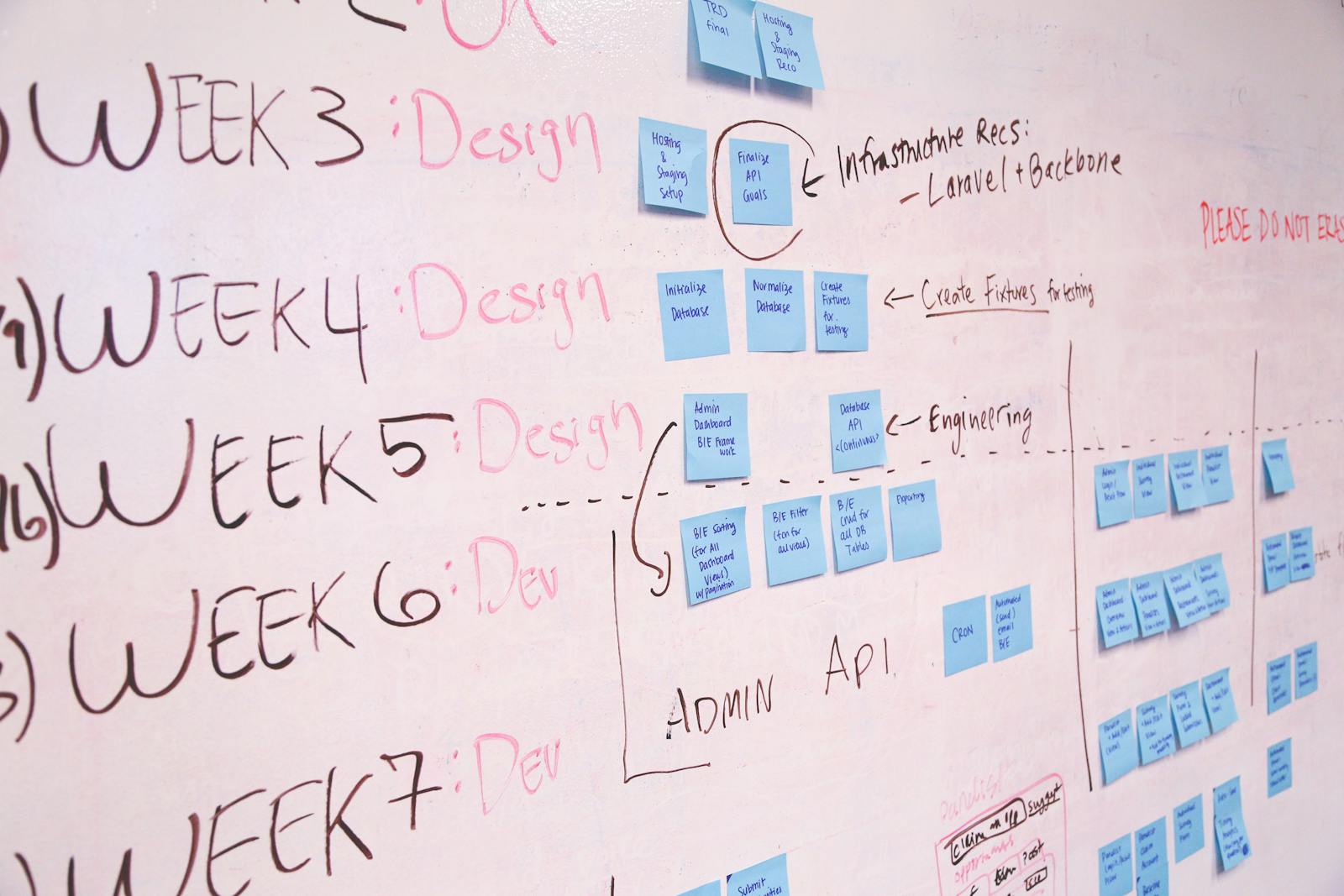
Every product manager I've ever met has at some point opened a spreadsheet, stared at 247 rows of "great ideas," and quietly wondered if they should just start a llama farm in Wisconsin instead.
I get it. The pain isn't a lack of ideas — it's the gulf between "this would be amazing" and "this is in production." For years, product teams have lived in one tool to think, another to plan, a third to spec, and a fourth to actually build. By the time an idea reached engineering, half its context had evaporated like coffee in a sprint-planning meeting.
That gulf is exactly what Atlassian closed when they wired Jira Product Discovery directly into Jira Software. And as a Solutions Partner who spends a healthy chunk of every week watching teams discover this connection for the first time, I can tell you — the reactions range from "wait, that's it?" to "where has this been all my life?"
Let me walk you through it.
JPD: where chaos earns its way onto the roadmap
Jira Product Discovery is Atlassian's home for the messy, beautiful, pre-roadmap chaos. It's where customer feedback gets captured, ideas get scored, opportunities get compared, and roadmaps get built. Think of it as the strategy whiteboard your team always wished it had — but one that doesn't get erased on Friday afternoons.
Inside JPD, you're working with ideas, not tickets. You can tag them, score them with custom fields, prioritize them with RICE or ICE or your own brand of arithmetic alchemy, and roll them up into views tailored for executives, customers, or that one stakeholder who only wants to see things in dark mode.
Jira Software: where ideas grow up and ship
Jira Software, on the other hand, is the engine room. It's where epics get broken into stories, stories get broken into tasks, and tasks get broken into a developer's afternoon. Sprints, backlogs, boards, releases, dependencies — it's the operational machinery of getting code out the door.
Either tool is powerful on its own. Together, they're a different animal entirely.
The magic happens in the Delivery panel
Inside any JPD idea, there's a Delivery panel on the right side. From that panel, you can either create a brand-new epic or task in Jira Software, or link to one that already exists. The link is bidirectional — JPD knows about Jira, and Jira knows about JPD.
A few details I love:
- One idea, many epics. You can link a single idea to multiple epics across multiple Jira Software projects. Big initiatives don't get squeezed into one team's lane.
- Your math, your call. Choose your delivery progress calculation — by issue count or by story points. Either way, JPD displays a progress bar inside the idea that reflects what's actually happening in delivery.
- Context comes along for the ride. Embed the idea's description and fields straight into the new epic, so engineers don't have to swivel-chair between tools to understand why they're building what they're building.
- Cloud and Data Center, side by side. Premium plan users can connect JPD to Jira Data Center instances — a huge win for enterprises straddling Cloud and on-prem.
Why this matters — the trusted-advisor take
Here's where I'll pull on my Avaratak hat for a moment, because the integration isn't just a feature. It's a different operating model.
When discovery and delivery live in separate tools, you get something I call "context loss tax." Every hand-off costs information. A PM writes a brilliant idea doc; an engineer reads a stripped-down ticket; somewhere in between, the why goes missing. Multiply that by a year of work, and you've built a roadmap of features nobody quite remembers asking for.
When the two are connected, the why travels with the work. An engineer opening a Jira epic sees the linked idea, the original customer insights, the priority score, and the strategic context — without leaving Jira. A PM watching the JPD idea sees real-time delivery progress without DM'ing the engineering manager for the third time that week.
That's not just convenience. That's organizational memory.
Three patterns we recommend at Avaratak
Three patterns I find myself recommending to clients constantly:
One idea, many epics. If you're shipping something cross-functional — say, a billing redesign that touches web, mobile, and backend — link one JPD idea to one epic per team. The delivery progress bar gives leadership a single number to watch instead of three Slack threads to chase.
Insights before commits. Use Jira Service Management as an insights pipeline into JPD. Customer feature requests flow from JSM into JPD as raw signal. Nothing moves to Jira Software until the idea has earned its way onto the roadmap. The result: a clean Jira backlog where every item is genuinely committed work, not aspirational debris.
Embed JPD views in Confluence. Stakeholders rarely want to log into another tool. Drop a JPD roadmap view into a Confluence page, wrap it in narrative context, and you've got a living strategy doc that updates itself.
The forward-thinking bit
The trajectory here is worth paying attention to. Atlassian is steadily collapsing the seams between strategy, planning, and execution. JPD ideas now show up directly in Jira Plans. AI features are being layered onto insights capture and roadmap synthesis. The tools are evolving toward something that feels less like a stack and more like a single fabric.
For teams still running discovery in spreadsheets and delivery in Jira, the migration is cheaper and easier than most expect. The hard part isn't the tooling — it's the habit change of letting ideas earn their way to delivery instead of arriving there by political momentum.
The bottom line
If your roadmap currently lives in three documents, four tools, and the heads of two senior PMs who happen to be on vacation, the JPD-and-Jira-Software pairing is one of the highest-leverage moves you can make this quarter. Less context-switching, more context-keeping. Less "what were we building again?", more "when does this ship?"
That's the kind of clarity we love helping our clients find at Avaratak. If your team's discovery-to-delivery flow feels more like a game of telephone than a relay race, we'd be happy to chat. We bring the playbook. You bring the ideas.
Related reading

Picture this. You are three coffees deep, juggling six browser tabs, copy-pasting from a doc into a ticket, and trying to remember which Slack thread had "the answer." Meanwhile, the AI tool your company bought sits politely on the side of your screen like a well-trained parrot — waiting for you to spell out what you already know.
That is the moment Atlassian just declared over.
On May 6, the Teamwork Collection team rolled out a wave of updates at Team ’26 in Anaheim, and I have spent the past few days reading the announcement, watching the demos, and mapping it back to what our clients at Avaratak Consulting are actually trying to solve. The short version: AI agents are getting a desk, a badge, and a real Jira ticket. The longer version is worth your time, so let me walk you through it.
Agents in Jira: Hire, Don’t Just Prompt
The headline change is that Agents in Jira is now generally available. Translation in plain English: AI agents can own work items the way your teammates do. They get assigned. They get @mentioned in comments. They get automatically pulled in when a ticket moves into a designated status. Every action they take is logged with a full audit trail, admins control which agents are allowed to run where, and your team picks the right agent for the right job.
That last detail is the one I keep coming back to. Atlassian’s first-party Studio agents now work alongside third-party agents your team already trusts — Amplitude, Canva, Cursor, Figma, Gamma, GitHub Copilot, and more. Your stack does not have to shrink to fit the AI. The AI fits the stack.
This is the quiet shift from "AI as a feature bolted on" to "AI as a coworker with the same accountability as everyone else." For our clients in regulated industries, the audit trail alone is the kind of thing that makes compliance officers stop holding their breath.
Confluence Pages That Tag Agents Like Teammates
Third-Party Agents in Confluence (now in open beta) extends the same idea into your knowledge base. You can @mention agents from Lovable, Replit, Databricks, and Gamma directly on a page. They read the context. They take action. The idea moves from doc to outcome without anyone opening a new tab.
The pattern here is worth pausing on. Atlassian is not trying to be the only AI in the room. They are trying to be the room where every AI shows up, brings its skills, and works on the same source of truth. That is a meaningfully different bet than the "buy our agent or buy theirs" stance most platforms are taking — and it lines up with how the best teams actually work. They pick the tool for the job, not the other way around.
Remix with Rovo: The "Why Did Nobody Read My Doc?" Solution
Be honest. How many beautifully written Confluence pages have you posted that nobody read past the second heading?
Remix with Rovo (now in beta) lets you select content on a page and transform it into a chart, a timeline, an infographic, a geo map, an org chart, a quadrant, or a flip card. Your original content stays put. The visual version sits alongside it, ready for the audience that prefers shapes to paragraphs. Atlassian notes that Confluence pages with visual elements are nearly twice as likely to be read by a wider audience. That tracks with everything we see in client engagements. The information was never the problem. The format was.
Confluence Slides: The Deck Builds Itself
Confluence slides (in beta this month) is the one I expect to break the most calendars. You ask Rovo to create or edit slides, and it pulls context from across your Atlassian apps via the Teamwork Graph — slide structure, content, charts, graphs, the works. You can present from inside Confluence without ever opening that other slide tool whose name everyone knows. For consulting work and steering committees, this turns a two-hour ritual of "wrangle the page into a deck" into roughly ten minutes of cleanup. That is not productivity theater. That is a real Tuesday morning handed back to you.
Create with Rovo in Jira: Closing the Loop
Create with Rovo in Jira (also in beta) turns Confluence docs, meeting summaries, and email threads into structured Jira work items. Atlassian’s stated benchmark is that teams start up to 30% faster with less coordination overhead. I would want to validate that against our own client data before quoting a percentage at a boardroom, but the principle is exactly right. The gap between "we agreed on this in the meeting" and "there is a ticket for it tomorrow" is where most projects quietly bleed time.
Agent Briefings in Loom: Show, Don’t Type
This one made me grin. Agent briefings in Loom (coming soon) let you record a walkthrough of your requirements, designs, or feedback. What you say, what you show, what you click — all of it gets captured as multimodal input and translated into a structured prompt that an agent can act on. Loom then generates a suggested action plan that becomes Jira work items in one click.
Anyone who has ever tried to write the perfect prompt already knows the secret: a two-minute video of you pointing at the screen is worth a thousand carefully-worded paragraphs. Atlassian just gave that intuition a product.
Bug Reporting With Loom and Jira: From Observation to Fix
Now generally available, bug reporting with Loom and Jira lets anyone record a Loom that captures device info, console logs, and network data in the background. Loom then packages all of that developer context into a Jira ticket that can be assigned directly to Rovo Dev to draft a fix automatically.
That is the full loop closed: a non-technical user reports a bug, the system gathers the technical evidence, and an AI takes the first crack at the patch. Your human developer gets a head start on a real problem instead of a help-desk ticket that says "the thing is broken on the page with the colors."
Why It All Holds Together: The Teamwork Graph Underneath
Every update I just walked through works because Jira, Confluence, and Loom share the same foundation: the Teamwork Graph. Agents assigned in Jira pull context from Loom recordings. Bug reports become tickets Rovo Dev can act on. Remix turns a page into a presentation. A Loom becomes a brief that generates structured work.
This is the part I want every leader to internalize. The value is not in any single feature. The value is in the fabric underneath them. Once your work, your knowledge, and your communication share a graph, every AI you plug in becomes more useful than the last.
The Avaratak Take
We are advising clients to start small and start now. Pick one team. Turn on Agents in Jira. Pair it with Remix in Confluence. Watch what happens to your cycle time over a sprint or two. That is not a moonshot. That is a Tuesday with intention.
If you are an Atlassian customer wondering how to turn AI from a novelty into operating leverage — with the kind of thoughtful rollout that respects your governance, your culture, and your team — our door is open at avaratak.com. As an Atlassian Solution Partner, we take the trusted-advisor role seriously: integrity first, your interests first, and the shiny stuff only when it earns its place in the stack.
The chatbot got a real job. The only question left is whether your team is ready to be its manager.
Related reading

Today is Mother's Day, and I am sitting at my kitchen counter with a coffee that has gone cold twice already because, as it turns out, I have spent the last forty minutes trying to find the right words to thank my mother for skills the entire enterprise software industry has spent the last two decades trying to sell back to her.
Let me explain.
Somewhere around the time I was eight years old, my mother kept track of three school schedules, one carpool roster, two parent-teacher conference calendars, the dog's vaccination dates, my grandfather's medication refills, who needed clean soccer socks by Tuesday, and the precise location of every birth certificate in the house. She did this with no software. No dashboard. No automation rule. No agent. Just a spiral notebook, a wall calendar with handwriting tilted slightly to the right, and an unshakable mental model of how the household actually worked.
In the language of my industry, what my mother was running was a real-time, multi-stakeholder, cross-functional, mission-critical operations platform with five-nines uptime and zero downtime tolerance. We just called it “Mom.”
So today, on this Mother's Day, I want to do something that is overdue. I want to look at the Atlassian ecosystem — the one I work in every day with my clients at Avaratak Consulting — and quietly admit how much of it is just “Mom” with a UI.
The Original Backlog
Jira's whole purpose is to capture work that needs doing, prioritize it, assign it, track it, and keep it visible. My mother did this in her head, in real time, while making dinner.
“Permission slip due Friday.” Captured. “Dentist Tuesday at 3:30. Switch carpool with the Hendersons.” Prioritized. “Older one needs new cleats before Saturday's game; younger one needs poster board for the science project by Wednesday.” Assigned (to herself, naturally) and tracked.
The terrifying part? She also did dependency mapping without ever using the word. She knew the cleats had to happen before the game, which had to happen before the laundry, which had to happen before church, which had to happen before grandma's visit, which determined whether the carpet got vacuumed Saturday night or Sunday morning. That is not a backlog. That is a roadmap.
The Original Confluence
Every household runs on tribal knowledge. Where the spare key lives. The exact way Aunt Linda likes her coffee. Which uncle to never seat next to which cousin at Thanksgiving. The phone number for the plumber who actually answers on weekends.
This is institutional memory. In our world, we would build a Confluence space, write a runbook, mark it as canonical, and hope someone updates it. In Mom's world, it lived in her head with perfect retrieval and a freshness date that never expired. And when you needed it, the latency was zero — you just asked, and the answer came back, often with the helpful addendum, “and don't forget to bring something to your aunt, she'll be hurt if you don't.”
That is not just documentation. That is documentation with empathy baked in.
The Original Standup
Every dinner table in America has hosted a daily standup since long before Atlassian was founded. What did you do today? What are you working on tomorrow? What is blocking you? The format had not been invented in agile yet, but my mother had been running it for years.
The genius was not the questions. The genius was that the questions came with food, attention, and follow-up. “You said you'd talk to your teacher about the math grade — did that happen?” That is not a status update. That is a retrospective.
The Original Automation
Sunday meal prep. Lunch packing on autopilot at 6:47 a.m. The system that ensured the laundry hamper never overflowed because Tuesday and Saturday were sacred. These were not chores. They were CI/CD pipelines built out of muscle memory and quiet intention. Something would trigger, the routine would fire, and life kept shipping on time.
What is wild is that my mother understood the principle that took our industry decades to learn: automate the predictable so you can give your full attention to the unpredictable. The unpredictable, in her case, was usually one of us. And she was always there when we needed her — because she had already automated everything that did not.
The Original Compass
Compass is Atlassian's home for the catalog of services your team owns: who runs what, what depends on what, what is healthy, what is drifting. Mom had a catalog like that, only the services were us. She knew which kid had a dentist appointment, which one was on the verge of a cold, which one was navigating a tough week at school, and which one had been suspiciously quiet at dinner. She tracked dependencies. She watched health scores. She paged herself in when something was off.
We pay for software to do that kind of observability now. She did it because she loved us.
The Original Trusted Advisor
This is the one that lands hardest for me, because at Avaratak Consulting, trusted advisor is the phrase we put at the center of how we serve our clients. We talk about putting client interests first. We talk about integrity. We talk about being the person someone calls when they don't know what to do.
That is just what Mom did. Every day. Without a contract.
She gave advice that was not always what I wanted to hear, but was almost always what I needed to hear. She held the long view when I was stuck in the short one. She told me the truth even when it was inconvenient for her. And she did it without ever once sending an invoice.
If there is a model for how a consultant should show up for a client — calm, clear-eyed, prepared, generous, and honest — it has been sitting at a kitchen table somewhere this whole time.
The Avaratak Take
Today is a good day to thank the women who built the original collaboration platforms, before platform was a word any of us used in this context. The mothers, the grandmothers, the aunts, the chosen-family caretakers, the stepmoms, the friends who became mothers to your kids when you needed them to. The whole quiet army of people who run the workflows that keep families functional.
If you are in the Atlassian ecosystem the way we are, you already know how much intentional design it takes to keep a system running well. Every Jira automation rule, every Confluence space, every Compass component represents someone caring enough to make the system better for the next person who touches it.
Mothers have been doing that work for as long as families have existed.
So if you have a few minutes today, put down the laptop. Skip the standup. Let the backlog wait. Call your mom. Or text her. Or just sit with the memory of her if she is no longer here. Whatever the right gesture is for you — make it.
The rest of the work will be there tomorrow, and now you know it always was.
Happy Mother's Day from all of us at Avaratak. We hope today is gentle on you, generous to you, and full of people who love you the way the moms in your life have loved.
At Avaratak Consulting, we partner with teams to bring the same quiet competence, attention to detail, and care for people that the best moms in our lives modeled — applied to your Atlassian environment. If you would like a trusted advisor in your corner, we would love to hear from you at avaratak.com.

I'm typing this from a window seat at 35,000 feet over the Mojave, with a half-eaten pretzel in my lap and a Team '26 lanyard still hanging off my carry-on like a souvenir I forgot to take off. Three days in Anaheim, a notebook full of half-legible scribbles, and the slow, satisfying realization that this is going to be a Team conference we'll be referencing for a while.
The Day-1 hallway had a different texture than past Team events. The Wednesday founder's keynote landed with a thesis instead of a feature list. And by Thursday afternoon, I was in a partner roundtable where three different Solution Partners independently described the same shift in customer conversations — “they stopped asking if AI works and started asking how to scale what's already shipping outcomes.”
So before this all gets memory-holed by Monday standups and email triage, here are the patterns I'm taking back to Avaratak's clients — the ones that survived the flight home.
Atlassian stopped trying to be the AI
This is the strategic move I keep returning to. By opening up the Teamwork Graph through the new Teamwork Graph CLI and the Teamwork Graph tools in Rovo MCP Server, Atlassian effectively said, out loud, that they don't need to be the only AI vendor in your stack. They want to be the context layer underneath whichever AI vendor your stack runs on — Claude, Cursor, Gemini CLI, GitHub Copilot, the long tail of internal tools your team is already paying for.
That is a remarkably honest position for a public company to take in 2026. It's also the more durable one. Frontier models are commodities now. Anyone can rent intelligence by the token. The thing nobody can sell you is your own institutional memory — which decisions you made, why you made them, who owns what, and what good looks like at your shop. The Teamwork Graph, with more than 150 billion connections and 12 billion changes flowing through it every day, is the closest thing the industry has to an architectural answer for that.
If you're a customer, that means the Atlassian conversation just got bigger than “which Atlassian apps are we using.” It became “how rich is our context layer, and which AI tools are running on top of it.” That reframing changes the kind of roadmap you ought to be writing this quarter.
The cadence shift is the bigger story
Every Atlassian conference for the past decade has followed the same rhythm: save up the big announcements, drop them on a Wednesday morning, take a victory lap. That model is officially retired. Mike Cannon-Brookes said it from the stage and, to Atlassian's credit, the product teams immediately backed it up — they're shipping in public, every day, alongside customers.
The implication for everyone else is real. “Set it and forget it” is no longer a viable Atlassian admin strategy. Release notes are now a weekly read, not a quarterly one. The companies that come out ahead in the next twelve months will be the ones who treat the Atlassian release stream the way mature engineering teams treat dependency updates — continuous, small, deliberate, and always tied back to a clear internal owner.
That's a real ask of internal IT and Center-of-Excellence teams. It's also the precise gap that good Solution Partners are built to fill.
Agents in Jira hit GA, and governance came with it
The single most underrated headline of the week: Agents in Jira moved from open beta to generally available, and the governance story arrived with it. You can assign Jira work items to Rovo agents and to third-party agents from Amplitude, Canva, Cursor, Figma, Gamma, GitHub Copilot, and others. Every interaction is auditable, traceable, and governed inside Jira. Org-wide agent inventories, separated permissions for AI access versus agent building, dashboards for credit consumption — the whole compliance picture got serious.
This is the answer to the “shadow AI” problem that has had every CISO I know writing nervous Slack messages for a year. You can give your organization broad agent capability without losing the audit trail. That changes the political math on agent rollouts. The conversation moves from “can we even let people use this” to “here is the controlled program we're going to run.”
Rovo Studio, Max, and the democratization push
The general availability of Rovo Studio deserves more attention than it got under the keynote rush. It's a single workspace where any team — not just engineers and platform power users — can turn an idea into an agent, an automation, or a small app, in natural language, with governance baked in. Combined with Max, the new reasoning mode in Rovo Chat that breaks down messy multi-step asks and runs them end to end, you have a credible path for non-technical teams to build real working AI capabilities without filing six tickets and waiting six months.
The historical pattern is that platforms which democratize building also quietly increase the cleanup work for the central team. That's the part to plan for now, not later. The companies that win this phase will pair Rovo Studio access with a clear “agent of record” pattern — named owners, sunset dates, and a quarterly review of what's still earning its keep.
Confluence learned to remix, and Loom learned to brief
A small but delightful set of updates that compound over time. Remix with Rovo in Confluence (beta) reshapes prose, tables, and lists into infographics, charts, databases, and timelines without leaving the page. Confluence Slides is coming, which keeps a single source of truth across page and presentation. Create with Rovo in Jira closes the loop the other direction — turning Confluence docs and meeting summaries into structured Jira work items, with teams reportedly starting work up to 30% faster.
The Loom side of the house got a quieter but very clever update too: agent briefings in Loom let you record a walkthrough showing exactly what you mean, and the recording becomes structured multimodal input an agent can act on. If your team has ever burned twenty minutes trying to describe a UI bug in Slack, that one will earn its keep within a week.
None of these are flashy. All of them remove friction from the daily knowledge-work loop. The compounding effect across a year is significant.
What I'd actually do this week
If you're a leader trying to translate three days of announcements into a real plan, here's the partner-honest short list.
- Inventory your Teamwork Graph. Not the apps you have — the connections you have. Where is institutional memory living, where is it leaking, and which connections do you wish your AI tools could already reason over? That assessment is the highest-leverage exercise you can run before any agent strategy.
- Stand up your agent governance program now. Not after someone in marketing wires up an unsupervised agent that emails a Fortune 500 customer at 2 a.m. The controls Atlassian shipped this week make this a real program, not a policy document.
- Adopt a continuous-update posture. Pick one person whose job description includes “reads release notes weekly and translates the relevant ones into action.” If that's nobody on your team, that's the gap a partner like ours fills.
- Pilot one Rovo Studio use case outside engineering. Marketing, HR, finance, support — pick the function with a tedious repeating workflow and let them build something that visibly removes pain. Internal credibility for the AI program lives or dies on that first non-engineering win.
The Avaratak Take
A small honest word from the trusted-advisor seat. The thing I keep coming back to is that this is not a year where the right strategy is to wait and see. Atlassian made an architectural commitment this week that reshapes what their stack means to a customer. The companies that build their context layer early — and instrument the governance, training, and rollout discipline to scale agents responsibly on top of it — will pull noticeably ahead of the ones that treat AI as a side project.
That isn't hype. It's just what we're already seeing in the engagements running ahead of the curve right now.
If your team came back from Anaheim with a notebook full of ideas and the dawning realization that turning them into a sequenced plan is going to be a full-time job, that's the conversation we have for a living at Avaratak Consulting. As an Atlassian Solution Partner, our job is to take announcement waves like Team '26 and convert them into the smallest set of right moves, in the right order, for your real environment. Drop us a line at avaratak.com. The agents will wait. Your context, you build now.
Related reading

Mike Cannon-Brookes opened the Founder Keynote in Anaheim this morning with a line worth stealing for your next leadership offsite: “In 2026, anyone can buy ‘smarts’ by the token.”
It's a tidy way of saying that the AI race is no longer about who has the cleverest model. Frontier models are commodities. The advantage belongs to organizations that can hand AI agents real context — what your team is working on, why you decided what you decided, who owns what, and what good looks like — and then trust those agents to act on it.
That one idea ran through every announcement at Team '26 today. And there were a lot of them. Here's the trusted-advisor tour, organized so you can decide what actually matters for your environment.
The Teamwork Graph just got a front door
The headline announcement isn't a feature. It's a posture change. Atlassian opened the Teamwork Graph — the underlying map of how work, decisions, code, people, and tools connect across your stack — to outside agents and tools through two new open-beta interfaces:
- A Teamwork Graph CLI with more than 300 commands, so coding agents like Claude Code and Cursor can query work and relationships across Atlassian through one consistent surface.
- Teamwork Graph tools via the Rovo MCP Server, extending what the MCP Server has already been doing for Claude, Cursor, and Gemini CLI users.
For scale: the Graph now contains more than 150 billion connections, with 12 billion changes flowing through it every day. Translation: this is the layer that makes any agent — first-party or otherwise — actually useful, because it already knows which decisions, tickets, and documents exist.
Rovo grew up
Three announcements you'll feel inside a quarter:
- Rovo Studio is now generally available — one workspace where anyone (not just developers) can design agents, automations, and apps in natural language, with governance baked in. This replaces the patchwork of “where do I build this thing?” most teams have been wrestling with.
- Max mode in Rovo Chat (coming soon) is a new reasoning mode for messy, multi-step work. Hand it a complex ask and it builds an action plan, coordinates across Atlassian and connected SaaS apps, and corrects itself along the way.
- Code Intelligence in Rovo (early access) lets engineers and agents ask intent-level questions across multi-repo environments — “which services still use the old auth pattern and who owns the migration?” — instead of grepping for strings.
In the last month alone, customers performed more than 14 million Rovo-assisted actions, and agentic automations are up 7x in six months. This isn't theoretical adoption.
Agents in Jira hit GA
Agents in Jira moved from open beta to generally available today. You can assign Jira work items to Rovo agents and to third-party agents from Amplitude, Canva, Cursor, Figma, Gamma, GitHub Copilot, and more. Every interaction is auditable, traceable, and governed. Comments work. Mentions work. Workflow status changes can trigger agent ownership automatically.
That last detail matters. It means agents don't live in a sidebar pinned to your screen. They live in your board, in your queue, in the same place humans plan and track work.
Confluence learned to remix
Three Confluence updates worth flagging:
- Remix with Rovo (beta) lets you select any block of text, table, or list on a page and reshape it into a chart, infographic, timeline, geo map, quadrant, or flip card without leaving the page.
- Confluence Slides (coming soon, beta) extends Remix to slide decks, so the same source content can stay synced across page and presentation. One source of truth, two formats.
- Create with Rovo in Jira (beta) closes the loop the other direction — turn Confluence docs, meeting summaries, and email threads into structured Jira work items. Atlassian says teams using it start work up to 30% faster.
Loom learned to brief agents
Agent briefings in Loom (beta) is one of the most underrated announcements of the day. Instead of typing a long prompt, record a Loom showing exactly what you mean — walkthrough, designs, feedback, the works. The recording becomes structured multimodal input an agent can act on. If your team has ever lost twenty minutes trying to describe a UI bug in Slack, this one's for you.
DX gives AI a P&L
The DX AI Experience is now generally available. With Agent Experience, AI Code Insights, and AI Pulse, engineering leaders can see where AI is actually generating code, how agents are performing, and what the ROI looks like. AI moves from black box to measurable part of the software development lifecycle. For anyone whose CFO has started asking pointed questions about AI spend, this is the answer sheet.
New collections and products
A quick rundown of the rest:
- Product Collection (early access) — Jira Product Discovery, the new Feedback app, and a planned Pendo integration, so product teams go from signal to shipped without bouncing between tools.
- Jira Product Discovery Enterprise — generally available, with portfolio-level governance.
- Incident Command Center — unifies incident detection, investigation, and resolution, with Rovo-assisted root-cause analysis.
- Dia Reports — proactive browser-native briefings (interview prep, decision memos, the kind of doc you usually scramble to assemble at 11 PM the night before) generated from Teamwork Graph context. The headline trick: Dia surfaces reports before you ask for them.
Governance got teeth
Every announcement above is wrapped in upgraded controls:
- Org-wide agent lists and insights so admins have a live inventory of who built what, where it's running, and how often it's used.
- Separated permissions for AI access vs agent building — so you can give the org broad usage without authorizing everyone to spawn new agents.
- Tightened policies for what third-party data Rovo can ingest, plus controls for data residency and Atlassian-hosted LLM selection.
- Dashboards and audit logs for AI adoption and credit consumption.
This is the part that lets enterprise security teams sleep at night. It's also the part most “AI for the enterprise” pitches skip entirely.
The pricing posture
Cannon-Brookes signaled the model is staying hybrid: seat-based core products with generous allowances for Rovo credits, indexed objects, and Forge usage, plus usage-based tiers for heavy consumers. The intent is that most customers live inside the envelope and only the unusual edge cases (his example: thousands of agents inside a five-person company) hit the metered tier.
The cadence shift
Buried in the keynote but arguably the most important strategic note: Atlassian is moving away from saving up big launches for twice-yearly events. They're explicitly committing to ship in public, every day, alongside customers. Today's announcement wave is large. The cadence going forward will be smaller and continuous.
For Atlassian admins, that means staying close to release notes is the new minimum. For Avaratak customers, it means we'll be earning our keep — picking signal out of the stream and translating it into “here's what to actually do this week.”
What this means for your shop
A few takeaways while the dust settles:
- If you've been waiting for agents in Jira to be production-ready, today is the day. GA plus governance plus third-party agent support means you can pilot without a security-review marathon.
- The Teamwork Graph opening up is a partner-and-customer story as much as it is an Atlassian story. The richer your Graph, the smarter every agent — first-party or third-party — becomes.
- Rovo Studio plus the agent governance controls finally answer the “shadow AI” question for enterprise IT. You can give the org access to build without losing the audit trail.
- DX AI Experience is the missing piece for anyone who needed to defend their AI spend with a number, not a vibe.
As an Atlassian Solution Partner, Avaratak Consulting helps teams turn announcement waves like this one into actual outcomes — picking the right pieces, sequencing the rollout, training the humans, and making sure the agents end up doing what you actually want them to do. If today's news raised more questions than answers, that's exactly the conversation we have for a living. Drop us a line at avaratak.com.
Related reading

I just got off a 6 a.m. red-eye, walked into the Anaheim Convention Center, and stood in line for a coffee. That's where I learned everything I needed to know about Team '26.
The Solution Partner ahead of me was telling a customer she'd just met, “We rolled out Rovo agents to their service desk in February and the deflection rate is up 38%.” The customer, who had until that moment been politely sipping a flat white, set the cup down and pulled out her phone to take a note.
That's the moment, multiplied by about 5,000 across the convention floor today, that explains why this is going to be a Team conference people remember.
Day 1 of Team '26 is technically a soft day — the founder's keynote and the big product announcements happen tomorrow morning. The official Tuesday agenda is preconference workshops, registration, the Atlassian Hub demo center, and the opening keynote at 5:30 p.m. on the Main Stage. On paper, it's a warm-up.
In the hallways, it is anything but.
What “Day 1” Actually Looks Like
If you've never been to a Team event in person, here's the rhythm. The official program starts in the early afternoon. The actual conference starts at 7 a.m. when the Build IT Together preconference kicks off at the Clarion Hotel a few minutes from the main expo. Strategy Collection is running back-to-back workshops on Focus, Talent, and Align in room 304A — both the 12:30 and 4:00 sessions were full by Friday. The Atlassian Hub doors opened at 3 p.m. with the Strategy Collection booth three deep within thirty minutes.
The customers who've been to a few of these don't show up at 5:30 for the keynote. They show up at 9 a.m. and get the entire pre-show conversation that the agenda doesn't put on paper.
That conversation, this year, has a very specific texture.
The Conversation Has Shifted
Two years ago at Team '24 in Las Vegas, the dominant hallway question was, “How do I get started with Rovo?” Last year at Team '25 here in Anaheim, it was, “Which Rovo agents are actually worth the configuration time?”
This year, twelve hours in, I've heard the question reframed three different ways from three different customers, all of them landing in the same place: “I have AI agents shipping real outcomes in production. How do I scale the program?”
That's a completely different conversation than the 2024 version. It's the conversation companies have after they've stopped asking whether AI works and started asking how to govern, measure, and expand the wins. The Atlassian ecosystem has been in unusually fast company on this curve, and Day 1 has the distinct feel of a community that knows it.
The Teamwork Graph storyline, which felt aspirational at Team '25, now feels like infrastructure. The Strategy Collection, which launched in October 2025, has matured into something customers are describing in their Day-1 elevator pitches the way they used to describe their Jira instance. The Rovo agent ecosystem has expanded enough that I overheard a CIO ask his architect, “Have we tried the new one for incident summarization yet?” — a sentence that would not have made grammatical sense at Team '24.
The View From the Solution Partner Side
I'll be honest about the partner experience because it's worth saying out loud.
The Atlassian Solution Partner ecosystem at Team conferences has always been collaborative. Competitive, but collaborative. We genuinely root for each other to make customers successful, because the alternative — fragmented service quality — hurts the entire ecosystem. That energy is louder than ever this year, and I think it's because the work has gotten bigger.
A typical Avaratak engagement two years ago was a Jira workflow redesign or a Confluence migration. A typical Avaratak engagement today involves Rovo agent design, Teamwork Graph integration patterns, Strategy Collection rollouts that connect goals to delivery, and the kind of change-management conversation that has nothing to do with technology and everything to do with how a real company actually decides things. The complexity is up. The stakes are up. And the partners I've talked to today — the ones who are doing the work well — are sharper, more intentional, and more openly collaborative than I've ever seen them.
That's the version of the ecosystem you want to be a customer of.
What I'm Watching For Tomorrow
Without speculating on specifics — because I'm not in the keynote rehearsals and I respect Atlassian's right to surprise us — here's what I'll be paying attention to during Wednesday morning's founder's keynote.
The agent ecosystem story. Atlassian has been unusually clear that the future is not “one big AI” but “a curated set of specialized agents working alongside humans.” I expect that story to get a meaningful push tomorrow, with concrete new capabilities for both customers and partners.
The strategy-to-delivery story. The Strategy Collection launched seven months ago. Tomorrow is the moment to find out how it's connecting to the Teamwork Collection, the Service Collection, and Jira Align in ways that finally retire the “fragmented operating model” diagnosis Atlassian has been making for two years.
The Forge and Marketplace story. Atlas Camp Amsterdam in March previewed Forge-hosted LLMs and Forge Container Service. If those land tomorrow as GA-ready, the partner build community is going to have a very loud, very happy afternoon.
I'll be writing about all of it as soon as the dust settles.
The Avaratak Take
A small honest word from the trusted-advisor seat.
The reason we make the trip to Team every year — even when the calendar says we're slammed, even when the timing is inconvenient — is that the value of being in the hallways is not really about the announcements. It's about the conversations the announcements set off. It's the customer who pulls you aside at the coffee station and tells you about the workflow they're stuck on. It's the partner who shares a hard-won lesson from a rollout they did last quarter. It's the Atlassian product manager who answers a question candidly because you happened to be standing next to her in the line for the bathroom.
Those conversations are the actual product of a Team conference. The keynote is the highlight reel. The hallway is the substance.
If your team is at Team '26 this week and you'd like to grab a coffee, find me — I'll be in the partner zone, in the Strategy Collection booth, or somewhere with a cinnamon roll trying to pretend the time-zone change isn't real. Or stop by avaratak.com and drop us a note. We're always happy to talk through what the announcements actually mean for a real team trying to get real work done.
A coffee-line conversation on Day 1 of Team '26 is the highest-leverage thirty minutes you'll spend in 2026. See you in the hallway.
Related reading

I want to tell you about a small Bitbucket Pipelines update that quietly solves a problem I've been hearing about from build engineers for the better part of a year.
Last fall, one of our DevOps clients sat me down to walk me through what he called "the workaround tour." His team had recently restructured their CI/CD into parent and child pipelines — modular, reusable, beautifully separated by concern. Build pipeline up top, test pipelines hanging below, deployment pipelines after that. Textbook architecture. Until you needed to actually pass something between them.
"So I just upload to S3 between every step," he said, gesturing at a diagram with three arrows labeled "S3" pointing in suspiciously identical directions. "And then I download it on the other side."
He wasn't proud of it. Nobody is when their CI/CD architecture has a side gig in object storage. But until very recently, that was the cleanest way to share a build artifact between a parent pipeline and the child pipeline it had triggered. A whole layer of duct tape that existed only because the feature underneath wasn't quite finished.
That layer just got retired. Atlassian announced that Bitbucket Pipelines now lets you share artifacts directly between parent and child pipelines — and as someone who spends a meaningful portion of every week elbow-deep in client CI/CD configurations, I want to walk you through why this seemingly small release is actually a quietly significant turning point.
The Family Tree, Briefly
For anyone who hasn't waded into parent/child pipelines yet, here's the short version. Bitbucket Pipelines lets you define a step in a pipeline that doesn't run a script — instead, it triggers an entire other pipeline. The triggering pipeline is the parent. The triggered pipeline is the child. The architecture lets you break complex CI/CD logic into modular pieces that can run in parallel, get reused across projects, and stop turning your YAML into the kind of file people apologize for before opening.
It's a beautiful pattern. And like most beautiful patterns, it had a sharp edge: parents and children couldn't share files. The parent could build a JAR, but the child running tests against that JAR had to fetch it from somewhere else. The child could produce a coverage report, but the parent couldn't read it back. So teams improvised. They used external storage. They restructured their pipelines to avoid the handoff. They lived with redundant build steps. They Slack-messaged each other about it sometimes.
Atlassian closed the gap. You can now declare an artifacts block on a child-pipeline step that lists what gets uploaded into the child and what gets downloaded back from it. Files flow both directions. The whole "I'll just put it in S3" workaround has been quietly demoted to "remember when we had to do that?"
What Actually Changed
The mechanics are refreshingly simple. In your YAML, the step that triggers a child pipeline now accepts an artifacts section with two lists: upload and download. Anything in upload is the last version produced by the parent before the child step — that file becomes available for download in every step of the child pipeline. Anything in download is the last version produced by the child — it becomes available in every step of the parent that runs after the child step finishes.
The Atlassian docs use a charming "message in a bottle" analogy in their example. Parent step writes a message into bottle.log. Parent calls child pipeline with the bottle in the upload list and the download list. Child reads the message, scribbles a postscript, sends it back. Parent step downstream reads the final note. It's a goofy example that disguises a real architectural unlock.
There's a sensible cap — twenty upload artifacts and twenty download artifacts per child pipeline step — which is generous enough that I haven't seen a real-world workflow bump into it. It pairs cleanly with the variable-sharing feature Atlassian shipped a few months earlier, which lets parents pass typed input variables down to their children. Together, those two features make the parent/child pipeline pattern feel like a genuinely first-class abstraction instead of a clever-but-isolated trick.
Why This Matters More Than the Release Notes Suggest
A few patterns suddenly become much cleaner.
Build once, test in parallel children. Your parent compiles the artifact. Three child pipelines, running in parallel, each pull that exact artifact down and run a different test suite — unit, integration, end-to-end — against it. No rebuild. No cache invalidation puzzle. No wasted compute. Build minutes go down. Confidence in the artifact-under-test goes up.
Let children produce, parents publish. The mirror version. Child pipelines generate coverage reports, security scans, or dependency audits. The parent gathers them up, attaches them to the merge request, and decides whether to proceed with deploy. The child stays focused on producing one clean output. The parent stays focused on coordinating. Nobody is reaching across pipeline boundaries through external storage just to pass a JSON file.
Reusable child pipelines that take real inputs and produce real outputs. This is the one I'm most excited about. With variables flowing in and artifacts flowing both directions, a child pipeline starts to look exactly like a function call — typed inputs, typed outputs, encapsulated logic. Teams can finally build a library of reusable child pipelines (a "scan this image" pipeline, a "lint this language" pipeline, a "deploy to this environment" pipeline) that get composed across dozens of projects without each project reinventing the wiring.
That last pattern is the one that quietly changes how mature engineering organizations build CI/CD. It's the difference between every team writing their own pipeline from scratch and every team consuming a curated library of vetted, secure, observable pipeline modules. The blast radius of "we updated the security scan" goes from "every team please update your YAML" to "we updated the central pipeline; you'll get the new behavior on your next run."
The Avaratak Take
A few honest words from the trusted-advisor seat.
Audit your S3 workarounds. If your CI/CD has cloud storage in the loop only because parent/child pipelines couldn't share files, that's a refactor worth scheduling. Removing it cuts complexity, removes a whole class of credential management problem, and usually shaves real money off your build infrastructure bill.
Treat child pipelines like reusable modules. Now that they accept variables in and artifacts out, design them with that contract in mind. Name your inputs. Name your outputs. Document the contract in a README in the same repo. The teams that lean into this end up with internal pipeline libraries that look more like SDKs than scripts.
Pair this with the new artifact types. Atlassian shipped shared and scoped artifact types alongside selective download last fall. Use shared for the artifacts you're passing between parent and child. Use scoped for the per-step logs and screenshots you don't need to ship downstream. The combination keeps your pipeline storage tidy and your steps fast.
Don't over-engineer day one. The first project we ever migrated to parent/child pipelines went too far, too fast, and ended up with a tree of pipelines harder to read than the monolith we'd replaced. The right move is to extract one or two clearly reusable patterns first, validate them on real workloads, and let the abstraction earn its way deeper into your CI/CD architecture.
Worth Saying Out Loud
There's a particular kind of joy that comes from watching a tool retire one of your workarounds. Every team has a list of duct-tape solutions they've stopped noticing — bits of clever scaffolding that exist only because the platform underneath wasn't quite finished. When the platform catches up and the workaround can be deleted, the team gets back not just the maintenance overhead but a small piece of clarity. The mental model shrinks. The architecture gets honest.
That's what this update is. Not a flashy feature with a launch event. A quiet, useful closing of a gap that build engineers have been working around for a while. The kind of release that pays compounding dividends inside teams that actually use Bitbucket Pipelines as a serious part of their delivery infrastructure.
If you're running parent/child pipelines today and your S3 bucket has a "pipeline-handoffs" folder, this is exactly the conversation we love at Avaratak Consulting. Stop by avaratak.com and bring your messiest pipeline. We'll bring the refactor plan. Together we'll figure out which of your workarounds can finally retire to the part of the YAML where they belong — the git history.

Let me tell you about a Tuesday that changed how I think about HR.
I was sitting with the head of People at a 200-person tech company, and she was showing me her onboarding spreadsheet. Color-coded. 47 columns. Eight tabs. A legend on the side that explained what "yellow with a star" meant versus "yellow with a strikethrough." She said, with the kind of tired pride that only comes from years of holding chaos together with willpower, "This is how every new hire gets onboarded. It works. Most of the time."
I asked her what happened on the days it didn't work. She got quiet. Then she listed them: laptops that arrived three days after start dates, badges that didn't open the right doors, payroll setups that got missed because someone was on PTO when the email came in, new hires sitting in lobbies wondering if they had the wrong building. Each one a small failure. Each one a story the new employee would tell about their first impression of the company.
That spreadsheet was working. And it was also, very quietly, costing the company every single hire.
I'm telling you this because the conversation that followed is the same one I've now had with HR leaders across dozens of companies. And the punchline is always the same: HR is one of the most underserved functions inside Jira Service Management, and it shouldn't be. JSM was practically built for what HR is actually trying to do.
Why HR and JSM Belong Together
Here's the framing I give every HR leader I work with.
Your job, at its core, is service delivery. Every onboarding is a service request. Every benefits question is a ticket. Every offboarding is a coordinated workflow across multiple teams. Every leave-of-absence has approvals, status updates, and SLAs that real human beings care deeply about. The mental model you've been told to use — spreadsheets, email threads, the occasional shared form — is dramatically underpowered for the work you're actually doing.
JSM was designed for service delivery. Request portals. SLAs. Approvals. Knowledge bases. Cross-team coordination. The exact muscles HR has been forced to grow inside Outlook for the last fifteen years. And the kicker: most companies already own JSM because IT is using it. The license, the platform, the integrations, the admin team — it's all sitting there, waiting for HR to walk in and use it.
The version of JSM in your head is probably smaller than the one waiting for you.
Six Ways HR Teams Are Putting JSM to Work
Let me get specific.
Onboarding orchestration. The headliner. A hiring manager submits one request — "new hire starting March 15, software engineer, San Francisco office" — and JSM cascades the work to IT (laptop, accounts, software), Facilities (desk, badge, parking), Payroll (system setup, direct deposit), and HR itself (paperwork, orientation scheduling). Each team gets the right subtask in their own queue with their own SLA. The new hire's manager sees a single dashboard of progress instead of forwarded emails. The HR team's role shifts from "coordinator-of-last-resort" to "orchestrator with visibility." When Atlassian rolled out Journeys for JSM, this exact use case is what they built it for.
Employee help desk. The catch-all. Benefits enrollment questions, payroll discrepancies, policy clarifications, "how do I update my direct deposit" — all of it lives in a clean self-service portal instead of buried in your inbox. Pair it with Confluence as the knowledge base behind the scenes, and roughly 30 to 40 percent of routine questions get deflected before they ever land on an HR pro's plate. That's not a hypothetical number. That's the average we see at clients within 90 days of going live.
Leave and absence requests. A request type with the right form fields, the right approval chain, and an automatic notification to payroll when approved. The employee gets a tracked confirmation. The manager gets a clean approval flow. HR gets an audit trail. No one is digging through a Slack thread three weeks later trying to remember what was approved.
Offboarding. The mirror image of onboarding, and arguably the higher-stakes one because security and compliance are watching. JSM coordinates account deactivation, asset return, exit interview scheduling, final pay calculations, and benefits notifications across the same teams that did the onboarding. One ticket. One audit trail. One reduced risk of the ex-employee still having Slack access two weeks later.
Internal mobility and role changes. The forgotten use case. When someone changes teams or gets promoted, there's a mini-onboarding hiding inside the change — new system access, new manager, sometimes new equipment, often new training. Most companies handle this with email and crossed fingers. JSM handles it with the same workflow muscle as net-new hires, just with different subtask templates.
Sensitive case management. The one I always recommend last because it requires real care. Investigations, accommodations, complaints — these are the cases that absolutely cannot live in shared inboxes or forwarded emails. JSM's permission model lets you create a separate, restricted-access request type where only the relevant HR business partners can see the case. Audit trail intact. Privacy preserved. Compliance happy.
What Makes the Difference Between "Tool" and "Transformation"
Two practical observations from years of doing this work.
The portal experience is the make-or-break. If your HR portal looks like a generic IT ticket form, employees will treat it like one — with the same tepid enthusiasm they reserve for filing expense reports. If it looks like a thoughtful, on-brand experience that respects what the employee is actually trying to do, they will use it eagerly. The investment is small. The behavioral shift is enormous. Custom request types, smart forms with conditional logic, and a knowledge-base sidebar make the portal feel like a service — because it is one.
Automation is your competitive advantage. Atlassian's own data shows that 65% of managerial tasks can be automated, and HR is sitting on a goldmine of repetitive coordination that JSM's automation engine handles in its sleep. Auto-routing requests to the right HRBP based on the employee's department. Auto-creating Confluence pages for new hire welcome packets. Auto-syncing with your HRIS so a new record in Workday triggers an onboarding journey in JSM. The teams that lean into this go from "firefighters" to "experience designers" within a couple of quarters.
Where Avaratak Comes In
An honest word from the trusted-advisor seat.
HR-on-JSM rollouts succeed or fail based almost entirely on the planning conversation that happens before anyone touches a configuration screen. The technical work is the easy part. The real work is mapping your actual employee experience — every touchpoint, every cross-team dependency, every "oh and we also have to remember to…" exception — and translating it into request types, workflows, and SLAs that respect how your company actually operates.
That's what we do at Avaratak Consulting. We've helped HR teams of every size go from spreadsheet-and-willpower to a service-grade employee experience inside JSM, and the results consistently land in the same neighborhood: 50 to 70 percent reduction in coordination time per hire, 30 to 40 percent ticket deflection through self-service, and the kind of audit trail that makes your compliance team smile at you in the elevator instead of catching your eye and looking away.
Three practical recommendations.
Start with onboarding, not everything. Onboarding is the highest-stakes, highest-visibility, most-broken HR workflow at almost every company. Win it first. The credibility you build there opens every other conversation.
Connect to your HRIS. Workday, BambooHR, Rippling — whichever one you use, JSM can sync. The moment a new employee record is created in your HRIS, the JSM journey can fire automatically. No more "did anyone hear we have a new hire next Monday?"
Treat the portal like a product. Your employees will use it dozens of times over their tenure. Invest in making it feel intentional. Customize the language. Add the right knowledge articles. Test the forms with real employees before you launch.
Worth Saying Out Loud
HR is some of the most consequential work happening inside any company. The stories your employees tell about how they were welcomed, supported, and respected become the stories your company is known for. Tools that make that work easier, more visible, and more consistent aren't a nice-to-have — they're a strategic asset.
Jira Service Management is one of the best-kept secrets in the HR-tech conversation, and it's hiding in plain sight inside companies that already own it. If your HR team is still running the spreadsheet-with-47-columns playbook, that's exactly the conversation we love at Avaratak Consulting. Stop by avaratak.com and bring your hardest onboarding story. Odds are very good there's a JSM workflow waiting to retire it.
Related reading

I want to start with a number that genuinely surprised me when I first read it.
When tech teams started using Loom inside their Jira Service Management workflows, triage time dropped 30 to 50 percent. Not 5. Not 10. Thirty to fifty. The kind of number that makes you reread the post to make sure you didn't hallucinate it.
Then I sat with it for a few minutes and thought: of course it does.
Because the bottleneck in most service desks isn't actually fixing the problem. It's understanding the problem well enough to start.
Every help desk veteran has lived this loop. The ticket comes in: "the thing isn't working." Three back-and-forth comments later, you're still trying to figure out which thing, on which screen, with what error message. Meanwhile the customer is getting frustrated. The agent is getting frustrated. And the actual fix probably would have taken 10 minutes if anyone could have just seen what was happening.
Loom inside JSM eliminates that loop. And that's only the beginning of why this combo deserves real attention from anyone running a service desk in 2026.
What's Actually Different Now
Atlassian acquired Loom in 2023, and at the time, a lot of people read it as "okay, so Atlassian wants a video tool now." Two years later, the picture is much clearer. Loom isn't a bolted-on feature. It's the missing communication layer JSM was always quietly crying out for.
The most consequential update is Loom's enhanced bug reporting mode, which automatically captures everything an engineer needs to start investigating:
Browser and device info. No more "can you tell me what version of Chrome you're on?"
Network logs. Failed API calls, payloads, headers, slow requests — all attached.
Console errors and warnings. The errors developers actually need are right there, timestamped to the exact moment of the user's recording.
When that data lands in a JSM ticket alongside a 90-second video showing exactly what the user did, the conversation changes. There's no "can you check your dev tools?" There's no "did you reproduce it in incognito?" The ticket arrives ready to investigate.
Five Ways This Lands in a Real Service Desk
1. Customer-reported issues with rich technical context. Customers struggle to describe technical problems in writing, but they can show one. With the Loom Chrome extension installed, a user can record a 60-second video reproducing the issue, and Loom AI auto-generates a JSM ticket with the video embedded, the steps written out, and the technical metadata attached. Three rounds of email become one Loom.
2. Internal IT support requests that don't require a meeting. Your CFO has a question about why their VPN keeps dropping. Old way: schedule a 20-minute screenshare to debug it. New way: CFO records a 2-minute Loom showing what they see, the IT team watches it on their schedule, sends back a 1-minute Loom with the fix. Total elapsed time: maybe 30 minutes. Total meetings: zero.
3. Incident response with auto-captured post-mortems. The Loom Meeting Assistant can join your post-incident reviews, transcribe the conversation, and surface decisions and action items into a JSM-linked Confluence page. The post-mortem template that used to require a designated note-taker writes itself. Engineers stay in the conversation, not in a notes app.
4. Knowledge base articles that don't go stale. Service desk teams typically have a Confluence knowledge base linked to JSM. The trouble? Written KB articles drift out of date the moment a UI changes. A 90-second Loom showing how to do something stays accurate as long as the screen looks the same — and you can re-record it in the time it takes to write a paragraph.
5. Cross-timezone handoffs that don't require living in Slack. Your London team finds a tricky issue. They record a Loom, attach it to the JSM ticket, log off. Your San Francisco team comes online four hours later, watches the 3-minute video, picks up exactly where London left off. No meeting. No "can we hop on a call." Just continuous, async progress.
The Numbers
Atlassian publishes some honest customer data on what changes when teams adopt this workflow.
30 to 50% reduction in triage time for support requests with Loom-attached technical context.
3 to 5 hours of meetings eliminated per developer per week when Loom replaces "quick clarification" calls.
25 to 30% overall reduction in meeting volume once async video becomes the team default.
I cite vendor numbers carefully — every vendor has hopeful research. These line up with what I've watched happen with my own clients. The before/after on time-to-first-response and time-to-resolution is genuinely visible within a couple of months.
The Avaratak Take
Tools like Loom + JSM compound when teams adopt them genuinely, and they stall when teams adopt them halfway. A few practical recommendations.
Make Loom recording dead simple to start. Install the Chrome extension on every service desk agent's machine. Make sure the JSM portal has a clear "record a video" path for customers and employees submitting requests. Friction kills adoption — eliminate it on day one.
Standardize what a "good Loom" looks like. Train your service team to record short, focused, narrated walkthroughs. Show, don't ramble. The 90-second Loom that surfaces an issue clearly is worth a hundred 8-minute recordings that bury the lead. Set norms early.
Connect Loom + Confluence + JSM as one knowledge graph. The full power isn't Loom alone — it's Loom feeding Confluence (for reusable knowledge), Confluence feeding JSM (for self-service deflection), and JSM feeding Confluence again (for new articles when novel issues get resolved). Treat it as a system, not a tool.
Plan for the AI workflows. The Loom AI features that auto-create Jira tickets, write meeting summaries, and suggest work item updates are the real multipliers. Make sure your team is on a Loom Business + AI or Enterprise plan if you want the full benefit. Your procurement team will thank you for budgeting this once instead of three times.
The Bigger Picture
Service desks have always been bottlenecked by communication. Not because agents are slow, but because text-based tickets force everyone — customers, agents, engineers — to translate visual reality into written description and back again. Every translation step costs time and accuracy.
Loom + JSM removes the translation. Visual reality goes straight from the user's screen to the agent's queue, complete with technical metadata an engineer can act on without asking three follow-up questions.
That's not a feature. That's a structural improvement to how service work flows.
If you're running a service desk and you haven't seriously evaluated this combination yet, my honest advice is don't wait another quarter. The teams that integrate Loom into their JSM workflows now will compound advantages on triage time, customer satisfaction, and after-hours coverage that the teams still asking "can you reproduce that?" are going to find very hard to catch up to.
That's exactly the kind of conversation we love at Avaratak Consulting. If you'd like a partner to help you wire Loom + JSM into a service experience that actually feels like it was designed in 2026, stop by avaratak.com. We'll bring the playbook. You bring the tickets that have been driving your team a little bit crazy.
Related reading

I was scrolling through the Atlassian community page yesterday morning, coffee in hand, and stopped on a post timestamped "18 hours ago." That's not a typo. The Jira 2026 Spring Release dropped while most of us were sleeping, and by the time I'd finished my first cup, I had already texted three clients with some version of the same message: okay, this one's actually a big deal.
Let me explain why.
The Headline Most People Are Going to Miss
For the past two years, the conversation about AI in Jira has mostly sounded like "how do we use AI to fill in summaries faster?" Useful, but small. The 2026 Spring Release is the moment Atlassian formally pivots that conversation. The new headline isn't "AI helps you fill out tickets." It's AI agents are now teammates inside Jira.
You can now assign work to a Rovo agent the same way you'd assign it to your engineer named Maria. You can @mention an agent in a comment thread and have it iterate with you in context. You can embed agents directly into workflow steps so they design, execute, and update work alongside humans — with the same project configurations, permissions, audit trails, and approval flows that govern every other contributor.
That's not a feature. That's a paradigm shift, and it's shipping to general availability for all Jira Cloud customers by early May 2026.
What Actually Changes
A few specific updates jumped out at me as the ones that will land hardest in real customer environments.
Agents in Jira (open beta). Three things to know. One: it's not just Atlassian's own Rovo agents — third-party MCP-enabled agents work too, which means the ecosystem you've already invested in keeps working. Two: agents respect your existing Jira governance. They don't bypass permissions. They don't punch holes in your audit trail. Three: agents in Jira are designed to be assigned, not summoned. The mental model shifts from "open AI tool, paste context, copy result back" to "add the work item to the agent's queue."
Rovo Dev now lives inside Jira work items. The earlier release that put Rovo Dev into VS Code was useful. Putting it directly into a Jira work item closes a loop that's been broken for as long as I've been advising clients. Open the ticket, click "Generate code," point Rovo Dev at your repository, and it pulls context from the issue, your codebase, and Confluence to produce working code in a secure cloud sandbox. Approve. Open the PR. Done. The bridge from "requirement written" to "merge-ready PR" just got dramatically shorter — and it can be wired into Jira Automation rules to multiply across recurring work.
Rovo cross-tool search inside Jira. The native Jira search has always been competent. The new Rovo-powered search makes it actually conversational. "Show me open design tickets blocking engineering" is now a thing you can ask in plain English. Anyone who has tried to teach a colleague JQL knows how big a quality-of-life upgrade this is.
The new workflow editor becomes the default. The legacy editor is still accessible, but it's heading for sunset in June 2026. If you've been putting off familiarizing your admin team with the new editor, this is your nudge. The new one is genuinely better — cleaner, more intuitive, easier to teach — but the change-management work is still real.
Jira Plans gets richer custom field support. Program managers, this one's for you. Plans (formerly Advanced Roadmaps) now lets you view, filter, sort, and add a much wider range of custom field types directly on the timeline. The data you've been building elaborate workarounds to surface? It just works in the planning view now.
A cleaner attention view. The new "single, cleaner view of what needs your attention" pulls assigned work, due dates, and relevant updates into one place. It sounds modest. It will save your team a meaningful number of meta-hours every week.
The Strategic Read
Here's what I'm telling clients this week.
The arrival of agents-in-Jira is the most consequential shift in how knowledge work gets organized since Jira itself displaced spreadsheets. For the next 18 months, the teams that thoughtfully integrate human and AI work inside the same shared system are going to compound advantages. The teams that keep AI in a separate browser tab — paste, copy, paste again — are going to fall behind in measurable ways.
That isn't hype. It's just the math of context-switching applied to a workforce that suddenly has an AI teammate per person. If the AI lives outside the system of record, every one of those AI conversations costs the team context. If the AI lives inside the system of record, every conversation deposits context for the next one.
Jira is positioning itself to be that system of record. The Spring Release is the formal announcement that the seat at the table has been set.
What Avaratak Is Telling Customers Right Now
Three practical recommendations.
Audit your Jira permissions and project structure before agents land at scale. Agents respect the rules you've set. If your rules are messy, the agents inherit the mess. Clean up project permissions, archive stale projects, and document who owns what. The teams that walk into the agent era with a tidy environment will get value on day one. The teams that don't will spend the first quarter untangling.
Pilot agents on a real, narrow workflow. Don't try to deploy agents across the org as a strategic initiative. Pick a single, well-understood workflow — a recurring intake form, a known refactor pattern, a triaging step for incoming requests — and let an agent run it end-to-end. The lessons from one focused pilot will save you months of broader rollout missteps.
Decide your data-collection posture before August 17, 2026. Atlassian's policy update on data contribution kicks in this summer. Lower-tier plans cannot opt out of metadata collection. Enterprise plans retain opt-out controls. If your industry has data governance requirements that make this consequential, the conversation about whether to migrate tiers — or to consider Atlassian Government Cloud or Isolated Cloud — needs to happen now, not in July. We've started this conversation with several clients already.
The Bigger Picture
The thing I want to leave you with is this. Jira used to be the place where work got tracked. The 2026 Spring Release is the moment Jira becomes the place where humans and AI work, together, inside the same shared structure. That's a meaningfully different product, and it's about to change how a lot of teams operate.
The teams that win the next 18 months won't be the ones with the flashiest AI demos in their all-hands meeting. They'll be the ones with the cleanest project hygiene, the clearest agent-governance practices, and a thoughtful sense of which workflows are right for AI and which ones still belong to human judgment.
That last part — the judgment about where AI fits and where it doesn't — is exactly the kind of trusted-advisor conversation we love at Avaratak Consulting. If you're staring at the Spring Release and wondering how to translate it into a 90-day plan that doesn't blow up your team, stop by avaratak.com and let's talk. We've spent enough years inside Jira instances of every shape and size to know which moves compound and which moves create cleanup work for next year.
Related reading

I've been to a lot of tech conferences. I've collected the lanyards, eaten the rubbery breakfast burritos, and sat through the keynote that was secretly a 47-minute commercial for a product nobody asked for. So when I tell you that Atlassian Team '26 has earned a permanent spot on my calendar — and on the calendars of the clients I'm advising — that's not a polite endorsement. That's a strongly held belief backed by years of watching what comes out of Anaheim each spring and how quickly it changes the way teams actually work.
Team '26 lands at the Anaheim Convention Center on May 5–7, 2026. Yes, it's roughly a Lightning McQueen's distance from Disneyland. Yes, the meta-joke writes itself. But the real magic this year is happening inside the convention hall, and I want to walk you through what I'm watching for and why it matters for any team serious about how AI is reshaping work.
The Theme That Tells You Everything
Atlassian is calling Team '26 "the global conference for AI-forward teams, their leaders, and the apps and agents that fuel them." That isn't marketing fluff — that's a thesis statement. The company has spent the past two years methodically wiring AI into every layer of its platform, and Team '26 is where the puzzle pieces finally line up on the same table.
Mike Cannon-Brookes is opening the Wednesday keynote with a simple, slightly intimidating idea: human-AI teams, collaborating in one shared system of work, are about to become a company's biggest competitive advantage. I've been telling clients this for the better part of a year, often while gesturing with a coffee cup. Now they get to hear it from the source — with demos, customer stories, and a roadmap to back it up.
What I'm Genuinely Watching For
A few storylines are pulling me in harder than others.
The Strategy Collection getting some real teeth. Atlassian has been quietly turning Focus, Talent, and Align into the kind of strategic toolkit that connects scattered initiatives to actual outcomes. The session I'm most curious about is the live demo of Funds in Strategy Collection — the feature that links spend, benefits, and ROI directly to the work happening in Jira. If you've ever sat in a budget review trying to explain what your team actually delivered for the dollars allocated, this one should perk your ears right up.
Rovo growing up. Rovo crossed five million monthly active users earlier this year, and Team '26 is where the next chapter gets unveiled. I'm especially watching for deeper Rovo Studio capabilities, because the customers I'm advising have stopped asking "what can AI do for us?" and started asking "how do we build agents that fit our exact workflows?" That's a meaningful shift, and Atlassian is clearly leaning into it.
The cultural sessions. Adam Grant, the Wharton innovation expert, is on the agenda — and the pre-conference workshop block on AI teammates with specialized skills is, in my opinion, where the practical gold is. Most organizations don't stumble with AI because the technology lets them down. They stumble because the operating model doesn't catch up. The cultural and change-management sessions tend to be the ones I quote back to clients for months.
Three Days, Strategically Used
Here's how I'd think about the agenda if you're attending in person.
Day one is for orientation and big-picture energy. The Tuesday evening opening keynote sets the tone, and the Atlassian Hub is the place to wander, ask demo questions you'd be embarrassed to ask on a sales call, and meet the actual product managers shaping what you'll be using next year.
Day two is for product depth. The Wednesday keynote with Mike will frame the day, and the breakout tracks split cleanly between the Strategy, Service, Software, and Teamwork Collections. Pick the lane that aligns with your biggest initiative back home and resist the urge to bounce around. Depth beats variety here.
Day three is for the hallway track. I cannot overstate this — the Thursday sessions are excellent, but the conversations between sessions are where I've watched clients meet peers solving the exact problems they're solving, learn shortcuts no documentation has ever covered, and walk away with a phone full of new contacts who will save them weeks of trial and error over the next year.
Can't Make It to Anaheim? You Still Have a Seat
Team '26 streams live on May 6–7, with on-demand sessions opening May 11. MaSonya Scott and Sven Peters — both excellent and refreshingly human hosts — will be guiding the digital experience with behind-the-scenes interviews, Expo Floor tours, and live chat. For the price of an internet connection, you can pull most of the value into your living room. Or your standing desk. Or, if you're like me, a porch in the early morning before the household wakes up.
The Avaratak Take
As an Atlassian Solution Partner, I get to watch how big announcements actually translate into customer outcomes — usually about three to six months after the spotlights cool down. Here's what I tell our clients about events like Team '26: the announcements are exciting, but the real win is in the planning conversation that happens after.
If you're attending, come back with three things.
- The product capabilities you want to pilot in the next 90 days.
- The cultural shifts you want to start nudging your team toward.
- The names of two or three peers you want to keep talking to throughout the year.
That's a strategy worth the price of admission.
If you can't attend, watch the keynote, pick one demo that genuinely excited you, and let's talk about what it would look like to put it to work in your environment. That's the whole point of having a partner who's paying attention to the roadmap so you don't have to.
What Comes Next
I'll be watching Team '26 closely, taking notes that nobody asked for, and bringing the most useful nuggets back to this blog. If a specific session has you curious — or you're trying to decide whether to send your team — drop us a line at avaratak.com. That's exactly the kind of conversation we love to have.
The teams that win the next five years won't be the ones with the flashiest AI demos. They'll be the ones with a clear-eyed plan for how AI fits into their operating model, their culture, and their day-to-day rhythm. Team '26 is one of the better places I know to sharpen that plan with real customer stories, real product demos, and real peer conversations — all in the same three days.
May the right ideas find your team this Team '26 season. And may your hotel coffee actually be drinkable. (A blogger can dream.)
Related reading

Let me tell you about the moment everything changed for me.
It was a Tuesday — because chaos always seems to prefer Tuesdays — and our team had just missed a critical product deadline. Not because people weren't working hard. Not because the ideas were bad. But because nobody actually knew who owned what. Tasks lived in email threads, Slack messages, and one very optimistic spreadsheet that hadn't been updated since February.
That was the day I got serious about Jira.
And I haven't looked back since.
What Is Jira, Really?
Most people hear "Jira" and immediately think: software developers. Bug tracking. Sprints. Standups. And yes, Jira is absolutely the gold standard for software development teams. But here's what surprises people — Jira is so much more than a dev tool. It's a work management platform that adapts to how your team actually operates, whether you're shipping code, launching marketing campaigns, onboarding new hires, or managing a legal review process.
Atlassian built Jira to give teams a single source of truth. One place where work lives, breathes, and gets done. And once you experience that kind of clarity, going back to the spreadsheet chaos feels unthinkable.
The Use Cases That Will Make You Rethink Everything
Here's where it gets interesting — and where most people leave opportunity on the table.
Software Development Teams are the obvious starting point. Jira's Scrum and Kanban boards let engineering teams plan sprints, track bugs, manage backlogs, and release software with confidence. The ability to link issues directly to pull requests and deployments creates a transparency that keeps everyone — from developers to stakeholders — on the same page.
Marketing Teams are quietly becoming some of Jira's biggest fans. I've seen content teams use Jira to manage editorial calendars, track campaign deliverables, and coordinate cross-functional launches with the same discipline that engineering teams bring to a product release. When your blog post goes through the same structured workflow as a software feature, quality goes up and missed deadlines go down.
HR and People Operations teams use Jira to manage onboarding workflows, track open roles through a hiring pipeline, and coordinate policy updates across departments. Instead of buried email chains, every task has an owner, a due date, and a status that anyone can check at a glance.
IT and Operations teams rely on Jira Service Management — Jira's service desk-focused sibling — but even standard Jira works beautifully for managing internal IT requests, infrastructure projects, and compliance checklists.
Why Jira Is Genuinely Awesome
I know "awesome" gets thrown around a lot. But hear me out.
What makes Jira stand apart isn't just the feature list. It's the philosophy baked into the product. Jira believes that visibility creates accountability. When work is visible, people own it differently. When progress is trackable, blockers surface faster. When history is searchable, teams stop reinventing the wheel.
The reporting and dashboard capabilities alone are worth the conversation. Custom dashboards let you surface exactly the metrics your team cares about — velocity, cycle time, open bugs by priority, work completed this sprint. You stop guessing and start knowing.
And the integration ecosystem? Jira connects with over 3,000 apps in the Atlassian Marketplace. Slack, Figma, GitHub, Salesforce, Zoom — your existing tools plug right in. Work doesn't have to live in silos just because your tools are different.
Tips and Tricks That Actually Change How You Work
I've spent years in Jira, and these are the moves that made the biggest difference for me and the teams I've worked with.
Use Epics to think big, then break it down. Epics are your high-level goals — think "Launch Q3 Product Campaign" or "Migrate to New Infrastructure." Under each Epic, you build out Stories and Tasks. This top-down structure keeps the big picture visible while daily work stays granular and actionable.
Automate the repetitive stuff. Jira's built-in automation rules are a game changer. You can automatically assign issues when they hit a certain status, send Slack notifications when a bug is marked critical, or close out subtasks when a parent issue is resolved. I set these up once and they quietly save hours every single week.
Labels and components are your best friends. Don't underestimate how much a well-tagged Jira board can speed up your work. Labels let you filter issues by theme, team, or initiative across projects. Components help you group work by feature area or system. Combined, they make search and reporting dramatically more powerful.
Customize your workflows. Out of the box, Jira gives you a solid workflow. But the real magic happens when you tailor it to how your team actually moves work forward. Add a "Waiting on Client" status. Create a "Ready for QA" step. Build in a review gate before anything goes to done. Your workflow should reflect your reality — not the other way around.
Use the Roadmap view for stakeholder communication. When a VP asks "where are we on the Q4 initiative," you want a clean visual answer — not a 47-issue board dump. The Jira Roadmap view gives you a timeline-based overview of Epics and their progress. It's the view that makes executives feel confident and keeps everyone aligned on what's coming.
A Real-World Story That Stuck With Me
A mid-sized e-commerce company I worked with had a recurring nightmare every peak season: last-minute feature requests, unclear ownership, and developers finding out about a critical promotion two days before launch. Sound familiar?
We rebuilt their entire product delivery process inside Jira. Marketing started logging requests as Epics with business context attached. Engineering triaged those requests in a shared backlog. Stakeholders could see status in real time without scheduling a single update meeting.
Their first peak season post-implementation? Zero missed launch commitments. The team described it as the first time in three years they actually felt in control. That's not a product feature. That's a cultural shift enabled by the right tool.
The Bigger Picture
Here's what I've come to believe after years of working in and around the Atlassian ecosystem: the teams that win aren't always the ones with the most talent or the biggest budgets. They're the teams with the clearest sense of what needs to happen, who owns it, and what done looks like.
Jira gives you that clarity.
It's not just a project tracker. It's the connective tissue that turns a group of talented individuals into a coordinated, high-performing team. And once your team experiences what it feels like to work with that kind of structure and visibility, the old ways of working start to feel like a distant, slightly painful memory.
The Tuesday chaos that derailed us? It doesn't happen anymore. And that, honestly, is everything.
Related reading

Let me tell you about the most expensive number I've ever read in a productivity report.
According to Atlassian's research, the average knowledge worker spends over a quarter of their week looking for information. A quarter. Of every week. Searching for the document that exists somewhere, the decision someone made on a call last month, the spec that lives in a Slack thread, the dashboard that the previous team owner set up before they left for greener pastures.
If you've felt this in your own bones, congratulations — you're sane. If you haven't, your team has either solved this problem or they're hiding it from you.
I lead with that because it's the real reason Atlassian's Teamwork Collection exists. Not the marketing brochure reason. The "we got tired of watching smart people waste hours of their week on glorified scavenger hunts" reason. And once you understand what the Collection is genuinely solving, the price tag stops looking like a bundle discount and starts looking like an apology for how much value it's returning to your week.
What the Teamwork Collection Actually Is
Teamwork Collection is a curated bundle of Atlassian's most-used apps — Jira, Confluence, and Loom — supercharged by Rovo agents and stitched together by Atlassian's Teamwork Graph. The Premium and Enterprise tiers also include Guard Standard for security governance, which becomes increasingly important the more your AI is touching the more sensitive corners of your stack.
The simplest way to describe it: instead of buying four products that happen to sit next to each other in the same vendor's catalog, you're buying a connected system where context follows the work. A Loom video becomes a Confluence page. A Confluence page spawns Jira tasks. A Jira ticket pulls in the right Loom recording when someone joins the project late. Rovo sees it all and answers questions across the entire stack without you having to remember which tool the answer lives in.
That's the headline. Now let me get to why it matters in dollars and Tuesdays.
The Numbers That Made Me Sit Up
Atlassian publishes some honest research on what changes when teams adopt the Collection. A few of the data points that caught my attention:
92% of teams spend less time searching for information. Translation: the quarter-of-the-week scavenger hunt I mentioned earlier shrinks dramatically when knowledge actually lives in one connected place.
29% fewer meetings. Loom is doing real work here. When async video can carry context, the "do we even need a meeting?" question gets a real answer instead of a reflexive yes.
75% faster project delivery. That's not a typo. When teams can plan in Jira, document in Confluence, communicate in Loom, and let Rovo agents handle the connective tissue, the gap between "we should do this" and "we shipped it" gets remarkably short.
Up to 40% cost savings versus buying the apps separately. The bundle math actually works. Rivian, currently running the Collection, reportedly saves $2.5 million annually by centralizing on this stack — a 36% reduction in tooling cost.
I cite vendor numbers cautiously, because every vendor publishes hopeful research. These aren't hopeful. They line up with what I see when I work hands-on with teams who've actually adopted the Collection. The before/after on time-to-decision and time-to-delivery is genuinely visible within a couple of months.
What the Rovo Agents Quietly Do
The piece I keep underestimating in conversations is how much of the heavy lifting Rovo agents do once they're in the picture. A few of my favorites:
Brainstorm Facilitator sparks ideas in Confluence whiteboards using context from your team's history. Less "blank page anxiety," more "wait, that's actually a great direction."
Diagram Creator turns a discussion into a clean, AI-generated diagram. The kind of thing that used to take a determined PM 45 minutes now takes 90 seconds.
Workflow Builder lets you describe a Jira workflow in plain English and have it built — statuses, transitions, rules, the whole assembly. Even your most allergic-to-automation team members will quietly love this one.
Meeting Insights Reporter synthesizes decisions and action items across your Loom recordings, including across multiple meetings. The compounding value is enormous when you're trying to reconstruct what was decided three months ago without scrolling through five videos.
And those are the out-of-the-box options. With Rovo Studio, your team can build custom agents tuned to your exact processes — no PhD required, no AI-engineering hire mandated.
The Real-World Workflow That Sells Itself
Here's the workflow that closes the deal in client conversations.
A product lead has a new feature idea. Instead of scheduling a 60-minute kickoff meeting, they record a 4-minute Loom walking through the concept. Loom transcribes it. Rovo turns the transcript into a structured Confluence page with the key decisions and open questions surfaced. From that Confluence page, Rovo creates the corresponding Jira tasks — properly typed, assigned to the right people, with summaries that actually make sense.
The team gets the kickoff context in 4 minutes of their own choosing. Confluence has a real artifact, not a meeting recap nobody will reread. Jira has a clean backlog the engineering team can start grooming.
Total meetings required: zero. Total context lost: also zero. That's the whole pitch in one workflow.
Where Avaratak Comes In
A few honest words from the trusted-advisor seat.
The Teamwork Collection is a tremendous deal — if your team is ready for it. If your Confluence is currently a graveyard of 2019 onboarding docs, if your Jira workflows haven't been touched since the original admin left, if Loom feels like "that thing we tried once" — adopting the Collection won't fix those underlying problems. It will amplify them.
That's where we come in at Avaratak Consulting. As an Atlassian Solution Partner, our job is the unsexy part: helping clients clean up the foundation before bolting on the AI brain. We audit your existing footprint, surface the orphan content, redesign the workflows that no longer match how your team actually operates, and get Rovo plugged into the system in a way that compounds value instead of magnifying mess.
Done well, the Collection pays for itself within a quarter. Done in a hurry, it becomes a 40% bundle discount on the same scattered chaos you started with. The difference between those two outcomes is almost entirely about preparation, and it's the most consequential conversation we have with clients right now.
Worth Saying Out Loud
Productivity tools have made a lot of grand promises over the past decade. Most of them under-delivered. The Teamwork Collection is one of the rare cases where the integration actually compounds — where one plus one plus one plus AI ends up being noticeably more than four. The teams I see getting the most out of it aren't the ones with the biggest budgets. They're the ones who took the foundation work seriously and let the system do its job.
If you're curious whether the Collection makes sense for your team, that's exactly the conversation we love. Stop by avaratak.com and let's talk about your scavenger-hunt problem before the next quarter of weeks gets eaten by it.
Related reading

I'll let you in on a small secret about how I read Atlassian announcements: I scroll fast, looking for the one sentence that makes me stop. When the Software Collection news landed, my stop-and-reread moment came from Atlassian's CTO, Rajeev Rajan, describing his own engineering team's experience inside the new tools. He wasn't pitching. He was reporting — the way someone reports about a tool they actually live in — and that shift in tone is the whole story of what Atlassian just did.
That moment matters because the announcement is a genuinely big deal — and Bitbucket is sitting right at the center of it. If you've been thinking of Bitbucket as “the Git host we use because it integrates well with Jira,” it's time to update that mental model. Quickly.
The Pivot Hiding in Plain Sight
Atlassian recently introduced the Software Collection, which is the company's official answer to a question every engineering leader has been quietly asking: how do I know whether all this AI investment is actually making my team better?
The Collection bundles five products — Rovo Dev, Bitbucket Pipelines, Bitbucket, Compass, and DX — into one cohesive AI-native software development lifecycle. That word, cohesive, is the one I want you to underline. Atlassian isn't just selling tools that happen to integrate. They're selling a system where the same context flows from a customer ticket in Jira, through a pull request in Bitbucket, into a deployment in Pipelines, into a service catalog in Compass, into productivity insights in DX. One thread. End to end.
And Bitbucket, which has spent years quietly being the dependable Git workhorse, just got promoted from “tool we use” to “platform our AI partner runs on.” Big difference.
What's Actually New for Bitbucket
A few changes deserve real attention.
Hybrid licensing. Bitbucket is now available in cloud and hybrid licenses, which is a meaningful shift for clients juggling regulatory requirements, legacy on-premises code, and the relentless pull toward cloud-native workflows. We've had several conversations recently with clients who needed to keep certain repositories close to home for compliance reasons but wanted everything else in the cloud. Hybrid finally gives them an honest answer instead of a workaround.
Rovo Dev runs through Bitbucket natively. This is the quiet headliner. Rovo Dev — Atlassian's AI teammate that just hit general availability — handles automated code reviews and acceptance-criteria checks directly in Bitbucket pull requests. It debugs failing pipelines. It can take a Jira issue, branch the code, write the commits, and open the PR for review. Notice that workflow. The developer's job stops being “type the boilerplate” and starts being “review the boilerplate, refine the logic, ship the value.” Anyone who's spent a Sunday afternoon writing a CRUD endpoint they could describe in two sentences will appreciate the math.
Pipelines parent-child artifact sharing. A smaller update with outsized impact for teams running complex CI/CD setups. Bitbucket Pipelines now allows artifacts to be shared between parent and child pipelines, which removes one of the more annoying friction points in modular build architectures. If that sentence meant nothing to you, congratulations — you don't have this pain. If it meant everything, you already know why I'm calling it out.
The DX acquisition completes the loop. DX is joining the Software Collection to bring real engineering intelligence into the picture — measuring AI adoption impact, surfacing where developer flow breaks, and giving leaders honest data about whether their tooling investments are paying off. For Bitbucket users specifically, this means the question “is the team actually faster now?” finally has a credible, measurable answer rather than a Slack poll.
Why I'm Pointing This Out to Clients
When Atlassian shares its own internal data — developer satisfaction climbing from 49% to 83% in three years, pull requests per engineer up 89% — that's not a marketing flex. That's a customer reference, and the customer happens to be the company that built the tools. They ate the dog food and the dog food worked.
Here's the part I find genuinely exciting as a trusted advisor. For years, Bitbucket has been the underrated sibling in the Atlassian family — beloved by the engineering teams using it, often overlooked in cross-functional strategy conversations because “we already have Git somewhere.” The Software Collection changes that conversation entirely. Bitbucket becomes the substrate that AI runs on, the place where business context (from Jira and Confluence) meets code reality (in repositories and pipelines), and the surface where productivity insights (from DX) get their measurements.
If you're a client of ours running Bitbucket today, you've been quietly sitting on a strategic asset. The next year is when that quietly becomes obvious.
What Avaratak Is Telling Customers Right Now
A few practical recommendations.
Audit your current Bitbucket footprint. Before you bolt on Rovo Dev or pull DX into the conversation, get clear on what repositories live where, who owns them, and how they're integrated with Jira. Most teams I work with discover at least one “orphan” repo or a CI pipeline nobody fully understands anymore. Clean that up first. The AI tools work dramatically better when the underlying topology is clean.
Pilot Rovo Dev on a real workflow, not a demo project. The temptation is to test new AI tools on a sandbox with throwaway code. Resist it. Pick a real, modestly complex feature — something with a Jira ticket, an acceptance criteria document in Confluence, and a pull request that needs reviewing. Let Rovo Dev work through it end-to-end. You'll learn ten times more in one week of real use than in a month of demos.
Evaluate hybrid licensing if you've been stuck on cloud migration. I've watched too many clients hold off on cloud benefits because one division has compliance requirements that complicate the picture. Hybrid licensing is genuinely a new option, not a rebrand of an old one. Worth a serious look if the cloud-or-die conversation has been stalled in your environment.
Plan for DX before it lands. When the DX integration arrives in Software Collection, the teams that have already cleaned up their Bitbucket and Compass setup will get value on day one. The teams that haven't will spend three months untangling data before they see a single insight. Front-load the cleanup.
The Bigger Picture
Bitbucket isn't trying to win the “best Git host” trophy anymore. It's positioning itself as the developer platform inside the AI-native SDLC, with Rovo Dev as the brain, Pipelines as the muscle, Compass as the org chart, and DX as the dashboard. The pieces fit together intentionally, and the customer who treats them that way will get exponentially more value than the customer who treats Bitbucket as a standalone Git tool.
If you're an engineering leader weighing where to make your next tooling investment, this is the conversation worth having. We've spent years helping organizations get the most out of the Atlassian platform, and the shift toward an AI-native SDLC is the most consequential one we've seen in a decade. The teams that move thoughtfully and early will compound advantages quarter after quarter. The teams that wait will spend the next two years catching up.
If you'd like a partner to help you map your current state to where the Software Collection is going — and to do it without the breathless hype that usually surrounds anything with “AI” in the description — that's exactly what we do at Avaratak Consulting. Stop by avaratak.com when the timing's right.

Picture the moment.
Your service desk admin has been at it for three hours. They've got a new onboarding workflow in JSM. New hires submit a request, and depending on the department, the location, and whether the role requires a security clearance, the request needs to spawn three different kinds of work in three different projects, with different approvers, different SLAs, and different welcome packages. They've been wrestling with Jira Automation rules, building one branch, then another, then realizing the conditions don't quite chain the way they need them to.
Eventually they Slack me. "Can Avaratak help? I think Jira Automation has officially given up on me."
And I smile, because I know exactly what conversation we're about to have. It's the one where I introduce them to ScriptRunner, and a problem that took three frustrated hours becomes a single, elegant Groovy script that runs in milliseconds.
This blog is about that conversation.
A Quick Refresher
Jira Service Management is Atlassian's IT service management platform — the spiritual evolution of the old service desk, now a full-fledged ITSM tool with request management, incident management, change management, and Assets all baked in. We wrote a love letter to it earlier this year, and it remains one of the most under-appreciated jewels in the Atlassian portfolio.
ScriptRunner is the Adaptavist-built, Groovy-powered Swiss Army knife that lives on top of Jira (and JSM specifically). It's been the most popular app on the Atlassian Marketplace for years, and for good reason. ScriptRunner gives JSM admins direct access to logic the native UI doesn't expose — custom post-functions, listeners, scripted fields, scheduled jobs, REST endpoints, and (finally, by end of March 2026) Behaviours for JSM Cloud.
Together, they're a service desk power combo that's hard to beat.
The Complementary Truth Nobody Says Out Loud
Here's the honest framing I give every client.
Jira Automation handles roughly 80% of the automation needs you'll have on JSM. It's no-code, it's included with your subscription, and Atlassian keeps making it more capable. For the bread-and-butter rules — auto-assigning tickets, sending notifications, transitioning statuses — Jira Automation is genuinely all you need.
ScriptRunner handles the other 20%. The branching logic that has too many conditions to express in a no-code rule. The integration with the third-party identity provider that needs custom REST work. The scripted field that calculates cost-of-delay across three different exchange rates. The scheduled job that audits stale change requests every Tuesday at 2 AM and quietly closes the ones that have been ignored.
That 20% is where the most valuable automation hides. And it's usually the part that defines whether your JSM feels like a generic ticket queue or a thoughtful service experience.
The right question isn't "Jira Automation or ScriptRunner?" The right question is "where does each one belong in our toolkit?"
Five Ways ScriptRunner Earns Its Keep on JSM
Let me get specific.
Complex decision branching. The onboarding scenario I opened with? In Jira Automation, you'd be stitching together conditional branches that quickly become unreadable. In ScriptRunner, it's a single script that reads the department, location, and clearance fields, and creates the right child issues in the right projects with the right approvers. One source of truth. One place to debug.
SLA-aware escalation. Native SLAs in JSM are good. But what if you need to escalate a P1 ticket only when the assignee has been unresponsive for 60 minutes and the request has high VIP scoring and the customer is in a paid support tier? ScriptRunner can read all of that, decide, and act. The escalation that used to be a phone call at midnight becomes a quiet Slack ping to the on-call manager.
Custom post-functions. When a request is resolved, fire off a personalized email that includes a CSAT link tied to that customer's locale. When a change is approved, automatically generate the corresponding pull request in Bitbucket. When an incident is closed, write the post-mortem stub into Confluence with the right template and the right owner. These are the tiny workflow finishers that turn JSM from a queue into a polished service experience.
Scripted fields. Native custom fields are static. Scripted fields are alive. A refund-amount field that automatically converts to the customer's currency. A risk-score field that recomputes based on the affected services. A sentiment field that pulls from the linked customer success record. The data your team needs, available where they need it.
REST API integrations. ScriptRunner's REST endpoints let JSM talk to the rest of your stack in either direction. Pull customer records from Salesforce when a support ticket is created. Push incident data to PagerDuty when severity changes. Sync change requests with your asset CMDB. The integrations that would have required a developer sprint become a thoughtful afternoon for a JSM admin who knows their Groovy.
What's New for 2026
The headline coming out of Adaptavist's roadmap is that Behaviours support for JSM Cloud is shipping by the end of March 2026. If you've used Behaviours on Jira Software, you already know why this is exciting. If not, here's the elevator pitch: Behaviours let you dynamically control fields on a form — show, hide, mark required, set values, validate inputs — based on what the user has already entered. On a JSM portal, that turns clunky, intimidating request forms into smart, conversational experiences that only ask for what's actually relevant.
This one is worth planning for now. The teams that have their request types and field libraries cleaned up will be ready to roll Behaviours out on day one. The teams that haven't will spend a quarter untangling things first. Front-load the cleanup.
The Avaratak Take
A few honest words from the trusted-advisor seat.
ScriptRunner is genuinely powerful, and that means it deserves real governance. I've seen Jira instances with 200+ ungoverned scripts, no documentation, no ownership, and a quietly ticking time bomb of "what does this even do?" If you're going to invest in ScriptRunner, invest in the practice around it: name your scripts, document them, assign owners, review them quarterly, and treat them like code — because they are.
Three practical recommendations we give clients adopting ScriptRunner on JSM.
Start with the impossible 20%. Don't try to rebuild your existing Jira Automation rules in Groovy just because you can. Find the one workflow that's been bugging your team because Jira Automation can't quite express it, and let ScriptRunner solve that. Win small, win specific.
Pair scripts with knowledge. Every ScriptRunner workflow we deploy gets a corresponding Confluence page documenting what it does, why it exists, and who owns it. This habit alone will save your team weeks of forensic work two years from now.
Plan for Behaviours. Audit your JSM request types and forms now, so you're ready to make them dynamic and intelligent the moment Behaviours lands.
Worth Saying Out Loud
Most JSM teams discover ScriptRunner after they've spent days trying to force-fit Jira Automation into a use case it was never going to handle. We try to spare our clients that detour. The smart move is to know which tool to reach for from the start — and to have a partner who's seen enough JSM workflows to spot the impossible 20% before it eats your sprint.
If you're staring at a JSM workflow that just won't behave, that's exactly the conversation we love at Avaratak Consulting. Stop by avaratak.com and bring the workflow that's been giving you trouble. Odds are very good there's an elegant ScriptRunner answer waiting for it.

There's a special category of professional event where, the morning after, you find yourself staring at a cold hotel coffee drawing arrows between napkin notes because everything suddenly connects. I've walked out of exactly three conferences in my career feeling that way. Two of them were Atlassian events.
So when the dates for Team '26 landed on my calendar, I may have done a small happy dance that my office cat found highly suspicious.
Let me tell you why this year's event deserves your attention — whether you're flying to Anaheim or watching from your kitchen.
The headline facts
Team '26 runs May 5-7, 2026 at the Anaheim Convention Center. The theme this year is "Unlock human-AI collaboration at scale," and Atlassian is calling it the global conference for AI-forward teams, their leaders, and the apps and agents that fuel them. That phrasing is not accidental. Atlassian is telling us, in plain English, where the entire portfolio is heading.
If you can't make it to Southern California, here's the part I genuinely wish more vendors copied: there's a free digital pass. The livestream runs May 6-7, and the on-demand library drops on May 11. You can register without spending a dollar, which means the "I'm too busy for this" excuse has officially run out of steam.
Why this year's Team matters more than usual
Here's the curiosity-gap question I'd want to ask a room full of product and IT leaders: if the single biggest shift in your tech stack over the next twelve months weren't going to be a tool, but a teammate, would you change how you plan FY27?
That's the premise of Team '26. Atlassian has spent the last two years quietly building the connective tissue between Jira, Confluence, Loom, Jira Product Discovery, Jira Service Management, and Rovo — and now the AI agents are walking onto the floor. The May 7 livestream is specifically dedicated to putting AI teammates to work with specialized skills that help every team work faster and smarter.
Atlas Camp 2026 in Amsterdam previewed some of this back in March. Teamwork Graph now has connectors and APIs that let developers add external data and build apps and agents on top of it, and Forge-hosted LLMs powered by Amazon Bedrock let developers ship AI features without having to manage model infrastructure. Translation: the platform is opening up, and the ecosystem is about to get very interesting.
If you're the person at your company who owns the "how does work actually happen here" question, Team '26 is the three-day masterclass you didn't know you'd been waiting for.
The speaker lineup is, in a word, stacked
Mike Cannon-Brookes, Atlassian CEO and co-founder, will be on the mainstage — and he has a long history of announcing the things everyone has been waiting for. Joining him:
Ethan Mollick, the Wharton professor and artificial intelligence thought leader, whose book Co-Intelligence has become mandatory reading for anyone trying to think clearly about AI and knowledge work. Emily Chang, the Emmy Award–winning journalist who can interview her way out of any soundbite. And Alexis Ohanian, Reddit co-founder and founder of Seven Seven Six — a guy with strong, tested opinions about community, platforms, and what makes teams actually work.
That's not a "we booked whoever was available" lineup. That's a curation.
The part nobody puts in the brochure
Here's what I tell every client who asks whether Team is worth the flight: the keynotes are great, but Team is really won on the Expo Floor, in the hallway conversations, and during something Atlassian calls Braindates. These are one-on-one and group conversations on topics you want to discuss — only available at Team '26. In my humble opinion, it's the single best-designed networking mechanic at any tech conference. You post a topic you care about. Other humans sign up. You meet. You talk about that specific thing. No small talk. No forced icebreakers.
Add in 1:1 sessions with Atlassian product experts, the Atlassian Williams F1 Team presence (yes, the F1 partnership is on display — bring a camera), and some very persuasive numbers from past attendees: 96% of attendees learned something that helped solve a business challenge. 88% of companies found new solutions and tools. 78% connected with product and solution experts. And 305 companies attend as a team with two or more people.
Those numbers are, if anything, conservative based on what I've seen from clients who've gone.
How we're thinking about Team '26 at Avaratak
As an Atlassian Solution Partner, here's the honest frame I'm giving our clients who are on the fence:
If you're evaluating a major Atlassian expansion, consolidation, or migration in the next 12 months, go. In person. You'll compress three months of vendor calls into three days, and you'll make decisions with more confidence on the plane home.
If you're an Atlassian admin or platform lead, go. The 1:1 support sessions alone are worth the pass, and you'll leave with a peer network that saves you hours every month for years.
If budget or calendar just won't cooperate this year, grab the free digital pass today. Block May 6 and 7 on your calendar. Watch the keynotes live. Bookmark the on-demand library when it goes live May 11. Then bring what you learned to your team lead. And if you want a thinking partner to debrief with, we'll be taking notes too.
The one group I'd gently push hardest to attend in person: leadership teams who are still treating AI as a "we'll figure it out next quarter" item. Team '26 is going to be less a feature announcement event and more a crash course in what human-plus-AI collaboration actually looks like at scale. That's a tectonic shift, and the organizations that move first set the pace for their industries.
The forward-thinking bit
We talk with clients all the time about the difference between adopting tools and rewiring how work happens. The first is a line item. The second is a competitive advantage. Atlassian is very clearly building toward the second, and Team '26 is where they're going to show us what it looks like when every team — not just engineering, not just product, not just IT — has AI teammates with specialized skills working alongside them.
Whether you're flying to Anaheim or firing up the livestream from your kitchen, you're going to leave with a sharper picture of what the next two years of teamwork will actually look like. That is, objectively, a good use of a Tuesday through Thursday in May.
If you want to compare notes on the sessions worth prioritizing, need help building a business case to bring your team along, or just want to know where to get the good coffee near the convention center, our inbox is open at avaratak.com. Anaheim in May — we'll be there.
See you on the Expo Floor.
Related reading

Hope you’ve had a fantastic week of crushing tasks, dodging needless meetings, and maybe even soaking up some summer sun. If your calendar has been anything like mine, you’ve probably felt that little zing of joy when a meeting gets canceled at the last minute. (No shame, we all know that feeling!) This week Atlassian dropped a slew of juicy blog posts, and the star of the show is a new AI-powered solution that promises to make meeting overload a thing of the past. Yes, you read that right: Atlassian’s Loom team is on a mission to unstick our meetings and give us our sanity back. Let’s dive in, shall we?
Picture this: it’s mid-week, you’ve got back-to-back Zooms, and your to-do list is growing cobwebs. Meetings are a staple of modern work life, but too often they feel like obligatory time-sinks rather than productive collaborations. Atlassian hears our collective sighs. In their August 6 blog post “Unstuck your meetings: Loom’s new AI for productive meetings,” they introduce a smarter way to tackle meeting madness. The tone is upbeat (with a wink to our universal love of canceled meetings) and the message is clear – the future of meetings is here, and it’s powered by AI. Cue the confetti, because maybe, just maybe, meetings can become… enjoyable? 😲
So what’s the scoop? Atlassian’s latest trick up its sleeve is Loom AI for Meetings, a transformative tool that brings cutting-edge artificial intelligence right into your conference calls. Essentially, Loom’s new AI is like having an extremely diligent personal assistant in every meeting (minus the coffee runs). It records your meetings and does all the heavy lifting afterward: automatically generating meeting notes, pulling out action items, and even emailing a recap to everyone involved. And it does all this without you lifting a finger – or even attending the meeting at all, for that matter! (Finally, you can skip that 7 a.m. status call and still know exactly what happened. 🙌)
Let’s break down how Loom’s AI is supercharging our meetings in a few key ways:
Effortless recording & smart summaries: Just hit record (or let Loom auto-join) and you’re done. The AI captures every detail of the discussion and then produces an organized summary of the meeting. No more frantically scribbling notes or trying to remember what Alex from accounting said 30 minutes in – Loom’s got it all documented neatly for you. It’s like having a court stenographer and an executive assistant in one, except you don’t have to provide snacks.
Never worry about missing a meeting: Have a calendar conflict or need to be in two places at once? No problem. Loom’s AI-generated notes and action items ensure that even if you miss the live meeting, you won’t miss a thing. You can confidently play hooky from the call (we won’t tell 😉) and catch up on the outcomes later. Imagine skipping the meeting and still being the most informed person in the room – sounds almost like a superpower.
Works wherever you work: One of the coolest parts is that Loom’s AI isn’t tied to a single platform. Whether your team lives on Zoom, Microsoft Teams, Google Meet, or all of the above, Loom integrates with your calendar and meeting tools to slipstream into your workflow. There’s no complex setup; you connect Loom to your calendar, set your preferences, and voilà! The AI will join and handle the note-taking magic regardless of which video meeting platform you’re using. It’s the definition of “work smarter, not harder.”
Customize and stay in control: Worried about privacy or TMI in your recaps? Atlassian’s thought of that. Loom AI for Meetings gives you fine-grained control over which meetings get recorded and who receives the summaries. You decide if that casual Friday team banter needs an official recap (maybe not!) or if it’s just the big project meetings. You can also set link access permissions for the meeting recordings and notes. In short, you’re the boss of your meeting data – the AI just does the busywork, exactly how you want it done.
After rolling out these immediate benefits, the blog post gets us even more hyped by painting a picture of what’s coming next. Atlassian hints that the future of meetings is even more integrated into our daily tools. Soon, Loom’s AI meeting insights will funnel seamlessly into the Atlassian apps we already use and love. No more scattered info across different platforms or digging through old emails to find that one decision from last week’s call. Here’s a peek at what’s on the horizon:
Automated Confluence pages: Loom AI will be able to auto-publish your meeting notes straight into Confluence. Each note will include key information like who was in the meeting, what action items were assigned to whom, any links shared during the call, and more. Your Confluence workspace could soon have a living, searchable record of all important discussions – basically turning talk into documented knowledge without any manual effort.
Jira integration for action items: You know those tasks that get tossed around in a meeting – “Sarah, can you follow up on X?” or “We’ll need a ticket for Y bug fix” – and then sometimes they vanish into the ether? Loom AI will make sure that doesn’t happen. It’s going to automatically convert next steps into Jira issues, assigning them to the right folks. So instead of leaving a meeting with a vague sense that you have more work to do, you’ll have concrete Jira tickets waiting. Your future self, logging into Jira, will thank you.
Unified search across everything: The vision is that all the knowledge captured in meetings (notes, decisions, action items) will become discoverable across Atlassian’s suite. Think of it as a giant cross-app brain. Need to recall if a certain feature was approved in a meeting? You could search in Confluence or Jira and the answer pops up because it was all indexed from the Loom meeting notes. One source of truth for all your teamwork – chef’s kiss.
Reading about these upcoming features honestly feels like peeking into a not-so-distant utopia of work, especially for those of us juggling multiple projects and meetings. Atlassian’s basically saying: meetings don’t have to be a black hole where time and productivity vanish. Instead, with AI assistance, meetings can become a launchpad for action and clarity. Discussions turn into documented decisions, tasks don’t fall through the cracks, and team members (present or not) stay in the loop. It’s like turning the messy kitchen of meetings into a well-organized, self-cleaning wonderland.
And if all this sounds a bit revolutionary, Atlassian certainly thinks so too. They’re inviting everyone to give Loom’s AI a try and see how it transforms your team’s collaboration. The vibe from the blog is enthusiastic and optimistic – and a little contagious. It’s hard not to imagine a world where you actually look forward to meetings (wild, I know!) because you trust the system to handle the tedious parts while you focus on the creative and important stuff.
Before we sign off, let’s take a moment to appreciate the big picture here. Atlassian acquired Loom not too long ago, and it’s clear they’ve been busy turbo-charging it with their own AI prowess (hello, Rovo and pals). This week’s highlight demonstrates Atlassian’s ongoing commitment to solving those everyday workplace headaches with smart tech and a wink of humor. Whether it’s a machine learning deep-dive like Rovo Deep Research or practical tips for better work management, there’s a common theme: making work life better for teams everywhere. And what’s more “work life” than meetings? Fix those, and we’re all living the dream!
Alright, that’s a wrap for this week’s Atlassian update. If you’ve ever daydreamed about a world where “this meeting could have been an email” is no longer a lament but a solved problem – well, Atlassian is on it. Here’s to hoping your next meeting practically runs itself, and you get back some precious time (maybe to read more Atlassian blog posts or enjoy a coffee in peace). 😄 Have a fantastic week ahead, and catch you next time for more Atlassian goodies! Until then, happy collaborating and may all your meetings be productive and shorter than scheduled. Cheers!

Without clear documentation, communication suffers, information gets lost, and teams become misaligned. Confluence offers a solution: it’s a wiki-style platform that allows teams to create, organize, and manage documentation in a shared space. Whether you’re maintaining an internal knowledge base, project docs, or product manuals, Confluence provides a flexible, collaborative environment to streamline your documentation process. This guide covers how to structure your Confluence spaces, create and organize content, and maintain documentation quality over time.
Why Use Confluence for Documentation?
Confluence is purpose-built for team documentation and offers several advantages over traditional tools like Word documents or static PDFs:
Single source of truth: All pages live in a centralized, searchable space, eliminating version confusion and scattered files. Team members always access the latest information in one place.
Real-time collaboration: Multiple users can edit or comment on a Confluence page simultaneously, making knowledge-sharing seamless and avoiding lengthy email threads.
Structured organization: You can organize content with spaces and pages in a hierarchy, keeping documentation logically grouped and easy to navigate.
Powerful search: Confluence’s built-in search and filters help users quickly find the pages or details they need.
Integration with other tools: It links up with issue trackers, chat apps, and more – for example, you can reference Jira issues or embed Trello boards – connecting your documentation to your team’s workflows.
Access control: Robust permissions settings let you control who can view or edit content, so sensitive information stays secure.
Many organizations already leverage Confluence to improve their documentation workflow. For example, tech startups often create internal wiki pages for onboarding and developer guides, support teams maintain Confluence knowledge bases for troubleshooting, larger enterprises document their policies and SOPs, and software companies publish user guides or API docs in Confluence for customers. In each case, Confluence serves as a collaborative hub where anyone can easily find up-to-date information.
Getting Started: Setting Up Your Confluence Space
Plan your structure from the start. A little upfront organization will save everyone time later. When you first create a space for documentation, consider the following setup steps:
Create dedicated spaces: Organize documentation into separate spaces for different teams or projects. For example, you might have one space for Engineering docs, another for HR policies, and another for Product documentation. This keeps content segmented at a high level and relevant to the audiences who need it.
Set up permissions: Decide who can view or edit each space (and even each page) to maintain security and content integrity. Give editing rights only to those who should contribute, and view rights to a broader audience as needed. Proper permissions prevent unauthorized changes and accidental edits.
Plan the page hierarchy: Within each space, plan a logical page tree. Decide what the top-level pages should be and how child pages will nest under them. For example, under a Project space, you might have top-level pages like “Project Overview,” “Design Docs,” and “Release Notes,” with multiple sub-pages under each. This nesting helps users browse content without getting lost.
Use clear naming conventions: Establish a consistent naming scheme for pages. Descriptive, consistent page titles (e.g. Project Alpha – Onboarding Guide instead of just Onboarding) make it easier to identify content at a glance and improve search results. Consistent naming also prevents confusion that can arise from duplicate or unclear titles.
Setting up your Confluence space with a thoughtful structure ensures that as your content grows, it remains organized and easy to navigate. A well-structured space will spare your users the “Where did that page go?” scavenger hunt, because information will be logically placed and accessible.
Creating and Editing Pages in Confluence
Once your space structure is in place, creating pages is straightforward. Confluence provides an intuitive editor and plenty of tools to help format content clearly:
Page creation: Click the “Create” button in the navigation bar to start a new page. You can choose from a template or begin with a blank page.
Editing and formatting: Write your content and use the rich text editor to format it. Apply headings and subheadings to section your page, use bullet points or numbered lists for steps and key points, and add tables or info panels as needed. These elements break up text and make pages more reader-friendly. Confluence also supports macros – special content blocks – to add dynamic elements like status labels, page includes, etc.
Multimedia: Insert images, diagrams, or even videos/screenshots to illustrate important concepts. Visuals can greatly enhance understanding by showing an example interface or a flowchart of a process. Drag-and-drop attachments or use the “Files & Images” button to add media.
Saving and versioning: When finished, hit “Publish” to save the page. Confluence will keep track of every edit in the page history. This means you can always view or roll back to previous versions if needed, giving you version control without the headache of multiple file copies.
Encourage your team to follow common style guidelines when editing (like using the same heading levels or terminology across pages) to keep the documentation consistent and professional.
Organizing Content with Spaces, Pages, and Sections
A clear content structure is critical for findability. Confluence offers multiple levels of organization to keep your documentation tidy:
Spaces: Use spaces as top-level containers to group related content by department, project, or purpose. For instance, have a Marketing space, an Engineering space, a Product Help Center space, etc. This high-level separation prevents unrelated pages from mixing together and confusing users.
Page hierarchy (page tree): Within a space, pages can be nested hierarchically under parent pages. Arrange your pages in a logical tree structure under broad topics. For example, in a “Company Policies” space, you might have a top-level page for each category of policy, with individual policy pages as children. Nesting pages under relevant parent pages helps users browse the content structure logically.
Top-level pages: These are the main sections or categories within a space. Think of them as the table of contents for that space. Examples might be “HR Policies,” “IT Guidelines,” or “Project Roadmaps.” Each top-level page should cover a distinct category of information.
Sub-pages: These are the individual content pages that fall under a top-level category. For example, under HR Policies (top-level) you could have sub-pages like Leave Policy, Remote Work Policy, etc. This way, related topics are grouped together and easy to find.
Sections within pages: Even on a single Confluence page, structure the content for readability. Use headings and subheadings to break the page into sections, use bullet lists or numbered steps where appropriate, and consider using Confluence’s expandable sections (expand macros) for lengthy optional details. This makes each page more scannable, so readers can quickly jump to the part they need.
A well-structured Confluence space with a clear page hierarchy makes it much easier for team members to navigate and locate information. Conversely, if pages are dumped in a flat list or organized haphazardly, people will waste time hunting around. Take advantage of Confluence’s hierarchical structure to map out content in a logical way that mirrors how users think of the topics.
Structuring Your Documentation for Success
Great documentation isn’t just about what you write – it’s also about how everything is organized. Even high-quality content can become useless if it’s buried in poorly structured pages or scattered across an incoherent system. To avoid this, invest time in designing the structure of your documentation:
Plan before you create: Before adding a bunch of pages, step back and outline an information architecture. Think about the key types of documents you will have, who the audiences are, and how people will look for that information. This planning helps prevent redundancy and confusion down the line.
Consider these points when planning your documentation structure:
Identify key documentation needs: What content is essential for your team or project? List the main categories of information (e.g., development docs, onboarding guides, SOPs, FAQs). Also consider who will be using the documentation and what their top questions are – this can guide how you group and prioritize content.
Define a logical hierarchy: Decide on broader categories under which related pages will live. Group related content under a common parent or within the same space. A clear hierarchy (like Space > Section Page > Sub-page) prevents having dozens of uncategorized pages and helps users understand context.
Maintain consistency in format: Establish a style guide for your Confluence pages – for example, decide on standard heading sizes, page layouts, or terminology. Consistent formatting and tone across pages make the knowledge base feel cohesive and professional, and it helps users acclimate to the structure more quickly.
By thoughtfully planning your documentation layout and standards, you set a solid foundation that will serve you as content grows. It’s much easier to expand an organized system than to reorganize a messy one later!
Using Labels, Links, and Macros for Easy Navigation
After setting up a clear hierarchy, you can further enhance navigation and discoverability using Confluence’s features like labels and links:
Apply labels (tags): Labels are keywords you attach to pages. They act like tags and make content more searchable and filterable. For example, you might label certain pages as “how-to”, “policy”, or “release-notes”. Users can then search or click a label to find all related pages. Labels essentially provide alternate ways to group and find content (think of them as cross-cutting categories that aren’t reflected by the page tree).
Create cross-page links: Within your pages, link relevant content to each other. If one page references a topic explained in detail on another page, insert a hyperlink to that page. Internal links help readers jump to background information or related guides without manual searching. For instance, your onboarding guide can link to the IT setup page, or a troubleshooting article can link to the general FAQs.
Use the Children Display macro: On overview or parent pages, consider using the children display macro (or the built-in page tree view) to automatically list sub-pages. This creates an on-page list of all pages nested under the current page. It’s especially useful on a main page that serves as a hub for multiple topics – the macro will show a live-updating menu of all child pages, so readers can see what sub-topics are available.
Insert a Table of Contents: For lengthy pages with many sections, add the Table of Contents macro at the top. This automatically generates a list of links to all headings on the page. It provides readers with an outline of the page and lets them jump directly to a section of interest (much like an article’s summary with anchor links). This is great for long documentation pages or manuals, as it improves navigation and user experience.
By tagging content thoughtfully and linking pages together, you create multiple pathways for users to find information. Someone might browse the space’s page tree, filter by a label, or follow an inline link from one page to another – in all cases, they’re able to navigate your Confluence knowledge base with ease and discover relevant content naturally.
Leveraging Templates for Consistency and Efficiency
Creating every page from scratch can be time-consuming and can lead to inconsistency. Confluence addresses this with built-in templates for common documentation needs. You can use these templates as a starting point to ensure important information isn’t omitted and that pages have a consistent structure:
Built-in Confluence templates: Confluence comes with several handy templates out-of-the-box. For example, you’ll find templates for Meeting Notes, Project Plan, Product Requirements, Retrospectives, and more. Using a template, a new page will be pre-formatted with useful sections and placeholder text guiding what to write (e.g., an agenda and action items section in a Meeting Notes template). This helps maintain consistency across similar pages and reminds authors to include key details.
Custom templates: If your team has specific types of documents, you can create your own templates. To do this, design a page with the layout and headings you want standardized, then save it as a template (space admins can create global or space templates). For instance, you might create a template for “Technical Design Doc” that includes sections for Overview, Architecture, Diagrams, etc. Once saved as a template, anyone creating a new page can use it. This ensures new documentation pages follow the established format.
Encourage template usage: Train your team to use these templates whenever applicable. Provide a quick how-to if needed, or even include links on an onboarding page directing users to “Create page from template.” When everyone uses the templates, your Confluence pages will have a uniform look and structure, which helps readers know where to find certain information on any page.
Some best practices for managing templates:
Name templates clearly: Use descriptive names for your templates so their purpose is obvious. For example, “Incident Report Template” is better than “Report Template”. Clear names help authors pick the right template and ensure consistency.
Keep templates updated: Periodically review your templates, especially if processes change. If you find people always add a certain section to pages, consider updating the template to include it by default. Remove or adjust any parts of templates that are no longer useful. Regularly refining templates keeps them relevant and valuable.
Share across teams: If multiple teams or departments could benefit from a good template you’ve made (e.g., a “How-To Article” template for support documentation), make it available globally or share it with those teams. Consistency across the organization’s documentation can improve overall quality and readability.
Using templates effectively means authors spend less time on format and more on content. It results in a more predictable and professional documentation experience for your readers.
Encouraging Collaboration in Confluence
One of the greatest strengths of Confluence is how it enables team collaboration on documentation. Embrace these collaborative features to keep documentation dynamic and inclusive:
Real-time co-editing: Confluence allows multiple people to edit the same page at once. This live collaboration means a project team can, for example, work together on a project plan document simultaneously without overwriting each other’s changes. Everyone sees updates in real time, which prevents version conflicts and eliminates the need to merge different contributions later. The result is a single page with combined input, rather than multiple disparate files.
Automatic version history: Every time a page is updated, Confluence tracks the changes. Team members can view the page history to see who changed what, when. They can also compare versions or restore an earlier version if a mistake was made. This version control gives peace of mind – no edit is ever truly lost, and any errors can be rolled back.
Inline comments and page comments: Encourage the use of comments for feedback and discussion. Users can highlight specific text on a page and add an inline comment (which appears like a margin note tied to that text). This is great for pointing out a section that needs clarification or suggesting an improvement exactly where it applies. Additionally, comments at the bottom of the page allow broader discussion. This built-in feedback loop means suggestions and questions stay with the content, instead of getting lost in emails or chat threads. It’s an easy way for subject matter experts to review and for others to ask questions right in context.
Easy sharing: Confluence pages are accessible via URLs, which makes sharing simple. Instead of emailing documents around, just send someone a link to the Confluence page. They’ll always see the latest version. You can also use Confluence’s share feature to send a page to specific users or groups with a personal note, which notifies them to check it out. This beats sending attachments and worrying if people have the right version.
Notifications and watch pages: Users can watch pages or entire spaces to get notifications when there are updates. This is useful for key documentation that a team must keep an eye on (such as a frequently updated spec or a changelog). The watchers will be alerted whenever someone makes a change or adds a comment, which helps stakeholders stay informed about updates in real time.
Additionally, Confluence integrates with other collaboration tools to fit into your team’s ecosystem:
Jira integration: If your organization uses Jira for issue tracking or project management, you can embed Jira issues or filters on Confluence pages. For example, a release notes page can display the list of Jira tickets completed in that release, automatically updated. This keeps documentation and development work in sync. Developers and project managers often link Confluence design docs or requirements pages to related Jira issues as well, providing context in both directions.
Slack or Microsoft Teams: By connecting Confluence to your messaging platform, you can receive instant notifications in chat when pages are edited or commented on. For instance, a Slack channel can get a notification “Page X was updated by Jane Doe” with a link. This keeps the team aware of changes without having to constantly check Confluence. It’s also possible to use chat-bots or slash commands to search Confluence from Slack, accelerating knowledge retrieval.
Other integrations: Confluence supports embedding content from tools like Trello, Google Drive, draw.io, and many others through macros or add-ons. If your team uses Trello boards for tracking tasks, you can embed a board on a Confluence page for a project status overview. If you have diagrams, the draw.io integration allows direct editing of diagrams within Confluence pages. Leverage these integrations to make your Confluence pages a true single-stop hub for all project information.
By fostering a culture of collaboration around your Confluence documentation, you ensure that the knowledge base stays active and up-to-date. Team members feel ownership and are more likely to contribute improvements or corrections. Ultimately, a collaborative approach turns documentation from a static reference into a living, evolving resource for the whole team.
Maintaining and Updating Your Documentation
Creating high-quality documentation is only half the battle – keeping it accurate, up-to-date, and relevant is just as important. Over time, software changes, processes evolve, and pages can get stale. Here are some best practices to ensure your Confluence documentation stays valuable and doesn’t fall into disuse:
Regularly Review and Update Content
Set a routine to audit and refresh your documentation:
Establish a review schedule: It’s a good practice to periodically review pages (for example, quarterly or biannually) to check if the information is still current. Put a reminder on your calendar or assign this in your project management tool. Regular audits prevent outdated procedures or data from lingering unnoticed.
Assign content owners: For each important page or section, designate an owner (a specific person or role) responsible for its accuracy. When someone is accountable for a page, they are more likely to update it when things change. For instance, make the HR manager the owner of the HR Policies space, or the lead developer the owner of the API docs page. If content ownership is clear, updates happen faster.
Use analytics or feedback to prioritize updates: If you have Confluence Premium, you can use page analytics to see which pages get the most views – high-traffic pages should never be outdated. Even without advanced analytics, gather feedback from your team about which documentation is most critical, and focus maintenance efforts there. Pages that are rarely visited might be candidates for archiving or consolidation, whereas frequently used pages deserve extra attention to keep perfect.
By keeping to a regular update cycle, you’ll catch content that needs fixing (broken links, old screenshots, retired features, etc.) before it becomes a problem. Fresh content maintains trust – users know they can rely on the documentation because it’s been reviewed recently.
Control Access with Proper Permissions and Workflow
Maintaining documentation quality isn’t just about the content, but also about how content gets edited. Without any control, well-meaning users might clutter or accidentally alter important pages. Take advantage of Confluence’s permissions and consider workflow processes to manage contributions:
Limit who can edit critical pages: Not everyone in your organization needs edit rights on all pages. For crucial or highly polished documentation (like official policies or published product docs), consider restricting editing to a small group of maintainers. Other employees can still propose changes via comments or by editing a copy, but the main page stays protected from accidental changes.
Use page permissions and restrictions: Confluence allows you to restrict pages so only certain people or groups can edit (or even view) them. Use these judiciously. For example, you might allow open editing on a brainstorming page but lock down a “Master Plan” page to project leads only. This balance keeps content both collaborative and reliable where it matters.
Implement an approval workflow for changes: For documentation that must be verified (like compliance-related docs or user-facing knowledge base articles), establish a review process. This could be a simple team agreement (e.g., any changes must be reviewed by a senior team member) or facilitated by an add-on app that supports approvals before publishing. Having an editorial workflow ensures that content is reviewed for accuracy and consistency before everyone sees it.
Manage external access carefully: If you use Confluence to share documentation with clients, vendors, or the public, segregate that content and apply the right permissions. Confluence can allow anonymous access or guest accounts for external users in specific spaces. Make sure those external-facing spaces don’t inadvertently expose internal-only information. Also, keep a tighter review cycle for externally visible pages, since they represent your company’s knowledge to outside readers.
By controlling editing rights and using workflows, you maintain a high standard of quality and prevent the chaos of too many cooks in the kitchen. It’s not about stifling contribution – rather, it’s about guiding it so that the knowledge base remains trustworthy.
Archive Outdated Content
Over months and years, documentation can pile up. Some of it becomes obsolete as projects end or policies change. It’s important to declutter by archiving or removing old content, so people don’t get confused by outdated information:
Archive old pages instead of deleting: If a page is no longer relevant, consider moving it to an Archive space or an Archive section within the space, rather than deleting it outright. For example, you might create an Archive space where you move all pages related to completed projects or past years’ policies. Make that archive read-only. This way, the content is out of the main navigation and search (unless specifically searched for), but you still have it on hand in case someone needs historical information.
Label or mark deprecated content: Another approach (or additional step) is to add a clear label like “archived” or “obsolete” to pages that are no longer maintained. You can even put a note at the top of the page – e.g., “Note: This page is archived and is no longer updated.” This warns readers that the content is outdated. Confluence’s page properties or a status macro can be used for a visible indicator.
Display last updated dates: Confluence automatically shows the last modified date at the bottom of each page. Make sure this is visible, or use a “Last updated” info panel at the top of pages for high-visibility. If a page hasn’t been touched in two years, readers should see that and treat its content with caution. Teams sometimes implement a “Last Reviewed on [date]” line on each page, updated manually or via a macro, to signal content freshness.
Prune during audits: When doing your regular content review, identify pages that are duplicates, outdated, or irrelevant. Clean them up – either update them, merge them with other pages, or archive them. Removing clutter makes it easier for everyone to find the current, correct information. It also reduces search noise (so irrelevant old pages don’t keep showing up in search results above the useful ones).
Archiving is like housekeeping for your wiki. By tidying up old content, you ensure that team members navigate a clean, relevant knowledge base. They won’t be distracted or misled by legacy pages that linger around. Plus, your documentation will load them with confidence that what they are reading is up-to-date.

I want to tell you about a meeting that didn't happen last Tuesday.
One of our clients — a director of customer support at a mid-sized SaaS company — was supposed to walk her newest team lead through the right way to handle escalations in their JSM portal. Twenty-five new request types. Seven SLA tiers. Four custom approval flows. The kind of walkthrough that usually swallows 90 minutes, leaves both people exhausted, and gets only half-absorbed because nobody can take notes that fast.
Instead, she recorded a 12-minute Loom on Sunday night while her kids were in bed. The new lead watched it Monday morning, paused on the parts she needed, asked a few specific follow-up questions in the Loom comments, and was running real escalations by lunch.
The 90-minute meeting that didn't happen is the whole story of why Loom and Jira Service Management work so well together. And it's a story I find myself telling clients almost weekly now.
Two Tools That Solve Adjacent Problems
On the surface, Loom and JSM look like they live in different neighborhoods.
Jira Service Management is Atlassian's ITSM platform — the home for service requests, incidents, change management, and Assets. It's where your team's structured work lives. Tickets. SLAs. Workflows. Approvals. Audit trails. Everything that needs to be tracked, prioritized, and accountable.
Loom is Atlassian's async video tool — the home for your team's spoken work. The walkthrough that's faster to record than to type. The bug reproduction that's clearer to show than to describe. The customer follow-up that's warmer with a face attached than with a paragraph of plain text.
The reason they're powerful together is that most service work is genuinely both. A great ticket has structure and context. A great handoff has accountability and nuance. Loom gives JSM the texture; JSM gives Loom the spine. Put them in the same workflow and your service team stops choosing between speed and clarity — they finally get both.
The Five Workflows That Earn Their Keep
Let me get specific about where this combo actually shines.
Bug reports that don't require a translator. A customer hits an error in your product. Instead of submitting a ticket that reads “something's broken,” they record a 60-second Loom showing exactly what they did, what they expected, and what happened instead. The Loom URL goes in the JSM ticket as a custom field or in the description. Your engineering team doesn't have to play detective. The reproduction steps are the recording. Mean time to first response drops noticeably the moment you make the Loom field part of your customer-facing request form.
Internal walkthroughs that scale. The escalation walkthrough I opened with. Onboarding a new agent. Showing the team how a recent JSM workflow change actually behaves. These are the moments where typing instructions feels like a punishment for everyone involved. Record one Loom. Attach it to the relevant Confluence page or pin it inside the JSM project's documentation. Anyone who joins the team in the next 18 months gets the same crisp walkthrough without you reliving Tuesday morning.
Status updates that respect the customer's time. When a complex incident is in flight, customers want to know what's happening — but they don't want a 600-word email. A 90-second Loom from your incident commander explaining current state, expected resolution time, and what the customer should do in the meantime is dramatically more reassuring than the same content written down. Drop the Loom URL into the JSM incident ticket and into the customer-facing comment, and you've simultaneously updated the audit trail and the human relationship.
Change advisory board (CAB) reviews that don't require a meeting. Most CAB conversations are 10% genuine debate and 90% explanation of context. Have the change requester record a 5-minute Loom walking through the proposed change — the why, the rollback plan, the testing done. Attach the Loom to the JSM change request. CAB members watch async, on their own time, and only the changes that genuinely need debate show up in a real meeting. The CAB transforms from a calendar tax into a focused decision body.
Knowledge base articles that get written. The biggest unsolved problem in most JSM implementations isn't process — it's documentation. Articles don't get written because writing is hard. With Loom, your senior agents record themselves walking through a tricky resolution they just completed. Confluence converts the Loom transcript into a structured page (this used to be manual; the new Rovo agents in the Teamwork Collection do it for you). The article exists in 15 minutes instead of 2 hours, and the next agent who hits the same problem actually finds it.
The Quiet Power of Linked Context
Here's the part that doesn't get talked about enough. When a Loom URL lives inside a JSM ticket, the relationship is permanent and searchable. Two years from now, when someone is investigating a similar incident, they don't just find the ticket — they find the recording of how it was actually handled. Institutional memory stops walking out the door when employees do.
Multiply that across hundreds of tickets and dozens of agents over a few years, and you've built something genuinely valuable: a video-augmented operational memory that grows naturally as your team works. No documentation initiative required.
The Avaratak Take
A few honest words from the trusted-advisor seat.
The Loom + JSM combo is a force multiplier, but it works best when you make a few deliberate choices early.
Add a “Loom URL” field to your most-used request types. Don't wait for agents and customers to know they can attach Looms. Put a clearly labeled field in the request form that says “Attach a quick Loom recording (optional but encouraged).” Adoption goes from “sometimes” to “default” almost overnight when the field is sitting there waiting.
Set up a Loom workspace that mirrors your JSM project structure. When your Loom recordings are organized by service team or product area the same way your JSM projects are, the search experience for your team becomes seamless. Otherwise you end up with hundreds of Looms in a flat library nobody can navigate.
Use Loom AI's transcript and summary features. Every Loom now generates a transcript and an AI-written summary automatically. Paste either of those into the JSM ticket alongside the Loom URL. Future agents who can't watch the video at that moment still get the searchable text. Audit-friendly. Skim-friendly. Future-proof.
Train your senior agents to record short, not long. The temptation is to record a polished, comprehensive 20-minute video. Resist it. The best Loom-to-JSM workflow I see consistently uses recordings under 5 minutes. Short recordings get watched. Long recordings get bookmarked and forgotten.
Worth Saying Out Loud
Most service teams know they have a knowledge-capture problem. Most service teams also know they have a meeting overload problem. Loom and JSM, working together, quietly solve both — not with a grand strategic initiative, but with a small, daily habit of capturing the spoken context that already lives in your team's heads and parking it next to the structured tickets where it belongs.
The director who recorded the Sunday-night walkthrough? She told me last week that her team's average handle time on complex escalations dropped 18% in the first quarter after they made Loom-on-tickets a default behavior. She didn't run a formal program. She just made it easy, and the team did the rest.
That's the pattern I'd want every JSM team to find for themselves. If you'd like a partner to help you wire it up thoughtfully — from request-type design through Loom workspace structure through the small training nudges that actually drive adoption — that's exactly the kind of work we love at Avaratak Consulting. Stop by avaratak.com and let's talk about your team's next 90-minute meeting that doesn't have to happen.
Related reading

Let me paint you a picture.
It's a Monday morning. You open Jira, and instead of staring at a backlog that looks like someone upended a jigsaw puzzle onto your screen, the board already knows what needs your attention. It surfaces the blockers. It flags the work that's quietly gone stale. It nudges your team toward the things that actually move the needle.
That's not a fantasy anymore. That's the direction Atlassian is moving — fast — and after spending time absorbing the latest announcements coming out of the Atlassian blog and their ongoing AI push across the platform, I have a lot of thoughts.
Good thoughts. Let me share them.
The Shift from Tool to Thinking Partner
For years, Jira has been the place where work lives. You create issues, assign them, move them across a board, close them out. Rinse and repeat. It's reliable, it's structured, and honestly, it can feel a little mechanical if you let it.
What Atlassian is doing now is fundamentally different. They're not just adding AI features on top of the existing experience like a coat of paint. They're rethinking what a project management tool can be when it understands context — the context of your team, your project history, your goals, and the patterns hiding inside all that data you've been generating for months or years.
Atlassian Intelligence, the AI layer built into the platform, is becoming more deeply embedded in the workflows teams already use every day. And that's the key word: embedded. It's not a separate AI chatbot you have to go visit. It shows up where you're already working.
What's Actually New (And Why It Matters)
One of the things I find most exciting is how Atlassian Intelligence is now helping with issue summarization and work breakdown. If you've ever sat in a refinement session watching a single story balloon into a 45-minute debate, you know the pain I'm talking about. Having AI that can look at a vaguely written epic and suggest how to break it into actionable stories? That's time back in everyone's day.
There's also meaningful progress on natural language interactions inside Jira. Instead of needing to know the exact filter syntax or remember which custom field holds which information, you can ask in plain language and get results. That alone lowers the barrier for newer team members who haven't yet memorized the Jira query language most of us took months to learn.
And then there's the cross-product intelligence piece — the way Confluence, Jira, and the rest of the Atlassian suite are increasingly sharing context with each other. A requirement documented in Confluence can inform work being planned in Jira. That connection has always existed in theory, but AI is making it feel real and useful rather than aspirational.
The Trust Question
Here's where I want to be honest with you, because I think it matters.
When AI starts making suggestions about your work — about priorities, about how to write tickets, about what your team should focus on — there's a natural moment of pause. Should we trust this? Is it going to send us in the wrong direction?
I've thought about this a lot. And my honest answer is: AI suggestions are a starting point, not a verdict. The best teams I've seen using these tools treat AI the same way they'd treat input from a smart colleague who hasn't been on the project as long as everyone else. You listen, you consider, and then you apply your own judgment.
Atlassian has been thoughtful about framing this well. The AI surfaces recommendations and surfaces information — it doesn't override your team's autonomy. That's the right balance, and I think it's worth acknowledging.
What This Looks Like in Practice
Let me get specific, because abstract talk about AI can feel a little slippery.
Imagine your team is midway through a sprint. Atlassian Intelligence notices that three stories are all blocked by the same upstream dependency — a dependency nobody explicitly linked, but one the AI inferred from comments, commit messages, and related issues. It surfaces that connection in a way that lets your team act on it before the sprint review becomes a post-mortem.
Or imagine onboarding a new team member. Instead of spending two hours walking them through the project history, you let Atlassian Intelligence generate a plain-English summary of where things stand, what the priorities are, and what context they need to get up to speed. That's not replacing human connection — it's freeing up the human conversation for the things that actually need it.
These aren't edge cases. These are everyday moments where the right information at the right time changes outcomes.
The Bigger Picture I Keep Coming Back To
Atlassian has always understood something important: teams don't struggle because they lack tools. They struggle because information gets siloed, context gets lost, and the coordination cost of just knowing what's happening eats into the time people have to actually do the work.
Every major bet Atlassian is making right now — on AI, on deeper integrations, on the cloud platform — is aimed at reducing that coordination cost. And when I look at where Jira and the broader suite are heading, I see a genuine effort to make teamwork feel less like overhead and more like momentum.
That's worth being excited about.
I've been working in and around the Atlassian ecosystem for a long time, and this moment feels different. Not because the features are flashy — though some of them are genuinely impressive — but because the underlying intention is so clearly aligned with what teams actually need.
Less friction. More clarity. Work that moves.
If you haven't explored what Atlassian Intelligence can do inside your current Jira setup, I'd encourage you to carve out even thirty minutes to poke around. You might be surprised how much has quietly changed — and how much of it you'll want to keep.
Related reading

I'll be honest with you — the first time someone showed me how to automate a Jira workflow, I stood there staring at the screen like I'd just discovered that my dishwasher had been secretly doing taxes. It was that kind of moment. The kind that makes you quietly ask yourself: how much time have I wasted doing this manually?
And that's exactly the conversation I find myself having with teams every single week.
Automation inside Jira and Confluence isn't a feature reserved for enterprise titans with dedicated DevOps armies. It's a practical, accessible superpower that teams of every size can put to work right now — and the return on that investment is almost embarrassingly high.
Let me walk you through how I think about it, and more importantly, how your team can start putting it to work.
The Real Cost of Manual Work Nobody Talks About
There's a concept I call "invisible friction." It's the 47 seconds it takes someone to remember they need to update a Jira ticket after closing a pull request. It's the morning standup where half the conversation is "did anyone update the Confluence page?" It's the project manager who sends the same status nudge email every Thursday like clockwork.
None of these things feel expensive in isolation. Add them up across a 10-person team over 12 months, and you're looking at thousands of hours of cognitive overhead that produced exactly zero business value.
That's where Jira automation changes the conversation entirely.
What Jira Automation Actually Does (In Plain English)
Jira's built-in automation engine operates on a beautifully simple principle: when this happens, do that. Triggers, conditions, and actions.
The trigger might be a status change, a comment, a new sprint, a due date approaching, or even a field value being updated. The condition narrows down which issues the rule applies to. And the action is what actually happens — reassigning, transitioning, sending a notification, creating a sub-task, or updating a field.
Here's what that looks like when you move beyond the basics:
When a Jira issue transitions to "In Review," the automation can automatically assign it to the designated reviewer, add a label, post a comment in the linked Slack channel (yes, this works), and update the story's priority if it's been sitting untouched for more than 48 hours. All of that happens without a single human clicking anything.
The platform ships with a robust template library, which means teams don't need to build everything from scratch. You can start with a proven template and modify it to fit your workflow in minutes. I've seen marketing teams, legal departments, and software engineering squads all running meaningful automations within their first hour of exploring the tool.
The Confluence Side of the Equation
Confluence automation often gets less attention than Jira, but it deserves far more credit than it typically receives.
Think about the lifecycle of a typical page in your Confluence space. Someone creates it with great intention, it gets reviewed and commented on, and then — somewhere around week three — it quietly becomes orphaned, outdated, and mildly misleading to anyone who stumbles upon it six months later. You know the type.
Confluence automation solves this with page lifecycle rules. You can configure automation to notify the page owner when content hasn't been updated in 90 days, automatically add an "Outdated" label when pages haven't been touched in a defined period, or trigger a review workflow when a document reaches a specified publication date.
What I find particularly powerful is the ability to chain Jira and Confluence together. When an epic in Jira moves into delivery, automation can create a linked Confluence page from a pre-approved template — complete with the right labels, space, and even pre-populated metadata pulled from the Jira issue. Your team shows up to do the work. The documentation scaffolding is already waiting.
Where I See Teams Start (and Where They Should Go)
Most teams begin their automation journey in one of two places: sprint management or issue triage. Both are excellent starting points.
Sprint automation handles the tedious end-of-sprint rituals — automatically moving incomplete issues to the next sprint, generating a sprint summary comment, and notifying stakeholders when velocity drops below a threshold. This alone recovers 30–60 minutes of ceremony time per sprint for most teams.
Issue triage automation is where things get genuinely exciting. Auto-assigning issues based on component, priority, or label. Escalating tickets that haven't moved in 24 hours. Creating linked issues when a bug is logged against a specific epic. Setting due dates automatically based on priority level.
From there, mature teams move into cross-project automation — where rules span multiple Jira projects and begin orchestrating work at a portfolio level. This is where Atlassian's investment in automation architecture really shines, because the rule engine handles cross-project logic with the same drag-and-drop simplicity as single-project rules.
A Word on Governance (Because Someone Has to Say It)
Here's where my trusted advisor hat goes firmly on my head: automation is powerful, and that means it requires intentional ownership.
I've seen teams build 200+ automation rules with no documentation, no owner, and no audit trail. Then someone leaves the company, the rules start firing unexpectedly, and nobody knows why. This is preventable.
Build your automation rules in named, documented rule sets. Assign ownership to each rule. Review your automation audit log monthly — Jira gives you one, and it's genuinely useful. Treat automation rules like code: they need to be maintained, tested, and occasionally retired.
When automation is governed well, it becomes a strategic asset. When it isn't, it becomes technical debt with a Jira logo on it.
The Bigger Picture
What I want teams to walk away understanding is this: Jira and Confluence automation isn't about replacing human judgment. It's about protecting your team's attention for the work that actually requires it.
The goal isn't to automate everything. The goal is to automate the predictable so that your people can focus on the interesting.
When your team stops spending mental energy on status updates, assignment nudges, and documentation rituals, something remarkable happens. They actually start thinking more clearly about the work itself. Decisions get better. Collaboration gets more meaningful. Burnout gets a little further away.
That's not just a productivity win. That's a cultural one.
And if you're sitting there wondering where to start, the answer is simple: pick the one manual task your team complains about most. Odds are very good there's an automation rule waiting to handle it — and I'd love to help you find it.
Ready to explore what automation could do for your team? At Avaratak Consulting, we help organizations unlock the full potential of the Atlassian ecosystem — from first rule to full-scale workflow transformation. Let's build something smart together.

Let me tell you something that took me way too long to figure out.
For years, I watched teams drown in email threads, Slack messages, and sticky notes just trying to track who needed what and when. Requests would vanish. Priorities would get muddled. And somewhere in the chaos, a frustrated customer — internal or external — would be left wondering if anyone actually cared about their problem.
Then I got serious about Jira Service Management, and honestly? Everything changed.
I know what you might be thinking. "Isn't that just a help desk tool?" That's exactly what I thought too. And that assumption? It's costing teams more time and energy than they realize.
What Jira Service Management Actually Is
Jira Service Management (JSM) is Atlassian's IT service management platform built on the powerful Jira foundation. But here's what makes it genuinely special — it's not just for IT teams. Yes, it handles classic ITSM workflows beautifully. But marketing teams use it to manage campaign requests. HR departments use it to streamline onboarding. Legal teams use it to track contract reviews. It's a request management powerhouse that bends to fit almost any team's workflow.
The magic is in how JSM bridges the gap between the people who need things done and the people doing them — with transparency, speed, and just enough structure to keep everything from falling apart.
Real-World Use Cases That Will Make You Rethink Your Workflow
IT Support Done Right
This is the classic use case, and it's classic for a reason. I've seen IT teams cut their average ticket resolution time dramatically simply by moving from email-based support to a JSM service portal. Customers submit requests through a clean, branded portal. Agents get organized queues. SLAs are tracked automatically. Nobody falls through the cracks. One mid-sized company I worked with went from an average 3-day resolution time to under 18 hours after setting up JSM properly. The difference wasn't magic — it was structure.
HR Onboarding Requests
Here's one that surprises people. HR teams deal with a flood of repetitive, time-sensitive requests — new hire equipment, system access, badge creation, benefits enrollment. Before JSM, one HR manager I spoke with was managing all of this through a shared Gmail inbox with color-coded labels. After migrating to JSM, her team had automated routing, approval workflows, and a full audit trail. She told me it felt like hiring three extra people without actually hiring anyone.
Marketing Asset Requests
Creative and marketing teams are constantly fielding requests for graphics, copy, social assets, and campaign support. JSM gives them a formal intake process with custom request forms that capture exactly the information they need upfront — no more back-and-forth asking for dimensions, deadlines, or brand guidelines. The result is faster turnaround and a lot less frustration on both sides.
Why JSM Is Genuinely Awesome
What I love most about Jira Service Management is that it meets people where they are. Customers interact through a simple portal — no Jira knowledge required. Agents work inside the familiar Jira interface they already know. And managers get dashboards and reporting that actually tell them something useful.
The built-in SLA management is something I bring up constantly. You set the rules once — say, P1 tickets must be responded to within 1 hour — and JSM tracks it automatically, flags breaches before they happen, and gives you the data to have real conversations about team capacity and performance.
And the integration ecosystem? Phenomenal. JSM connects natively with Confluence, so agents can pull relevant knowledge base articles directly into their responses. It connects with tools like Slack and Microsoft Teams for real-time notifications. And with Atlassian's automation engine built right in, you can eliminate the repetitive manual work that quietly drains your team's energy every single day.
Tips and Tricks I Wish I'd Known Sooner
1. Build your request types thoughtfully. One of the biggest mistakes I see is teams creating a single generic "Submit a Request" form. Take the time to build specific request types with tailored fields. When someone submits a software access request, you should be capturing the software name, business justification, and manager approval — not chasing that information down later.
2. Use automation to handle the routine stuff. JSM's automation rules are incredibly powerful and surprisingly easy to set up. Auto-assign tickets based on request type. Auto-close tickets that haven't had customer activity in five days. Send proactive updates when a ticket status changes. These small automations stack up to hours saved every week.
3. Connect your Confluence knowledge base. If you're not linking your Confluence space to your JSM project, you're leaving one of the best features on the table. When customers type their request, JSM surfaces relevant knowledge base articles automatically — deflecting tickets before they're even submitted. I've seen teams reduce their inbound volume by 20 to 30 percent just by building out a solid knowledge base and connecting it properly.
4. Don't sleep on the queue configuration. Out of the box, JSM queues are decent. But spending an hour customizing your agent queues — filtering by priority, SLA status, request type, or assignee — can completely transform how your team triages and works through tickets. It sounds small. The productivity impact is not.
5. Use approvals for the things that actually need them. JSM has a clean built-in approval workflow. For requests that require a manager sign-off or a security review, route them through an approval step automatically. This creates accountability, speeds up decision-making, and gives you a clear audit trail without the email chain nightmare.
The Bigger Picture
What I keep coming back to with Jira Service Management is how it shifts the dynamic between service teams and the people they support. When requests are visible, trackable, and prioritized, the whole relationship changes. There's less frustration. More trust. And a real sense that things are being handled — because they actually are.
I've worked in environments where the IT team was seen as a bottleneck, a black hole where requests went to die. After implementing JSM properly, those same teams became the most trusted and appreciated in the organization. That transformation doesn't happen because of technology alone. But the right tool absolutely makes it possible.
If your team is still managing requests through email threads, shared spreadsheets, or a patchwork of messaging apps, I'd genuinely encourage you to spend a few hours exploring what JSM can do. The free tier is generous. The setup is faster than you'd expect. And the difference it makes — for your team and for the people you serve — is something you'll feel almost immediately.
Some tools make you work harder. The best ones make your work matter more. Jira Service Management, in my experience, is firmly in that second category.
Related reading

Ever wish you had a tireless research assistant to dig up answers from all your team’s tools while you sip your coffee? Atlassian just rolled out exactly that. This week’s big news is Rovo Deep Research, a new AI-powered superpower for your Atlassian apps. In this post, we’ll unpack what Rovo Deep Research is, why it matters for your team, and how you can put this brainy bot to work. Spoiler alert: your “aha!” moments at work might come a whole lot faster (and with a dash of wit, of course).
Meet your new AI teammate: a cute robotic “research assistant” with a magnifying glass ready to scour your data for insights (figuratively speaking!).
What is Rovo Deep Research?
Rovo Deep Research is essentially Atlassian’s new AI detective living inside your Jira, Confluence, and other Atlassian tools. Atlassian calls it “advanced AI designed to tackle the toughest questions and uncover meaningful insights hidden across your apps and data sources”. In plain English, that means you can ask Rovo complex, open-ended questions about your projects or business, and it will gather and analyze information from across all your connected tools, then present you with a neatly formatted report of findings. No more hopping between Jira tickets, Confluence pages, Slack threads, and emails to piece together the story – Rovo does the legwork in minutes.
How does it pull this off? Rovo Deep Research breaks down your big question into smaller research tasks (just like a savvy human analyst would) and then combs through your company’s knowledge bases, tickets, documents, and even integrated third-party apps for answers. It leverages Atlassian’s Teamwork Graph – the unified data layer that connects all your work in Atlassian – to ensure it’s looking at the full picture. The result is a comprehensive report, complete with clear references back to the source material (yes, it even cites its sources for you!). The reports are delivered right where you work – for example, as a beautifully formatted Confluence page – so you don’t have to chase information across different apps.
In short, Rovo Deep Research gives your team an AI-powered research buddy. You ask a question in natural language, and it gathers the evidence and sums it up for you. Think of it as an AI Sherlock Holmes for your internal data, minus the deerstalker hat.
Why It Matters
Why should busy teams care about this new AI skill? Simply put, information is power – but only if you can actually find and use it. Most of us have information spread across a dozen places. According to Atlassian, teams often wrestle with problems “buried beneath layers of fragmented data,” and the real cost isn’t just time wasted searching, but the lost context that leads to poor decisions. Important decisions were often being made in the dark because no one had the full story. Rovo Deep Research aims to change that by shining a light on all those hidden bits of knowledge.
Here are a few big reasons this update is a game-changer:
No More Siloed Knowledge – Full Context, Full Confidence: Rovo trawls through Jira issues, Confluence pages, Slack, and more to unify all relevant info. That means when you get an answer, you’re seeing the whole picture, not just one team’s perspective. Decisions aren’t made on partial data, so you can move forward without that sneaking suspicion you missed something critical. By bringing together data from across your organization, Rovo ensures you’re not flying blind. (Goodbye, decision-making FOMO!)
Serious Time Savings: We all know the pain of digging through tickets and docs for hours (or days) to find that one insight. Rovo turns days of information hunting into minutes. One Atlassian leader quipped that what once took days to piece together “now takes a coffee break”. Imagine asking Jira/Confluence, “What were the top customer pain points from last quarter?” and getting a curated answer before your latte even cools. Faster answers = faster progress on projects.
Better Decisions and Fewer Mistakes: With complete, cross-tool insight at your fingertips, your decisions can be based on facts, not hunches. Rovo’s reports come with citations and links, so you can drill into the details as needed. This transparency builds trust in the results. You’re less likely to overlook a key detail that was buried in someone’s lengthy meeting notes or a forgotten support ticket. In Atlassian’s words, it’s about empowering every decision “with the complete context your team needs to move forward with clarity and confidence – thereby avoiding misalignment and costly mistakes.
An “AI Researcher” for Every Team: Importantly, you don’t need to be a data scientist (or have a PhD in research) to use this. The tool is designed for anyone on any team – from a marketing manager trying to analyze campaign feedback to an IT lead investigating an incident post-mortem. It’s like having a smart intern who can sift through all your internal data on command, except this intern works 24/7 and never asks for coffee. As Atlassian cheekily notes, you can try Deep Research “today – no PhD required”.
In essence, Rovo Deep Research matters because it can level-up your team’s intelligence. It ensures that the knowledge your company has accumulated doesn’t stay locked away in disparate tools, but is readily synthesized when you need it. In the age of information overload, that’s a superpower for teams.
How You Can Benefit (and Start Using It)
Now for the practical part: how do you and your team take advantage of this new feature? The good news is that Atlassian has made Rovo Deep Research available right away. In fact, the announcement proudly states that “starting today, Deep Research is generally available in Rovo”. If your organization is using Atlassian’s cloud products, you likely have access (or will very soon) to this capability as part of Atlassian Intelligence (the AI features in Jira, Confluence, etc.). Here’s how to get going and make the most of it:
Enable Atlassian Intelligence (Rovo) in Your Apps: First, ensure your Atlassian products have the Atlassian Intelligence features turned on. Depending on your settings or admin controls, you might need to opt-in. Once enabled, Rovo (the AI teammate) lives in the interface – for example, in Confluence you might see an AI assistant icon or prompt. Deep Research is a skill within that AI assistant.
Ask Big Questions in Natural Language: To use Deep Research, simply pose a question or command to Rovo. For instance: “Hey Rovo, gather a report on our project X – what were the major blockers and how were they resolved?” or “Research the past year of customer feedback for product Y and summarize the top pain points.” The key is you can be conversational – no fancy query language needed. Rovo will break down your request and start digging.
Review the AI-Generated Report: In minutes, you’ll get a nicely formatted report, often as a Confluence page or in a sidebar, etc. This report will include summaries, charts or lists of findings, and references. Take a moment to skim the highlights. The magic here is seeing aggregated insights that would have taken you ages to compile manually. Maybe it reveals that 60% of the Jira tickets tagged “urgent” last quarter were related to the same bug, or it pulls quotes from multiple customer support issues that all point to a pattern. These are the kinds of gold nuggets Rovo can surface.
Drill Down if Needed: Because sources are cited, you can click through to read the original Jira issue or Confluence page if you want more detail on a particular point. This is super useful for validation – you’re not blindly trusting the AI; you can verify and understand context further. It’s like having footnotes for every insight.
Use Insights to Take Action: Finally, bring those insights to your next meeting, planning session, or decision. The whole idea is to help you act with greater confidence. Maybe the Deep Research report reveals a chronic communication gap between two teams – now you know to address it. Or it uncovers that a certain type of request is spiking in your Jira Service Management queue – time to investigate why and automate or redistribute workload. In short, let the data-driven answers guide your next steps. As Atlassian puts it, this tool is about “surfacing the full story every time” so you can proactively make smarter decisions.
One more tip: consider making Rovo Deep Research a part of your team’s regular workflow. For example, some teams might start running a quick “deep research” query at the end of each sprint or project, to learn what went well or what didn’t (hello, retrospective insights!). Others might use it ad-hoc whenever a big question comes up, like a mini internal audit. Because it’s so quick, it can’t hurt to ask – you might be surprised by the connections and trends it finds that humans overlooked.
Wrapping Up
Atlassian’s Rovo Deep Research is like getting a new super-smart teammate who loves the boring stuff so you don’t have to. It finds answers in the nooks and crannies of your company’s data, so you can spend less time playing data detective and more time being creative, strategic, and, well, getting actual work done. In a world where knowledge is power (and time is money), having an AI sidekick to lighten the research load is a pretty exciting development. Give it a whirl and unleash that “aha!” potential in your own workflow. Who knows – by next week you might have solved that persistent project mystery or identified a brilliant improvement, all thanks to a friendly bot named Rovo doing the deep digging for you. And if not, at least you’ll have more free time to enjoy an extra coffee while Rovo burns the midnight oil (figuratively speaking, of course). On that note, we’ll sign off and let you start experimenting with your new AI detective. Have a fantastic week, and join us again next Friday for another tech tune-up on the Weekly Avaratak Blog. We’ll bring the wit; you bring the curiosity. Happy researching! 🎉

Picture this: It's 4:47 PM on a Thursday. A product manager I know — let's call her "every PM I've ever met" — has 14 browser tabs open. There's a Slack thread from sales about a deal-blocking feature request, a support ticket describing the same complaint in totally different words, a call transcript someone forwarded "when you get a sec," a Typeform export nobody has opened, three customer interview recordings, and a Notion doc titled "Ideas??? (TBD)."
She's not building a product. She's running a one-woman archaeological dig.
At Avaratak Consulting, we've sat across the table from that PM more times than I can count. She's brilliant, she's strategic, and she's utterly buried under the very data she needs to make great decisions. So when Atlassian announced that Cycle is joining the family and bringing AI-powered feedback intelligence directly into Jira Product Discovery, I may or may not have stood up in my home office and done a small, dignified fist pump.
Let me tell you why this one matters.
The problem nobody talks about at product conferences
According to Atlassian's 2026 State of Product Report, 84% of product managers expect their products to fail — not because they can't ship, but because they're not sure what's worth shipping. Read that again. The whole industry got scary good at shipping over the last decade. The trouble is direction. Speed without clarity just gets you to the wrong place faster, which, frankly, is an expensive way to learn a lesson.
Tanguy Crusson, the guy who actually built JPD, put it perfectly in his announcement. As a PM, you're jumping between spreadsheets, survey tools, support tickets, community threads, and Slack, just trying to piece together what customers actually need. The hardest part? Knowing valuable feedback is buried in a CRM system — insights you might never see.
Every one of our clients has lived that exact sentence.
Enter Cycle: the feedback whisperer
Here's what's changing. Atlassian acquired the technology and team of Cycle, and they're weaving its capabilities directly into Jira Product Discovery. What does that actually do for a product team?
It turns the feedback fire hose into a clean, usable drip. Cycle automatically pulls customer feedback from the tools and channels your team already uses, uses AI to process, categorize, and highlight what matters most, connects those insights to ideas on your roadmap, and then closes the loop with customers by letting them know when their feedback was addressed.
The result? A PM can look at a roadmap idea and see, in plain English, the real customer evidence backing it. Not a gut feeling. Not a loud stakeholder. Evidence. And that closing-the-loop piece — telling customers "yes, we heard you, and here's what we did" — is the kind of small touch that builds the trust that keeps logos renewing.
Why this lands right now
JPD is already doing serious work in the wild. More than 20,000 customers use it to capture and prioritize ideas and feedback from across the business, collaborate with engineering, sales, design, and leadership in one place, build and share roadmaps that connect strategy to delivery, and move from discovery to delivery without losing context or momentum. It's the kind of product that, in the words of one PM at Mettle, "quickly became popular" without anyone mandating its use — the rarest compliment a workplace tool can earn.
Bolting Cycle's AI signal-processing onto that foundation is, in my professional opinion, one of those "obvious in hindsight" moves. Product managers already wanted their inputs in one place. They already wanted AI help parsing the noise. They already wanted prioritization backed by evidence their CFO could read without their eyes glazing over. Cycle plus JPD quietly ticks all three boxes.
And here's the forward-thinking bit: this isn't a standalone feature drop. It's the continuation of a pattern we've been watching across the Atlassian ecosystem. Teamwork Graph, Rovo, deepening integration between JPD, Jira, and Confluence — the platform is steadily becoming the place where strategy, customer insight, and delivery sit within arm's reach of each other. For our clients, that means fewer tool subscriptions, less context-switching, and a shorter distance between "a customer said something interesting" and "we shipped the answer."
How we're thinking about this at Avaratak
As an Atlassian Solution Partner, here's the honest, no-hype take I'm giving our clients:
If you already use JPD, keep doing what you're doing and get on the waitlist for the AI-powered feedback capabilities. Spend the next few weeks auditing where customer feedback currently lives in your organization. You almost certainly have more of it than you think, scattered across more places than you'd like. That inventory is gold when these capabilities land — you'll be ready to plug them in on day one instead of scrambling.
If you don't use JPD yet and you've been wondering whether product discovery belongs in your Atlassian stack, this is an excellent moment to take a serious look. Trying to build a great product without a real discovery practice is the software equivalent of driving with the map folded in the back seat — technically possible, occasionally exciting, rarely efficient.
And if you're a current Cycle customer wondering what happens next, Atlassian has published guidance for you, and we're happy to help you think through the transition thoughtfully. No pressure, no upsell — just a conversation.
The bigger picture
What I love most about this announcement isn't the AI. It's the philosophy behind it. Atlassian didn't acquire Cycle to add a logo to a slide. They did it because the team behind JPD — led by a PM who genuinely remembers the sticky-note days — saw a specific pain point their customers kept running into and went out and solved it. That's the kind of move that tells me the roadmap is being driven by the same customer obsession they're now helping the rest of us operationalize.
Cycle gives product managers a real-time pulse on customer needs, freeing them to think strategically and build what matters most. For the PM buried under 14 browser tabs at 4:47 PM on a Thursday, that's not a feature. That's a Friday afternoon getting handed back to her.
We'll be watching the rollout closely, and our inbox is open. If your team is curious about how to get the most out of JPD today — or how to prepare for the AI-powered feedback capabilities tomorrow — you know where to find us at avaratak.com. That's literally what we're here for.
Here's to building the right things, for the right reasons, with a lot less archaeology required.